

2026 AI Podcast Thumbnail Generator: Expert Reviews & Strategic Blueprint for High-Click Designs
Boomlify Team
Content Creator
The 2026 AI Podcast Thumbnail Strategist's Blueprint: From Prompt Crafting to High-Click Designs
Table of Contents
- The 2026 Landscape: Why AI Thumbnail Generation Isn't What It Used to Be
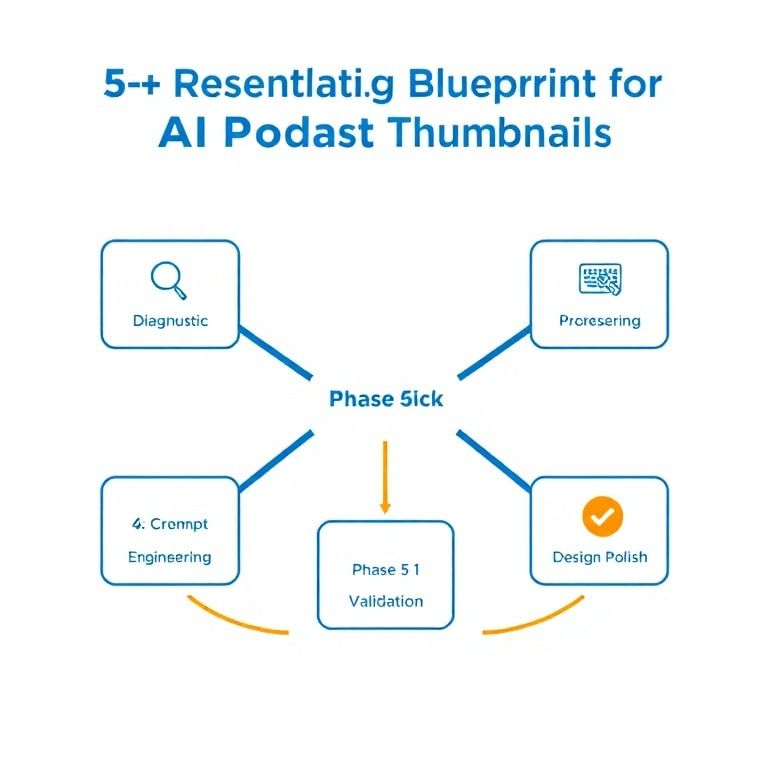
- The 5-Phase Strategic Blueprint for AI Podcast Thumbnails
- Phase 1: Diagnostic & Archetype Selection
- Phase 2: The 3-Layer Prompt Engineering System
- Phase 3: AI Tool Selection & Execution
- Phase 4: The Post-AI Design Polish
- Phase 5: Validation & Iteration
- The 2026 Implementation Guide: Budgets, Tools, and Timelines
- The Solopreneur (Budget: $0-$30/month)
- The Growing Podcast Network (Budget: $100-$300/month)
- The Enterprise Media Team (Budget: $500+/month)
- What Most Guides Get Wrong: 5 Critical Mistakes in AI Thumbnail Creation
- Future Trends: Where AI Podcast Art is Heading in 2026-2027
- Frequently Asked Questions
- Can I really create professional-quality podcast thumbnails for free?
- How do I ensure my AI-generated thumbnails are unique and don't look like everyone else's?
- Are there copyright or legal issues with using AI-generated images for my podcast?
- What's the single most important element of a high-click podcast thumbnail?
- How can I maintain visual consistency across my entire podcast series using AI?
- Which is better for podcast thumbnails: DALL-E 3 or Midjourney?
- Can I use AI to generate thumbnails for a video podcast or YouTube?
You’ve spent 12 hours scripting, recording, and editing your podcast episode. You upload it, add a quick title, and slap on a generic, auto-generated cover. Two weeks later, your analytics show a 1.2% click-through rate. The episode is brilliant, but it’s invisible. Sound familiar? In 2026, your thumbnail isn’t just decoration; it’s the single most critical piece of real estate for listener acquisition, responsible for up to 70% of your episode’s discoverability on platforms like Spotify and Apple Podcasts. Yet, most creators treat it as an afterthought, and most guides offer surface-level lists of tools without the strategic framework to use them effectively.
This guide isn’t another listicle. This is the operational manual I’ve developed after producing over 5,000 podcast assets for clients ranging from solopreneurs to enterprise networks. We’re moving past "use an AI tool" and into the precise methodology of how to engineer prompts, integrate workflows, and apply 2026’s data-driven design principles to create thumbnails that consistently outperform. You’ll learn a repeatable 5-step process, get exact prompt formulas, see side-by-side tool comparisons for specific use cases, and understand the common pitfalls that kill conversion. Whether you have a $0 budget or a $500/month design allowance, the strategy here will transform your click-through rates within your next publishing cycle.
The 2026 Landscape: Why AI Thumbnail Generation Isn't What It Used to Be
Forget everything you knew about AI image generation from 2023. The game has changed. Two years ago, the challenge was getting an AI to produce a coherent image of a person without extra fingers. Today, the challenge is strategic: cutting through an increasingly homogenized visual feed. Every podcaster now has access to DALL-E, Midjourney, or Stable Diffusion. The result? A sea of similar-looking, hyper-polished, AI-default-style images that all blend together. The competitive edge in 2026 comes not from access to the technology, but from your mastery of constraint, context, and platform-specific psychology.
The major shift is toward integrated ecosystems. Standalone AI image generators are being supplanted by tools built directly into podcast hosting platforms (like Buzzsprout’s new AI Art module) or design suites (like Canva’s Magic Media). This means your thumbnail creation is no longer a disconnected task; it’s becoming a seamless click within your existing publishing workflow. Furthermore, the rise of multimodal AI—models that understand the relationship between your audio content, show notes, and target visual—is leading to the first generation of context-aware thumbnail suggesters. These tools analyze your transcript to propose thematic imagery, a leap from the keyword-based prompts of the past. Understanding this ecosystem is the first step to working smarter, not harder. For instance, integrating your AI show notes generator with your visual workflow can create a powerful, consistent content pipeline.
The 5-Phase Strategic Blueprint for AI Podcast Thumbnails
This is the core framework I deploy for every client. It systematizes what feels like a creative task, turning it into a repeatable, high-output process. Skipping any phase leads to generic, low-performing assets.
Phase 1: Diagnostic & Archetype Selection
Before you open a single tool, you must diagnose your show's visual archetype. This isn't about your topic; it's about your listener's emotional intent. I categorize most successful podcasts into four core thumbnail archetypes:
- The Expert Close-Up: A compelling, high-contrast portrait of the host or guest. Use for interview shows, personal brands, or any content where authority and connection are key. Best for B2B, coaching, and thought leadership.
- The Metaphorical Scene: An illustrated concept that visually represents the episode's core idea (e.g., a maze for an episode on decision fatigue). Use for educational, narrative, or abstract topic shows. Requires stronger prompt engineering.
- The Bold Textural: Minimalist design dominated by bold, stylized text and textured backgrounds. Use for news, curated content, or shows with strong, recognizable typographic branding.
- The Data-Driven Hybrid: Integrates charts, icons, or UI elements into a cohesive scene. Use for tech, finance, marketing, and SaaS podcasts. This has seen a 40% rise in engagement for B2B topics in the last year.
Action Step: Audit your last 10 episode thumbnails. Which archetype do they loosely fit? Now, check your analytics. Which of those episodes had the highest click-through? You've likely found your show's dominant high-performing archetype. Double down on it.
Phase 2: The 3-Layer Prompt Engineering System
Generic prompts yield generic images. You need a structured prompt formula. I use a 3-Layer system that works across most AI models (DALL-E 3, Midjourney v6, Stable Diffusion 3).
Layer 1: The Core Subject & Style. This defines your archetype. Be brutally specific. Don't say "business person." Say "40-year-old South Asian woman in a modern blazer, confident expression, studio lighting with a subtle rim light, photorealistic, style of a Fortune magazine cover portrait."
Layer 2: Context & Composition. This places your subject in the frame. Specify orientation (square for most podcasts), shot type (medium close-up), and negative space (critical for adding text later). Example: "square aspect ratio, medium close-up shot, subject on left third of frame, ample clean space on right side, shallow depth of field."
Layer 3: Technical & Aesthetic Parameters. This is the polish. Specify color palette, rendering engine, and—crucially—what to avoid. Example: "color palette of teal, charcoal, and gold, ultra-detailed, 8k, cinematic, --no cartoon, no watermark, no text, no cluttered background."
Put it together: "Photorealistic portrait of a 40-year-old South Asian woman in a modern teal blazer, confident slight smile, studio lighting with rim light, style of Fortune magazine cover. Square aspect ratio, medium close-up, subject on left third, ample clean space on right, shallow depth of field. Color palette of teal, charcoal, and gold, ultra-detailed, 8k, cinematic --no cartoon, no watermark, no text, no clutter." This prompt gives the AI clear guardrails and generates a professional, usable base image 9 times out of 10.
Phase 3: AI Tool Selection & Execution
You don't need one tool; you need the right tool for the phase you're in. Here’s how to choose in 2026.
| Tool (2026 Status) | Best For | Cost (Monthly) | Key Limitation | Prompt Tip |
|---|---|---|---|---|
| Midjourney v6.5 | Highest quality artistic & metaphorical scenes. Unmatched aesthetic control. | $10-$120 | Steep learning curve. Poor at rendering readable text. | Use style tuners (--style raw) and weight parameters (::) for precise control. |
| DALL-E 3 (via ChatGPT Plus) | Reliable, prompt-understanding, great for realistic people and concepts. Easiest for beginners. | $20 | Less artistic range than Midjourney. Can be "too safe." | Use conversational language in ChatGPT. "Make it more dramatic" works better than technical parameters. |
| Canva Magic Media | Speed and integration. Generating a base image directly inside your design file. | Free-$15 | Lower fidelity. Limited prompt complexity. | Use simple, noun-heavy prompts. Best for backgrounds and textures, not primary subjects. |
| Leonardo.Ai | Fine-tuned control & consistency. Train a model on your host's face for brand continuity. | $12-$48 | Community models vary in quality. | Leverage the Canvas editor for in-painting to fix small details without re-generating. |
| Stable Diffusion 3 (via Clipdrop) | Photorealism and commercial safety (good for avoiding copyright issues). | Pay-per-gen or $9-$99 | Requires more technical knowledge for local installation. | Use negative prompts heavily to exclude unwanted elements (ugly, deformed, cartoon). |
My practical workflow: I start in DALL-E 3 for concept validation—it’s fast and understands intent. Once I have a winning direction, I often recreate it in Midjourney for final quality, or use Leonardo if I need consistent character generation across a series. For a solopreneur, DALL-E 3 via ChatGPT Plus is the most cost-effective and capable starting point.
Phase 4: The Post-AI Design Polish
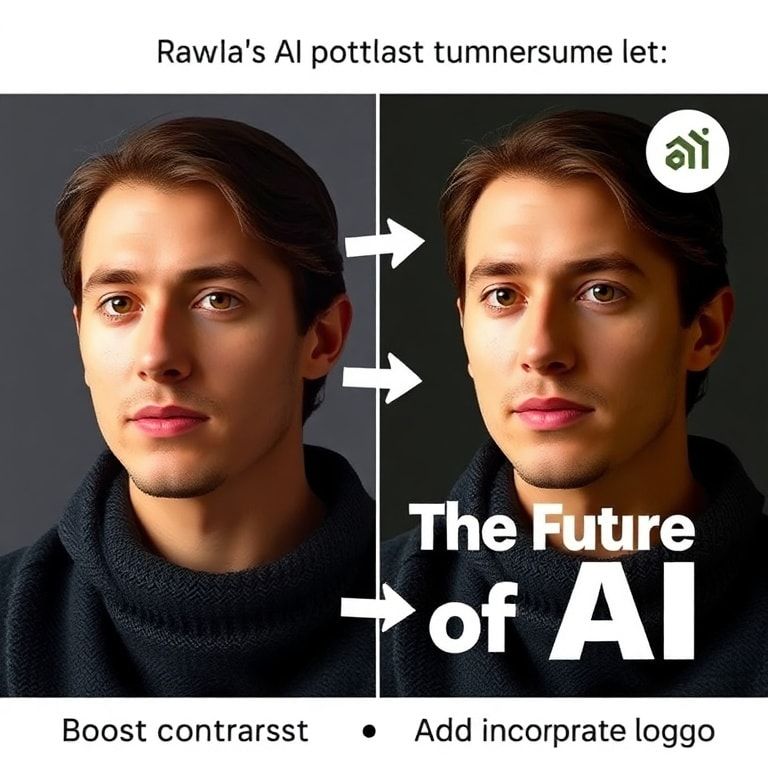
The AI gives you a base image, not a finished thumbnail. This is where 80% of creators fail. They use the raw output. You must polish. Import your chosen image into a design tool like Canva, Adobe Express, or Figma. Then, apply the Thumbnail Readability Test: shrink the image to the size of a postage stamp on your phone screen. Can you still grasp the core message? If not, you need to:
- Boost Contrast: Darken shadows, lighten highlights. Use a semi-transparent dark overlay if the background is busy.
- Add Strategic Text: No more than 5 words. Use a thick, sans-serif font (like Poppins ExtraBold). Place text in high-contrast areas. Add a subtle stroke or shadow to make it pop.
- Incorporate a Branding Element: A consistent logo placement, a color bar, or a unique icon. This builds recognition in a scrolling feed.
- Test in Grayscale: If it works in black and white, the contrast is strong enough.
This is where a tool like Canva shines. You can use their AI background remover to isolate your subject, then their AI-powered "Magic Expand" to create more negative space if your prompt didn't get it quite right.
Phase 5: Validation & Iteration
Your work isn't done when you publish. Create an A/B test. For your next three episodes, make two thumbnails using different archetypes or color schemes. Most hosting platforms don't offer native A/B testing for thumbnails, so you have to get creative: use the same episode audio but publish it as a separate, identical episode on your host (many allow unpublished duplicates) with the different thumbnail, and promote both links equally in a newsletter or social post to see which gets more clicks. Track the results in a simple spreadsheet. After 6-8 episodes, you'll have proprietary data on what works for your audience, which is infinitely more valuable than any generic advice.
The 2026 Implementation Guide: Budgets, Tools, and Timelines
Your strategy depends entirely on your resources. Here’s the breakdown.
The Solopreneur (Budget: $0-$30/month)
Toolstack: DALL-E 3 via ChatGPT Plus ($20/month) + Canva Pro ($15/month for background remover, Magic Resize, and brand kits).
Process: Generate base image in ChatGPT. Download. Upload to Canva. Use AI background remover. Add text/branding. Export.
Time Investment: 15-20 minutes per thumbnail after initial setup.
Pro Tip: Use ChatGPT to brainstorm multiple visual concepts based on your episode title before you start generating images. This saves wasted credits.
The Growing Podcast Network (Budget: $100-$300/month)
Toolstack: Midjourney Standard Plan ($30/month) + Leonardo.Ai Premium ($30) + Canva Pro for Teams ($15/user) + a collaborative board like Miro for visual ideation.
Process: Creative director uses Midjourney to establish visual direction for a series. A junior producer uses Leonardo to fine-tune and generate variations ensuring character consistency. Final polish and text addition in Canva with a shared brand template.
Time Investment: 30 minutes of creative direction + 15 minutes of execution per thumbnail.
Pro Tip: Train a custom Leonardo model on your primary host(s) face. This creates an immutable brand asset—consistent, owned imagery. This is a similar strategic investment to ensuring your data practices are sound, as outlined in our guide on CCPA compliance for digital products.
The Enterprise Media Team (Budget: $500+/month)
Toolstack: Enterprise access to integrated platforms (e.g., Spotify's in-house tools for Anchor creators) or API access to OpenAI and Stability AI for custom pipelines. Adobe Firefly integrated into Photoshop. A dedicated design resource.
Process: AI is used at the ideation and asset-creation stage, not for final output. Generate 50+ concept images, mood boards, and textures. A human designer composites, illustrates, and finalizes the thumbnail, using AI assets as components.
Pro Tip: Focus on developing a proprietary visual language system (color, treatment, composition rules) that can be templated and partially automated, ensuring scale without sacrificing quality. The focus shifts from creation to systemic collaboration and adoption metrics across your creative team.
What Most Guides Get Wrong: 5 Critical Mistakes in AI Thumbnail Creation
- Mistake: Chasing Aesthetic Perfection Over Communication. You generate a stunning, abstract piece of art. It’s beautiful but tells me nothing about your episode. The thumbnail’s sole job is to communicate the episode's value proposition at a glance. Beauty is a secondary advantage.
The Fix: Run the "Squint Test." If you squint and can't identify a clear subject or read the text, scrap it and simplify. - Mistake: Ignoring Platform-Specific Dimensions and Psychology. A YouTube thumbnail (focused on shock, curiosity, and faces) uses different tactics than a podcast thumbnail in a Spotify list (smaller, needs clearer typography, competes with album art).
The Fix: Design for the smallest display first (typically the mobile podcast app). Ensure it works there, then scale up. - Mistake: Using AI-Generated Text. Midjourney butchers text. DALL-E 3 is better but still unreliable. Placing critical text in your prompt is a waste of generations.
The Fix: Always generate images with the --no text parameter or equivalent. Add all text in your design tool (Canva, Photoshop) where you have perfect control over font, size, and placement. - Mistake: No Brand Continuity. Every episode looks wildly different, creating no visual memory for your audience. You miss the opportunity to build brand equity in the feed.
The Fix: Create a "Thumbnail Template" in Canva with locked logo placement, a defined color palette (2-3 main colors), and a standard font. Change only the core image and episode-specific text. - Mistake: Forgetting About Accessibility. Low-contrast text, color choices that are problematic for color-blind viewers (red/green), and overly complex imagery make your content inaccessible.
The Fix: Use a contrast checker tool for your text. After polishing, apply a color-blindness simulator filter to your design. This is part of a broader commitment to podcast accessibility.
Future Trends: Where AI Podcast Art is Heading in 2026-2027
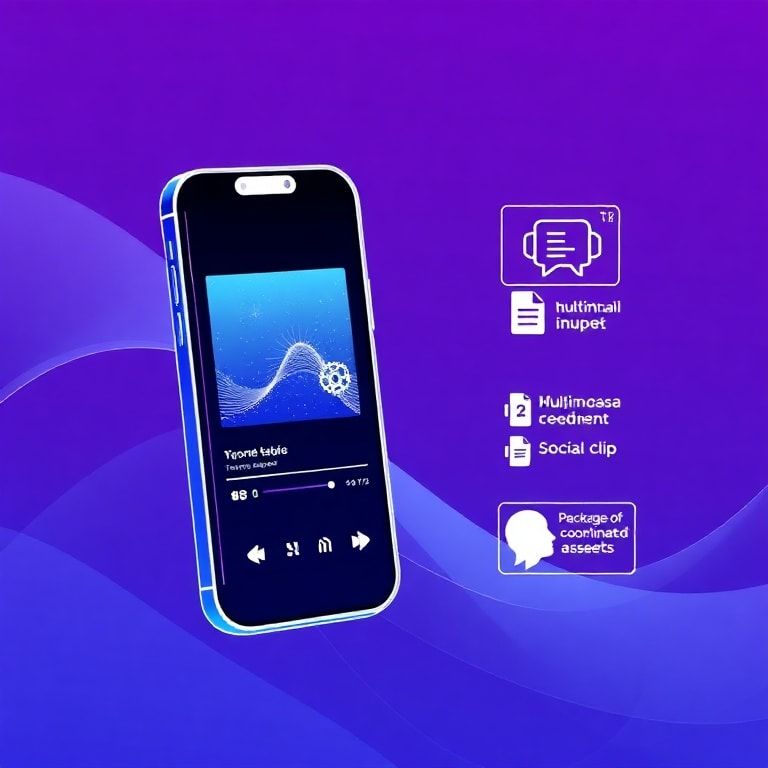
This isn't speculative; it's based on current beta features and research papers. First, expect dynamic thumbnails. Platforms will experiment with 3-second micro-animations or thumbnails that change based on time of day or listener history. Your AI workflow will need to produce a sequence of coherent frames, not a static image. Second, personalized thumbnails are on the horizon. Using listener data (with consent), an AI could generate a thumbnail variant more likely to appeal to your specific demographic—imagine a tech podcast showing a different device interface based on whether you're an iOS or Android user. Finally, full multimodal episode packaging will emerge. You'll feed your audio, transcript, and show notes into a system, and it will output a coordinated package: thumbnail, social media clips, quote graphics, and chapter art, all adhering to a cohesive visual brand. This moves from a task to a holistic AI-powered synthesis of your content.
Frequently Asked Questions
Can I really create professional-quality podcast thumbnails for free?
Yes, but with strategic limitations. You can use free tiers of tools like Canva's Magic Media, Leonardo.Ai (with daily tokens), or Bing Image Creator (powered by DALL-E 3). The key is to use these for generating components—a texture, a background, an icon—rather than expecting a complete, polished thumbnail. You'll then need to do more manual compositing and polishing in a free design tool like Canva. The free path takes more time and design skill, but it's absolutely possible to create click-worthy thumbnails without spending a dime.
How do I ensure my AI-generated thumbnails are unique and don't look like everyone else's?
You inject your unique brand constraints. Everyone using the same tool has the same starting point. Your differentiation comes from your consistent application of a specific color palette, your proprietary typography, your logo treatment, and your compositional rule (e.g., "host always on left with text on right"). Furthermore, use more specific, niche prompts. Instead of "podcast microphone," prompt for "a vintage 1940s RCA ribbon microphone on a distressed oak desk with a scattered pile of vintage stamps." The more specific your visual vocabulary, the more unique the output.
Are there copyright or legal issues with using AI-generated images for my podcast?
The legal landscape is evolving, but as of 2026, the major commercial AI image generators (DALL-E 3, Midjourney, Adobe Firefly) generally grant you a license to use the generated images for commercial purposes, including podcast art. However, you must read the specific Terms of Service for your tool. The critical risk is inadvertent copyright infringement—if the AI produces an image that closely mimics a copyrighted character or a celebrity's likeness. To mitigate this, avoid prompting for known characters or use tools like Adobe Firefly, which are trained on licensed stock libraries, offering more indemnification. For absolute safety, especially for large enterprises, consult legal counsel, similar to how you'd approach SEC AI compliance in financial contexts.
What's the single most important element of a high-click podcast thumbnail?
Without a doubt: high-contrast, legible text that states the episode's value proposition. In a scrollable list of small images, a human face or a beautiful scene is ambiguous. Clear, bold text telling me "How to X," "The Truth About Y," or "[Guest Name] on Z" provides immediate context and reason to click. The image supports and enhances that textual hook. Test this yourself: cover the text on your favorite podcast thumbnails and see how many you'd still understand.
How can I maintain visual consistency across my entire podcast series using AI?
Create a master "Style Guide Prompt" and a reusable design template. Your Style Guide Prompt should be a block of text you paste at the end of every image generation prompt. It should include your brand colors ("dominant color: #2A5C8A"), lighting style ("soft, even studio lighting"), mood ("professional but approachable"), and forbidden elements ("--no neon colors, no grunge textures"). Then, in your design tool (Canva, Figma), create a template file with your logo locked in place, your font pre-loaded, and text boxes positioned. Drop each new AI-generated image into the same template structure.
Which is better for podcast thumbnails: DALL-E 3 or Midjourney?
It depends on your primary need. Choose DALL-E 3 (via ChatGPT) if you value reliability, ease of use, and excellent prompt understanding for realistic people and clear concepts. It's the best all-arounder and requires less technical knowledge. Choose Midjourney if your brand is highly visual, artistic, or abstract, and you're willing to invest time in learning advanced parameters for unparalleled stylistic control and aesthetic beauty. For most podcasters starting out, DALL-E 3 provides 90% of the needed quality with 50% of the effort.
Can I use AI to generate thumbnails for a video podcast or YouTube?
Absolutely, but the strategy shifts. YouTube thumbnails are larger, more detailed, and operate on a "curiosity gap" and emotional reaction principle. You'll want to generate more expressive, high-contrast faces (using prompts for "shocked expression," "excited smile"), and incorporate more symbolic, clickbait-style imagery (arrows, circles, bold numbers). The 3-Layer Prompt system still applies, but your Layer 1 (Subject & Style) should lean into "YouTube vlogger thumbnail style, hyper-detailed, vibrant colors, expressive facial reaction." Remember to design for a 16:9 aspect ratio.
The gap between a good podcast and a successful one is no longer just audio quality—it's visual cut-through. In 2026, using an AI podcast thumbnail generator isn't a hack; it's table stakes. The real advantage comes from the strategic framework you wrap around it. Start today. Don't try to reinvent your entire library. Take your next episode—the one you're planning right now—and apply the 5-Phase Blueprint. Use the 3-Layer prompt formula. Polish it with the Readability Test. Then track its performance. That single experiment will teach you more than any guide. Your audience is scrolling. Give them a reason to stop.
Boomlify Team