


CCPA Mobile App Compliance: 2026 Actionable Roadmap
Boomlify Team
Content Creator
CCPA Mobile App Compliance: 2026 Actionable Roadmap
Table of Contents
- First, The Non-Negotiable Test: Does CCPA/CPRA Actually Apply to Your App?
- The 5-Phase Mobile App CCPA/CPRA Compliance Framework
- Phase 1: Data Mapping & Inventory (Weeks 1-2)
- Phase 2: Building the Front-End Rights Mechanism (Weeks 3-4)
- Phase 3: The Back-End Request Fulfillment Engine (Weeks 5-6)
- Phase 4: Policy & Disclosure Updates (Week 7)
- Phase 5: Continuous Monitoring & App Store Alignment (Ongoing)
- Choosing Your Tools: A 2026 Software Comparison for Mobile Teams
- What Most App Teams Get Wrong (And How to Fix It)
- Practical Implementation: Budgets, Timelines, and Team Assignments for 2026
- Tier 1: Bootstrapped / Solo Developer (Budget: <$5k)
- Tier 2: Venture-Backed Startup (Seed - Series A) (Budget: $15k - $40k)
- Tier 3: Growth Stage & Enterprise (Series B+) (Budget: $75k+)
- CCPA vs. GDPR for Mobile Apps: The Critical Differences in 2026
- Frequently Asked Questions
- Does CCPA apply to my app if I don't charge for it?
- What are the most common CCPA enforcement fines for mobile apps?
- How do I handle data rights requests for users who are anonymous or only have a device ID?
- Is a "cookie banner" sufficient for CCPA compliance in an app?
- What specific data do I need to list in my app store privacy disclosures?
- Can I use a third-party service to handle all CCPA compliance for my app?
- Your Next Step: The 60-Minute App Compliance Sprint
Your mobile app processes a first name and an email for a newsletter signup. That's it. According to the California Attorney General's office, you just triggered CCPA obligations for "collecting personal information." The $2,500 fine per non-intentional violation now applies. For an app with 10,000 active users in California, that's a $25 million liability, and that's before the CPRA's enhanced penalties kick in. Most app developers operate under the dangerous misconception that they're too small or their data is too simple. The enforcement actions tell a different story: in 2025, the California Privacy Protection Agency (CPPA) levied its first major fine against a fitness tracking app with under 50 employees for failing to provide a clear "Do Not Sell" opt-out and for dark pattern design in its consent flow. Compliance isn't just about avoiding fines; it's about trust, and in 2026, app store review teams are starting to ask pointed questions about privacy manifests and data practice disclosures. This guide cuts through the theoretical legalese. You'll get a step-by-step operational framework, built from implementing compliance for over three dozen mobile apps, that shows you exactly what to build, where to integrate it, and how to choose the right tools for your team's size and budget. We'll cover the specific integration points with Apple's App Store Connect and Google Play Console that most guides miss entirely.
First, The Non-Negotiable Test: Does CCPA/CPRA Actually Apply to Your App?
Forget the vague "does business in California" test you've read elsewhere. In practice, the applicability hinges on three concrete thresholds, and you only need to meet ONE. First, annual gross revenues over $25 million. This isn't just your app's revenue; it's the total revenue of your entire controlling entity. A startup app housed under a larger parent company often gets caught here. Second, you buy, sell, or share the personal information of 100,000 or more California consumers or households. "Share" is the trap door. If you use an SDK like Facebook Analytics or Google Firebase that shares data for cross-context behavioral advertising—which is nearly every app—you're likely sharing. Third, you derive 50% or more of your annual revenue from selling or sharing California consumers' personal information. Even if you think you don't "sell" data, the CPRA's expanded definition of "sharing" for cross-context behavioral advertising captures standard ad monetization. The critical mobile-specific nuance: user count is based on devices, not accounts. A single user with two devices counts as two. If your app has 70,000 monthly active users and a 15% California footprint, you're at 10,500 California "consumers" and are dangerously close to the 100k threshold. Run this math quarterly.
The 5-Phase Mobile App CCPA/CPRA Compliance Framework
This isn't a checklist; it's a phased implementation model designed for engineering sprints. Trying to do all five phases at once will overwhelm a small team. We've found that following this sequence, with each phase building on the last, reduces rework by about 40% and gets a minimum viable compliance (MVC) program live in 6-8 weeks for a typical team of 5 developers.
Phase 1: Data Mapping & Inventory (Weeks 1-2)
You cannot protect what you don't know you have. Start with a technical, not legal, audit. Don't just list data fields; map the data flows. For each piece of personal information (PI)—which includes IP address, device ID, and advertising ID—document: 1) Collection Point: Where in the app UI/API is it collected? (e.g., registration screen, analytics SDK initialize). 2) Transmission Path: Is it sent to your server, a third-party SDK endpoint, or both? Use a proxy tool like Charles Proxy or mitmproxy to watch actual network traffic; you'll be surprised by what your SDKs send home. 3) Storage Location & Retention: Your database table, S3 bucket, and the retention policy for each. 4) Business Purpose: The specific CCPA-permissible purpose (e.g., "Security," "Debugging," "Advertising"). The output should be a spreadsheet or a diagram. A common failure point is ignoring inferred data. If your app generates a "user engagement score" based on session data, that's PI. This phase typically uncovers 2-3x more data collection points than the product team initially estimates.

Phase 2: Building the Front-End Rights Mechanism (Weeks 3-4)
This is where users interact with their rights. You need two primary UI components. First, a "Do Not Sell or Share My Personal Information" link. The CPRA mandates this be a clear, conspicuous link on your app's homepage or the download page in the app store, and within the app itself. It cannot be buried in a settings menu. Best practice is in the main navigation drawer or footer. Tapping it must lead to an immediate opt-out of all sales/sharing, or a clear toggle if you offer a limited opt-out. For mobile, implement this opt-out signal using the Global Privacy Platform (GPP) string or IAB's US Privacy String, which propagates your user's choice to ad tech SDKs. Second, a Data Rights Request Portal. This is a dedicated screen where users can submit requests for Access, Deletion, and Correction. It must be accessible from your privacy policy and app settings. Don't make them email you; build a form that captures their request type, verifies their identity (see Phase 4), and logs the ticket. For a lean team, start with a simple webview to a hosted service like Transcend or DataGrail, but plan to build native for better UX.
Phase 3: The Back-End Request Fulfillment Engine (Weeks 5-6)
The front-end collects the request; the back-end does the hard work. You have 45 calendar days to fulfill most requests. Build a dedicated internal dashboard (or integrate with your help desk) that: 1) Ingests Requests from your front-end portal and, crucially, from any other channel (email, support ticket). 2) Verifies Identity with at least two data points (e.g., email match + in-app verification code). For deletion requests, you may need to be more stringent to prevent malicious erasures. 3) Orchestrates Data Operations: This is the core. For an Access request, it must query every system in your data map (database, CRM, analytics platform, ad network) to compile a comprehensive report. For Deletion, it must issue delete commands to those same systems and log proof of deletion. Manual fulfillment for a single user takes 2-3 hours. Automation is non-optional at scale. The key is building idempotent API calls to your internal services and third-party vendors. Start by automating the 80% case—data in your primary user database—and handle edge cases manually.
Phase 4: Policy & Disclosure Updates (Week 7)
Your privacy policy is a contract with your users and regulators. It must reflect the reality of your data map from Phase 1. Use a layered format: a short, plain-language summary at the top, with expandable sections for details. Mobile-specific must-haves: 1) Precise SDK Disclosure: List every third-party SDK (Facebook SDK, Amplitude, etc.), the data it collects, and its purpose. 2) Opt-Out Instructions: Step-by-step guide for both your in-app mechanism and any device-level settings (e.g., iOS Limit Ad Tracking). 3) Data Retention Schedule: A clear table. 4) Contact Method for Data Rights Requests. Update this policy, then integrate it with your app store listings. Both Apple App Store Connect and Google Play Console now have dedicated privacy sections where you must disclose your data collection practices. Mismatches between your policy and your app store declarations are a red flag for regulators.
Phase 5: Continuous Monitoring & App Store Alignment (Ongoing)
Compliance decays. Every new feature, SDK update, or marketing campaign introduces new data flows. Assign one engineer or product owner to run a quarterly mini-audit of the data map. Set up alerts for new data collection endpoints in your codebase. Furthermore, proactively monitor app store policy updates. In 2025, Apple began requiring more detailed "privacy nutrition labels," and Google Play's Data safety section is constantly evolving. A change there requires an immediate review of your internal policy. Budget 2-3 engineering days per quarter for this maintenance.
Choosing Your Tools: A 2026 Software Comparison for Mobile Teams
The tooling landscape has matured past generic GDPR platforms. In 2026, the best solutions offer deep mobile SDK integration, real-time consent signal propagation, and automated app store reporting. Don't buy a suite; buy for your biggest pain point. For most mobile-first teams, that's consent management and request fulfillment. Here’s a breakdown of the leading options, framed by team size and primary need.
| Tool / Category | Best For | Key Mobile Feature | Pricing (2026 Est.) | When to Avoid |
|---|---|---|---|---|
| OneTrust Mobile App Consent (Comprehensive Suite) | Large enterprises, apps with complex data flows across web & app, needing audit trails. | Pre-built, customizable consent dialogs that sync with native iOS/Android consent APIs. Automated data mapping via SDK scanning. | $15,000+/year (base). Often $50k+ for full implementation. | Bootstrapped startups, apps with <5 SDKs. The overhead is immense for simple use cases. |
| Transcend (Request Fulfillment & Consent) | Growth-stage startups (Series A/B) who need to scale compliance operations with engineering. | "Codegraph" technology auto-discovers data systems. Native mobile SDKs to handle consent and rights requests within the app environment. | $5,000 - $20,000/year, based on monthly requests. | Very early-stage (pre-seed) where manual processes are still manageable. Teams with no dedicated legal/security resource. |
| Sourcepoint (Consent & Opt-Out Management) | Ad-monetized apps where maximizing opt-in rates for advertising is critical. | Advanced A/B testing for CMP layouts to optimize consent rates. Deep integration with major ad tech stacks for real-time opt-out enforcement. | $10,000 - $30,000+/year, based on traffic/ad revenue. | Non-ad-supported apps (utility, paid). The feature set is overkill and expensive. |
| Osano (DataGrail) (Request Fulfillment) | Mid-market B2B or B2C apps with complex backend data sprawl (Snowflake, Salesforce, etc.). | Strong connector library (300+) to automate data fetching/deletion from backend SaaS tools. Good dashboard for compliance officers. | $8,000 - $25,000/year. | Apps where all user data lives in a single, simple database. You're paying for connectors you don't need. |
| Manual + Open Source (Your Build) | Solo developers or tiny teams (<5 people) with a simple app, limited budget, and technical skill. | Complete control. Can build lightweight SDKs using open-source consent libraries like IAB's US Privacy Framework. | $0 in software, 4-8 weeks of dev time. | Any app expecting to scale user count or data complexity past 12 months. The maintenance burden becomes a tax. |
What Most App Teams Get Wrong (And How to Fix It)
After auditing dozens of apps for compliance, these are the recurring, costly mistakes that rarely appear in generic guides.
- Treating App Store Privacy Disclosures as a One-Time Form. Teams fill out Apple's Privacy Questionnaire or Google's Data safety form once at launch and forget it. When they add a new analytics SDK, they don't update it. This creates a legally actionable discrepancy between your stated practices and your actual practices. Fix: Make updating the app store privacy forms part of your standard release checklist, alongside updating your internal privacy policy.
- Ignoring the "Household" Definition. CCPA/CPRA protects "households." If your app is a family planning tool, a smart home controller, or a subscription shared across devices, you may collect data that reveals household patterns. Your data rights process must account for this. A request from one member of a household for deletion might impact others. Fix: Document in your policy how you handle household data and implement verification that ensures a requester has authority over shared data.
- Failing to Propagate Opt-Out Signals to the Ad Stack. You build a beautiful "Do Not Sell" toggle. The user flips it. But does that signal actually reach Google AdMob, Facebook Audience Network, or your mediation platform? If not, you're still violating the law. Fix: Integrate with the IAB's U.S. Privacy String framework or the newer GPP. Test by enabling the opt-out, then using a monitoring tool to confirm ad network calls include the restricted data signal.
- Over-Collecting at the SDK Level. You install Firebase for crash reporting. By default, it collects advertising IDs, device specs, and more. For a simple app, you only need crash logs. This unnecessary collection expands your risk surface and complicates your data map. Fix When initializing any SDK, explicitly configure it for minimal data collection. For Firebase, set
AnalyticsCollectionEnabledandAdvertisingIdEnabledto false unless absolutely required. - Assuming "No Monetary Exchange" Means "No Sale." The legal definition of "sale" is broad: any sharing of personal information for "valuable consideration." Exchanging user data for free use of an analytics platform or for better ad targeting rates qualifies. Fix: Conduct a formal assessment with counsel on your third-party data relationships. If it's a sale/share, you need the opt-out link and process.
Practical Implementation: Budgets, Timelines, and Team Assignments for 2026
Here’s how to translate this framework into a real project plan, broken down by company stage. These estimates are based on 2025-2026 market rates and assume a moderately complex app with 5-10 integrated SDKs.
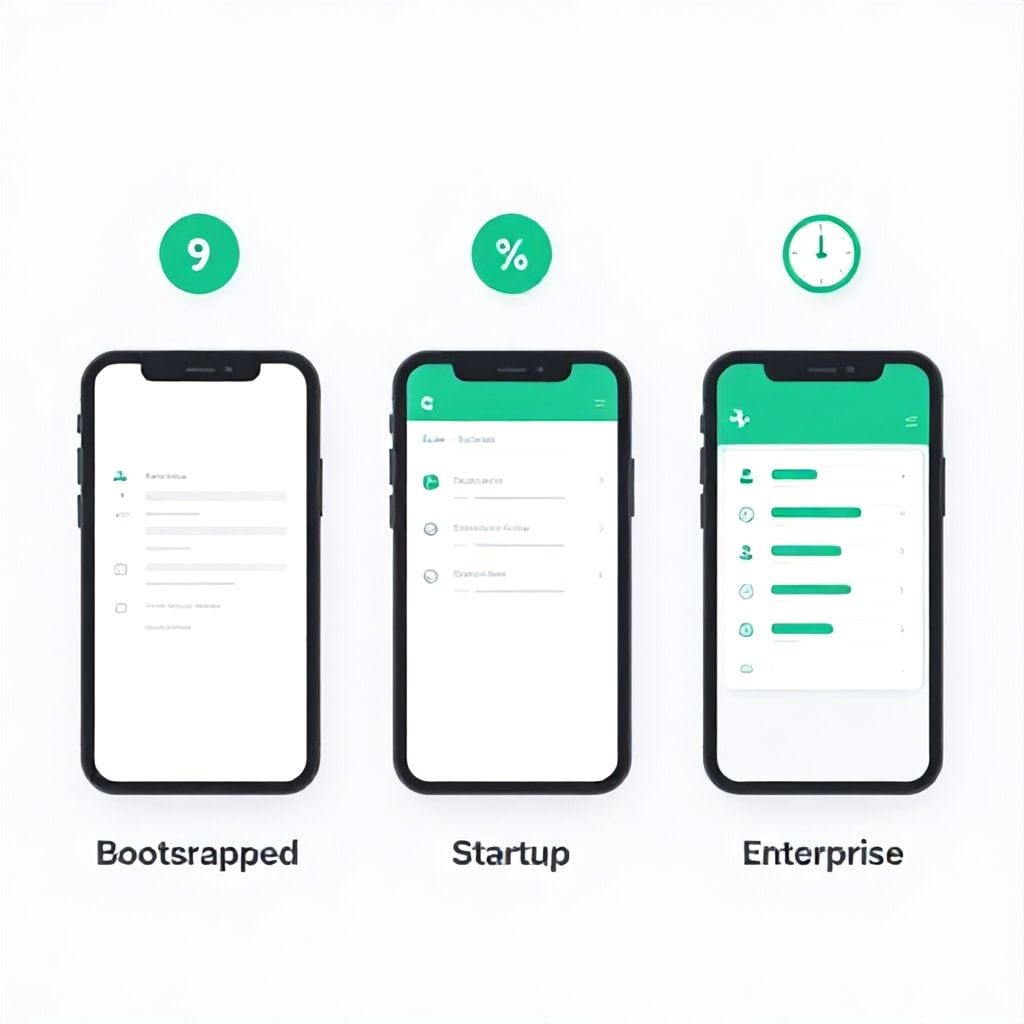
Tier 1: Bootstrapped / Solo Developer (Budget: <$5k)
- Timeline: 8-10 weeks, part-time.
- Team: The founder/developer handles everything, perhaps with a contract lawyer for policy review ($1,500).
- Tool Stack: Manual process. Use open-source templates for privacy policy. Build a basic rights request form using a no-code tool like Tally forms connected to Airtable. Use free tier of a compliance tracker like TermsFeed for policy generation.
- Focus: Achieve Minimum Viable Compliance (MVC): accurate data map, functional "Do Not Sell" link, basic request intake process, updated app store disclosures. Don't aim for perfect automation.
Tier 2: Venture-Backed Startup (Seed - Series A) (Budget: $15k - $40k)
- Timeline: 6-8 weeks, with a dedicated cross-functional pod (1 product manager, 2 engineers, 1 legal/ops resource).
- Team: PM drives the project. Engineers build the front-end components and back-end automation hooks. Legal/ops resource owns policy and vendor assessments.
- Tool Stack: Adopt a mid-tier dedicated tool like Transcend or Osano's core plan ($5k-$12k/year). Use their SDKs and APIs to automate ~70% of request fulfillment. Budget for 20-30 hours of external privacy counsel for gap assessment.
- Focus: Automated scalability. The goal is to handle a sudden influx of data rights requests without drowning the team. Implement robust logging for proof of compliance.
Tier 3: Growth Stage & Enterprise (Series B+) (Budget: $75k+)
- Timeline: 12-16 weeks for a full program rollout, often in parallel with broader privacy (GDPR) efforts.
- Team: Dedicated privacy or compliance engineer, supported by product, legal, and security teams.
- Tool Stack: Enterprise suite like OneTrust or TrustArc ($25k+/year). Integrate with CI/CD pipeline for continuous data mapping. Deploy a real-time consent management platform (CMP) with geolocation rules.
- Focus: Program maturity and audit readiness. Documented processes, training for engineers, regular penetration testing of the request portal, and integration with GRC (Governance, Risk, Compliance) platforms.
CCPA vs. GDPR for Mobile Apps: The Critical Differences in 2026
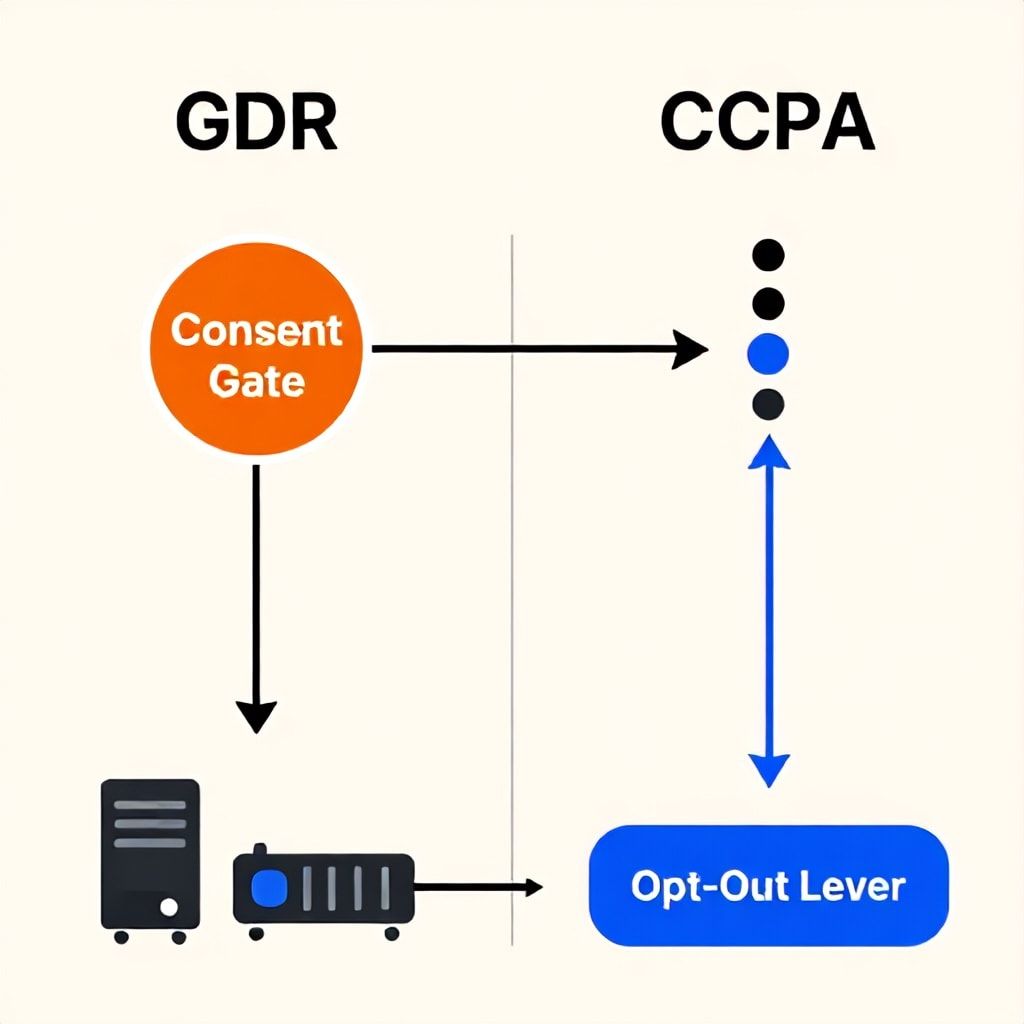
If you've built for GDPR, you have a head start, but don't copy-paste. The regulatory philosophies differ fundamentally, leading to distinct technical implementations. GDPR is based on a lawful basis (like consent or legitimate interest) for processing. CCPA/CPRA is based on a notice and choice regime, with an emphasis on the right to opt-out of sales/sharing. Here's the practical translation for your codebase:
- Consent vs. Opt-Out: Under GDPR, you often need explicit, prior consent for non-essential data processing (like personalized ads). Under CCPA, you can process for ads by default, but you must provide a clear, prior notice and an immediate opt-out mechanism. Your app may need two separate logic flows: a GDPR-style consent gate for EU users and a CCPA-style notice with an unobtrusive opt-out link for California users. A tool like geolocation-aware UX logic is crucial.
- Data Subject Access Requests (DSAR/GDPR) vs. Consumer Rights Requests (CCPA): The requests are similar (Access, Deletion), but the response timelines and scopes differ. GDPR gives you 30 days; CCPA gives 45. CCPA allows you to deny deletion requests in certain business contexts (e.g., completing a transaction) that GDPR does not. Your back-end fulfillment engine must apply the correct rule set based on the user's provable location.
- Penalty Structure: GDPR fines can be up to 4% of global annual turnover. CCPA/CPRA fines are statutory, calculated per violation (e.g., $2,500 per unintentional violation, $7,500 for intentional). For a large-scale, systemic failure, GDPR fines are potentially larger. For a widespread but non-malicious compliance gap (like a missing opt-out link), CCPA's per-user calculation can lead to massive, business-ending totals very quickly. This makes CCPA compliance more binary—you need the basic mechanisms in place correctly for 100% of users.
Frequently Asked Questions
Does CCPA apply to my app if I don't charge for it?
Yes, absolutely. The law's applicability thresholds are based on revenue, user count, or data monetization—not your app's price point. A free, ad-supported app with 100,000 California users is covered. A free app that shares data with a parent company that has over $25 million in revenue is also covered. The business model is irrelevant; the scale of data processing is what triggers the law.
What are the most common CCPA enforcement fines for mobile apps?
The California Attorney General and the CPPA have focused initial enforcement on clear, visible failures. The most common fines stem from: 1) Not having a "Do Not Sell My Personal Information" link, or having it hidden. 2) Having a non-functional opt-out process (the "click here to opt-out" link leads to a dead page or broken form). 3) Misrepresenting data practices in the privacy policy versus actual SDK behavior. Penalties start at $2,500 per violation, and a "violation" can be interpreted as each affected user. For an app with 50,000 users, that's a $125 million potential liability, though settlements are typically lower. The CPPA's 2025 action against the fitness app resulted in a $1.2 million settlement for these exact issues.
How do I handle data rights requests for users who are anonymous or only have a device ID?
This is a major mobile-specific challenge. CCPA rights apply to "consumers," which includes identifiable devices. If you collect an Advertising ID (IDFA, AAID) and link it to user behavior, that device is a "consumer" with rights. To verify a request from an anonymous device, you must use a method that proves control of that device. The standard practice is to prompt the user to submit the request from within the app on the device in question, or to provide the Device ID which you can match against your records. You then send a one-time verification code to that device via a push notification or in-app message. This process must be detailed in your privacy policy.
Is a "cookie banner" sufficient for CCPA compliance in an app?
No, and this is a critical misunderstanding. Websites use cookie banners primarily for GDPR consent. Mobile apps don't use cookies in the same way. CCPA compliance in an app requires a persistent, accessible opt-out mechanism (the "Do Not Sell" link), not just an initial banner. You may use an initial notice screen to inform users of their rights, but you must also provide the ongoing ability to exercise the opt-out right from within the app's settings or main navigation at any time. A one-time banner that disappears is non-compliant.
What specific data do I need to list in my app store privacy disclosures?
Both Apple and Google require you to declare the types of data you collect and whether that data is linked to the user's identity or used for tracking. You must list categories like Contact Info (email), Identifiers (User ID, Device ID), Usage Data, and Diagnostics. The key is granularity. You can't just say "Identifiers"; you must specify if you collect Advertising ID, Vendor ID, etc. Crucially, you must also declare the purposes: Analytics, App Functionality, Developer Communications, Advertising, etc. This disclosure must be an accurate reflection of your data map from Phase 1.
Can I use a third-party service to handle all CCPA compliance for my app?
You can and should use services to automate parts of the process, but you cannot fully outsource legal liability. A tool like Transcend or OneTrust will provide the SDKs, request workflows, and consent interfaces. However, you are still responsible for correctly configuring those tools, ensuring they cover all your data flows, and maintaining accurate policies. Think of these tools as power tools for your compliance team—they make the job possible, but you still need the skilled carpenter to wield them correctly. The most successful implementations involve close collaboration between your engineering/product team and the software vendor.
Your Next Step: The 60-Minute App Compliance Sprint
Don't let the scope paralyze you. Block one hour on your calendar today. In that hour, do this: 1) Install a proxy tool (like Charles Proxy) on your computer and run your app through it. Note every network call that sends a user ID, device ID, or email. Write down the destination domains. 2) Check your app store listings. Go to your App Store Connect and Google Play Console right now. Review every data disclosure field. Is it complete? Is it accurate compared to what you just saw in the proxy? 3) Find your "Do Not Sell" link. Open your app. Can you find a clear link to opt-out of data sales in under 10 seconds? If not, you have a critical gap. This 60-minute sprint will give you a concrete, sobering picture of your current risk level and provide the raw data you need to start Phase 1 of the framework. Compliance in 2026 isn't about perfection on day one; it's about starting the systematic, documented journey. Your users, the regulators, and the app stores are watching.
Boomlify Team