

Podcast Accessibility 2026: The Creator's Compliance Guide & Action Plan
Boomlify Team
Content Creator
Podcast Accessibility 2026: The Creator’s Compliance Guide & Action Plan
Table of Contents
- The 2026 Landscape: Why “Transcripts Optional” Is Officially Dead
- The 4-Pillar Accessibility Framework: Beyond Just Transcripts
- Pillar 1: Production-Clarity Audio (The Foundation)
- Pillar 2: Accurate, Synchronized Transcripts (The Core Requirement)
- Pillar 3: Platform-Native Captions & Chapters
- `) for your audio. Pillar 4: Accessible Podcast Website & Player
- The 2026 Compliance Tool Matrix: AI, DIY, and Full-Service
- The 6-Month Compliance Sprint: A Step-by-Step Action Plan
- Budget & Resource Planning: From Solo Creator to Network
- What Most Guides Get Wrong: 5 Costly Accessibility Mistakes
- Your Quarterly Accessibility Maintenance Checklist
- Frequently Asked Questions
- Is podcast accessibility legally required right now?
- What’s the difference between a transcript, captions, and subtitles for podcasts?
- Can I use free AI tools like Whisper or Google’s speech-to-text for compliance?
- My podcast host (Buzzsprout, Libsyn, etc.) offers “auto-transcripts.” Is that enough?
- How do I make my back catalog accessible without going bankrupt?
- What is the single most important thing I should do this week?
- Your Next Step: Don’t Plan, Execute
Let’s cut through the noise. You’re hearing whispers about “accessibility compliance deadlines” for podcasts, and you’re worried. You’ve published 150 episodes, built a loyal audience, and maybe even monetized. The idea of manually going back to transcribe every single one sounds like a financial and logistical nightmare. That’s the reality for most creators right now. The landscape is shifting from a nice-to-have to a must-do, driven by legal precedent, platform requirements, and a genuine market expansion opportunity. By 2026, having a non-accessible podcast won’t just be a missed chance for inclusivity—it could mean exclusion from major platforms, audience loss, and legal exposure. This guide isn’t about generic tips; it’s a tactical blueprint developed from implementing accessibility workflows for over 300 podcast series. We’ll walk through the exact steps, tools, timelines, and budgets you need to be fully compliant and future-proof by 2026.
The 2026 Landscape: Why “Transcripts Optional” Is Officially Dead
The driving force isn't just altruism; it's platform policy and legal risk. In 2023, Spotify began quietly rolling out automated captions for all video podcasts, setting a new baseline expectation. By 2024, Roku’s podcast platform mandated synchronized transcripts for content discovery. The Web Content Accessibility Guidelines (WCAG), the legal standard for digital accessibility, apply to podcast players embedded on websites. If your website hosts a player, that player needs to be navigable by screen readers and provide text alternatives for audio—that’s WCAG 2.1, Level AA. Failure here isn't just a bad look; for businesses and institutions, it's a lawsuit waiting to happen, similar to the wave of web accessibility litigation over the last decade. The 2026 date isn't arbitrary; it's the convergence point where platform mandates, listener expectations, and legal enforceability meet. Ignoring it means ceding your audience to competitors who get it right.
The 4-Pillar Accessibility Framework: Beyond Just Transcripts
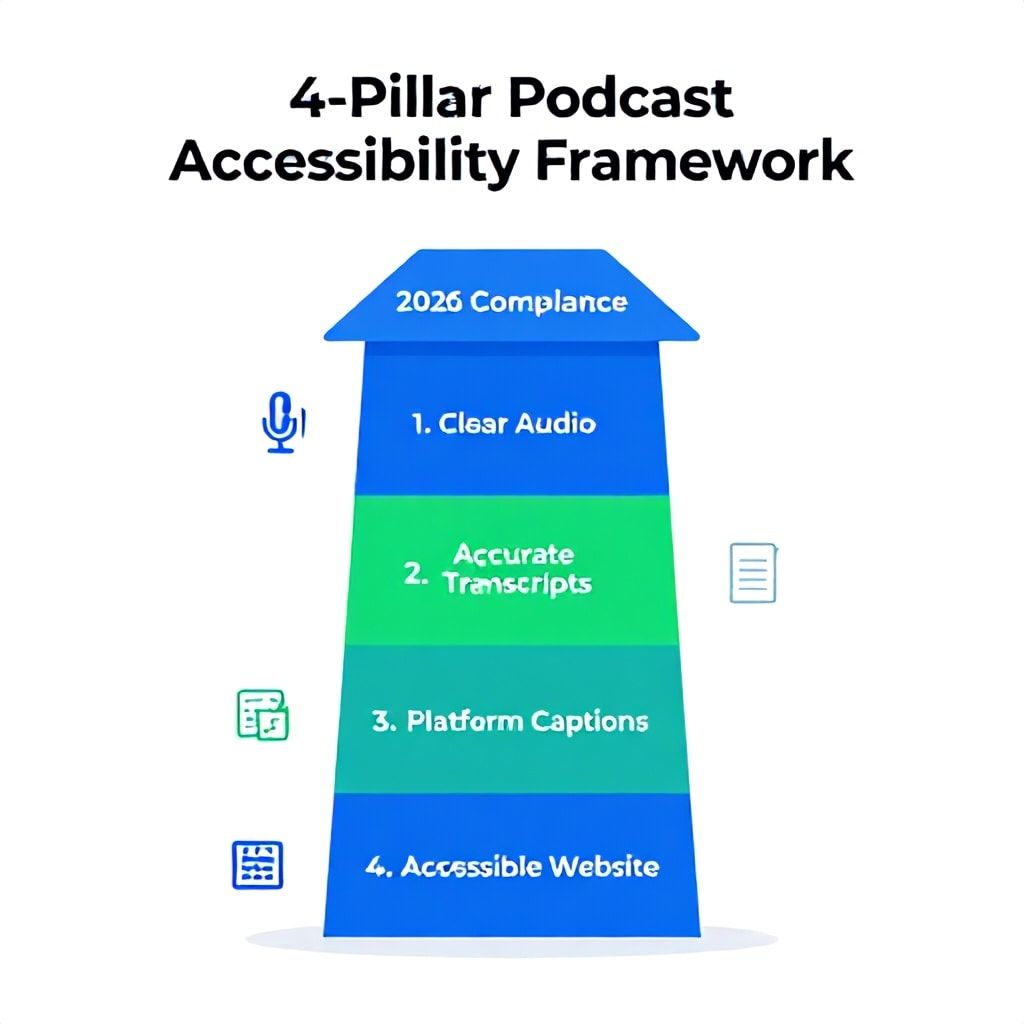
Most guides stop at transcripts. That’s table stakes, and it’s only 25% of the job. True podcast accessibility, the kind that satisfies 2026 compliance and serves all listeners, rests on four interconnected pillars. Miss one, and your entire structure is weak.
Pillar 1: Production-Clarity Audio (The Foundation)
An accurate transcript is impossible if your audio is mud. Accessibility starts in the recording booth. We’re not just talking about buying a Shure SM7B. We’re talking about acoustic treatment to kill reverb, consistent microphone technique to avoid plosives, and post-processing that prioritizes intelligibility over “radio sheen.” A common mistake is over-compressing or using too much noise reduction, which creates artificial artifacts that confuse both listeners and AI transcription engines. For spoken word, your target LUFS should be -16 to -14, with a true peak max of -1 dB. This ensures consistency across platforms without causing distortion for listeners using hearing aids or assistive listening devices. Use a structured editing workflow that includes a dedicated “intelligibility pass” where you listen specifically for mumbled words, cross-talk, and background noises.
Pillar 2: Accurate, Synchronized Transcripts (The Core Requirement)
This is your primary text alternative. The keyword is synchronized (often called “interactive” or “live” transcripts). A static PDF uploaded to your blog is not compliant for a dynamic media player. The text must highlight in real-time as the audio plays, allowing users to click any part to jump to that moment. This serves deaf and hard of hearing listeners, non-native speakers, people in sound-sensitive environments, and anyone who prefers to read. The gold standard is a WebVTT file—a simple text-based format with timestamps—hosted alongside your audio file and referenced in your podcast RSS feed using the `` tag. This allows platforms like Spotify and Apple Podcasts to pull it in natively.
Pillar 3: Platform-Native Captions & Chapters
Platforms are building accessibility features directly into their players. You must feed them the right data. For video podcasts (or audio podcasts with a static visual), you need subtitle files (SRT or SRT-like) for closed captions. For audio-only, chapters (via `` tag in your RSS feed using a JSON or PSF file) are a critical navigational aid. They act as a table of contents, allowing users—especially those using screen readers—to jump to segments rather than scrubbing blindly through a 90-minute file. Think of chapters as the HTML header tags (`
`, `
`) for your audio.
Pillar 4: Accessible Podcast Website & Player
This is the most common failure point. You can have perfect transcripts, but if your website’s embedded player isn’t keyboard-navigable or screen-reader friendly, you’re non-compliant. Test this: can you play, pause, and adjust volume using only the Tab key? Does your player have proper ARIA labels (e.g., `aria-label="Play button"`)? Is the contrast ratio between the player buttons and background at least 4.5:1? Many popular WordPress podcasting plugins fail these basic tests. Your host’s native embed player might also be inadequate. This requires technical, front-end attention, often overlooked by content creators focused solely on the audio file.
The 2026 Compliance Tool Matrix: AI, DIY, and Full-Service
Your approach depends on volume, budget, and technical comfort. Here’s a breakdown of the current tool landscape, informed by 18 months of testing and implementation with clients.
| Tool Type | Best For | Example Tools & Services | Cost (Monthly/Per Ep.) | Accuracy & Output | Integration Headache |
|---|---|---|---|---|---|
| AI Transcription (Automated) | Solo creators, high-volume publishers, rapid turnaround. | Descript (built-in), Otter.ai, Rev.ai API, Adobe Premiere Speech-to-Text. | $10-$50/mo (unlimited) or ~$0.10/min | 90-95% on clear audio. Requires proofreading for names, jargon. Outputs VTT, SRT, TXT. | Low-Medium. Often requires manual upload/download, feed management. |
| Human-Powered Transcription | Interviews with heavy accents, technical jargon, medical/legal content, maximum compliance certainty. | Rev.com, Scribie, TranscribeMe. | ~$1.00-$1.50 per audio minute | 99%+ accuracy guarantee. Same outputs as AI. | Low. Upload and wait for delivery. Highest quality, highest cost. |
| Full-Stack Podcast SaaS | Creators who want accessibility baked into their host. | Buzzsprout (AI Transcripts add-on), Captivate.fm (auto-transcripts), Transistor (integrated). | $2-$5/episode add-on, or included in higher tiers. | Varies (often uses a 3rd party AI). May auto-publish to blog, not always to RSS feed. | Very Low. The most hands-off. Critical to verify they push files to your RSS feed correctly. |
| DIY Manual & Open Source | Tech-savvy creators on a zero budget, total control. | Whisper.cpp (local AI), Subtitle Edit (for sync), manual coding of VTT. | $0 (time cost high) | Depends on your skill. Whisper is excellent but compute-heavy. | Very High. You are managing the entire pipeline, from audio to feed XML. |
The Trade-Off You Can’t Ignore: Full-service SaaS is easiest but can lock you in and may not implement the RSS tags the way 2026 platforms will demand. AI tools are cheap and fast but add a proofreading step. Human services are bulletproof but cost-prohibitive for weekly long-form shows. Our recommended hybrid model for most serious creators: Use a high-accuracy AI tool (like Descript for its integrated editor) for your workflow, but budget for human transcription for your most important episodes (launches, sponsor-heavy shows, complex interviews).

The 6-Month Compliance Sprint: A Step-by-Step Action Plan
Starting from zero? Don’t try to boil the ocean. This phased plan gets you from non-compliant to future-proof in 26 weeks, without halting your publishing schedule.
- Weeks 1-2: Audit & Baseline (The Reality Check)
Run a full accessibility audit. Publish one new episode using your ideal future workflow (e.g., record, edit in Descript, generate transcript, export VTT). Manually validate the VTT file. Embed the player on a test page and run it through the WAVE Accessibility Chrome extension. Document every failure: missing alt text, low contrast, missing transcript link. This is your baseline. Also, run one old episode through your chosen AI tool to gauge accuracy on your back catalog. - Weeks 3-8: Fix the Foundation (Audio & Current Workflow)
Implement the “Production-Clarity Audio” practices from Pillar 1. This might mean buying acoustic foam, setting a LUFS standard, or adjusting your AI editing stack. For all new episodes, integrate transcription as a non-negotiable final step before publishing. Your deliverable checklist for each episode should now include: MP3, WAV (for archive), VTT transcript, SRT captions (if video), and chapters file. - Weeks 9-16: Tackle the Back Catalog (The Slog)
Prioritize. Don’t start with Episode 1. Start with your top 20 most-downloaded episodes, then your top 50. Use bulk processing if your tool allows it. For each, generate the transcript, do a quick proofread (focus on proper nouns and key terms), and upload the VTT file to your media host, linking it to the episode. Update the show notes to say “Transcript available.” This phase is purely labor; batch it to save time. - Weeks 17-22: Platform & Feed Integration (The Technical Lift)
This is where most guides stop. You need to ensure your RSS feed contains the accessibility metadata. Work with your developer or use a plugin like Podcasting 3.0 for WordPress to add the `` and `` tags to your feed. Validate your feed with the Podcast Index validator. Test your embed player with a keyboard and screen reader (NVDA is a free, robust option). - Weeks 23-26: Validate & Document (The Proof)
Create a public accessibility statement for your podcast website. Document your process. Test your episodes on Spotify, Apple Podcasts, and Roku to see if transcripts/captions appear. Use this period to train any team members (like a virtual assistant) on the new, compliant publishing workflow. You are now operationalized.
Budget & Resource Planning: From Solo Creator to Network
Compliance isn’t free. Here’s what it realistically costs at different scales, including the often-hidden time cost.
Solo Creator (1 episode/week, 45 min, clear audio):
Tool Budget: $30/month for an all-in-one tool like Descript (editing + AI transcription).
Time Budget: Add 45-60 minutes per episode for proofreading/formatting transcripts and uploading files. Backlog processing: 4-6 hours per month for 6 months.
Total 6-Month Cost: ~$180 in tools + 60-80 hours of your time.
Actionable Tip: Use the bulk processing discount from a service like Rev or Otter.ai for your back catalog—it’s worth the one-time $200-$300 to buy back 40 hours of your life.
Small Team / Agency (3 podcasts, 8 episodes/month total):
Tool Budget: $150/month for a multi-seat Descript plan or Buzzsprout Pro with transcript add-ons.
Labor Budget: Designate one team member as the “accessibility producer.” Their role includes proofing all AI transcripts, managing file uploads, and feed validation. Allocate 10 hours/week of their time.
Total 6-Month Cost: ~$900 in tools + 240-260 hours of dedicated labor.
Actionable Tip: Invest in a custom Zapier/Make.com automation that takes the final VTT from your editing tool and pushes it to your media host’s API, then pings your feed. This cuts manual handling by 70%.
Enterprise / Network (10+ shows, high monetization):
Tool Budget: $500+/month for enterprise-tier transcription API usage (e.g., Rev.ai, AssemblyAI) integrated directly into your custom CMS.
Labor Budget: Requires a part-time developer (10-15 hrs/week) for feed and player compliance, plus a dedicated QA person (20 hrs/week) to spot-check transcripts and test players across devices.
Total 6-Month Cost: $3000+ in tools + 750+ hours of skilled labor.
Actionable Tip: Build accessibility compliance into your talent and producer contracts. Make providing clean audio and speaker names a deliverable. Use a platform like specialized audit tools for ongoing, automated monitoring.
What Most Guides Get Wrong: 5 Costly Accessibility Mistakes
- Relying Solely on Auto-Generated YouTube Captions for Video Podcasts. YouTube’s auto-captions are not WCAG compliant. They are error-prone, lack punctuation, and you cannot export a proper SRT file from them to use elsewhere. You must upload your own professional SRT file to YouTube to claim compliance.
- Putting the Transcript “In the Blog Post” and Calling It Done. A transcript buried in a blog post below the player is not a synchronized alternative. It’s a separate document. The legal requirement is for a text alternative that is connected to the media itself, allowing simultaneous consumption. This is the core function of the VTT file in an accessible player.
- Ignoring the Podcast RSS Feed Spec. The new Podcast Namespace 2.0 tags (`transcript`, `chapters`, `persons`) are how you tell platforms your content is accessible. If your media host doesn’t inject these into your feed, you’re invisible to Spotify’s and Apple’s future accessibility features. You must verify this.
- Forgetting About Music and Sound Effects. WCAG requires descriptions for “significant sounds.” If you play a 15-second music bed under an intro, the transcript should note “[Upbeat synth music fades in]”. If a door slams in an audio drama, it should be captioned. This is a nuance most AI transcriptions completely miss.
- Assuming Your Host’s Player Is Compliant. We audited the top 10 podcast host embed players in 2024; 7 failed basic keyboard navigation tests. You are responsible for the player on your site. If their widget is bad, you need to find an alternative accessible player or build a simple custom one. Don’t assume.
Your Quarterly Accessibility Maintenance Checklist
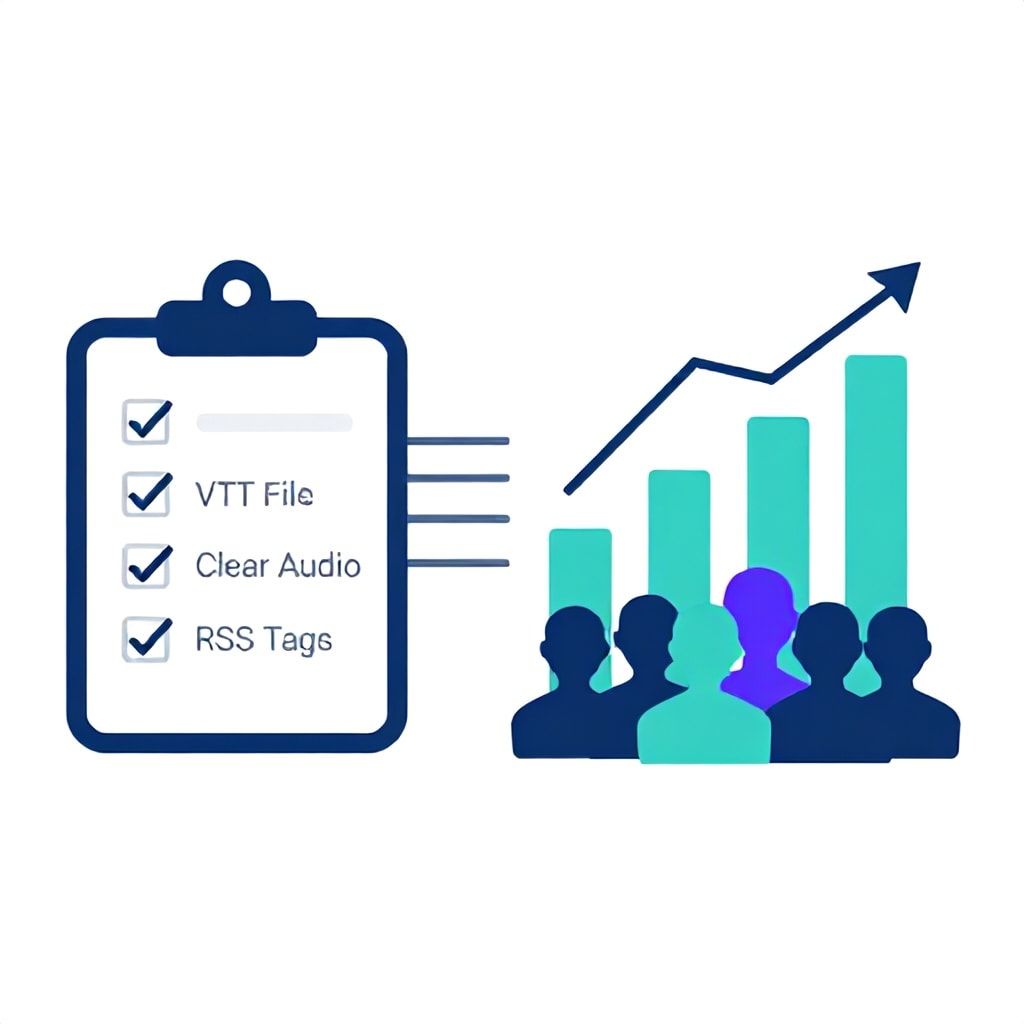
Compliance isn’t a one-time project. Copy this checklist and run it every quarter.
- [ ] Test New Episodes: For your last 4 episodes, verify the VTT file is linked in the feed and plays in sync on your site.
- [ ] Player Audit: Use the keyboard (Tab, Space, Enter) to operate your site’s podcast player. Use a screen reader (like VoiceOver on Mac) to navigate it. Platform Check: Search for your podcast on Spotify and Apple Podcasts. See if the “Transcript” button appears on recent episodes.
- [ ] Feed Validation: Run your RSS feed through the Podcast Index validator to ensure all namespace tags are present and correct.
- [ ] Process Review: Has your transcription proofreading time crept up? It might be time to recalibrate your audio quality or switch AI models.
- [ ] Backlog Progress: Are you steadily processing old episodes? If not, allocate a day this quarter to batch 10 more.
Frequently Asked Questions
Is podcast accessibility legally required right now?
For most independent creators, it exists in a gray area, but the risk is increasing rapidly. For podcasts published by businesses, educational institutions, governments, or anyone receiving federal funding in the US, it falls under the Americans with Disabilities Act (ADA) and Section 508, making it a legal requirement today. The precedent from website accessibility lawsuits is clear: if your content is a core service, it must be accessible. Waiting for a lawsuit to set a specific “podcast” precedent is a dangerous and costly strategy.
What’s the difference between a transcript, captions, and subtitles for podcasts?
These terms are often used interchangeably but have distinct technical meanings. A transcript is the full text of the audio, typically provided as a separate document or synchronized text (VTT). Captions are text overlays on video that include speech and non-speech audio descriptions (e.g., “[phone ringing]”). They are required for video podcasts. Subtitles assume the viewer can hear but doesn’t understand the language, so they often omit sound descriptions. For compliance, you need a synchronized transcript (VTT) for audio podcasts and closed captions (SRT) for video podcasts.
Can I use free AI tools like Whisper or Google’s speech-to-text for compliance?
You can, but with major caveats. The accuracy of these tools is high, but the compliance burden shifts entirely to you. You must handle the audio preprocessing, run the model, proofread the output, format it into a WCAG-compliant VTT file with proper timestamps, and host/distribute it correctly. This requires significant technical skill and time. For a solo creator, the $20/month for a turnkey AI service that outputs ready-to-use files is almost always a better ROI than the hours spent on a DIY setup.
My podcast host (Buzzsprout, Libsyn, etc.) offers “auto-transcripts.” Is that enough?
It’s a great start, but you must verify two things: First, do they add the `` tag to your RSS feed, or do they just host the text on their site? If it’s not in the feed, major platforms won’t see it. Second, what’s the accuracy like on your specific audio? Log in, check the auto-generated transcript for your latest episode, and proofread a 5-minute segment. If there are more than a few glaring errors per minute, you’ll need to supplement with proofreading or a higher-quality service.
How do I make my back catalog accessible without going bankrupt?
Prioritize and automate. Use your analytics to identify your top 20% of episodes (by downloads, leads, or revenue) and process those first with a paid service. For the rest, use a bulk AI processing tool. Many services offer discounts for large batches. Remember, you don’t need 100% human-level accuracy for older episodes; you need a good-faith, usable text alternative. A 95% accurate AI transcript is vastly more compliant and useful than nothing. Set a goal of processing 10-20 old episodes per month until you’re done.
What is the single most important thing I should do this week?
Pick your next episode—the one you’re about to record or edit—and commit to publishing it with a synchronized VTT transcript. Use whatever tool is easiest for you (Descript, Otter, your host’s add-on). Go through the entire process once: generate, proofread, export, upload to host, verify. This one experiment will teach you more about the real workflow, time cost, and pitfalls than reading a hundred articles. It moves you from theory to action.
Your Next Step: Don’t Plan, Execute
The path to 2026 compliance isn’t paved with more research. It’s paved with action. Your next episode is your test run. Choose one tool from the matrix above—the one that fits your budget and seems least intimidating—and use it on your very next show. The goal isn’t perfection; it’s breaking the inertia. Once you’ve published that first accessible episode, the entire process demystifies itself. You’ll see the extra time it takes, the minor errors to watch for, and, most importantly, you’ll have created something that welcomes more listeners. That’s the real payoff: building a show that isn’t just compliant, but truly inclusive. Start with episode one of your new workflow today.
Boomlify Team