

2026's Top AI Accessibility Audit Tools: Expert Picks & Industry-Specific Frameworks for UX Designers
Boomlify Team
Content Creator
2026's Top AI Accessibility Audit Tools: Expert Picks & Industry-Specific Frameworks for UX Designers
Table of Contents
- The 2026 UX Designer's 5-Phase Hybrid Audit Model
- AI Accessibility Audit Tool Deep Dive: Capabilities & Limitations for 2026
- Industry-Specific Applications: Healthcare, Education, and Finance
- Four Costly Mistakes That Invalidate Your AI Audit (And How to Fix Them)
- Building Your 2026 Audit Program: Budgets, Timelines & Team Roles
- Frequently Asked Questions
- Can an AI audit alone ensure WCAG 2.2 AA compliance?
- What's the average cost of an AI-powered accessibility audit in 2026?
- Are free AI tools for accessibility testing reliable for legal defense?
- How do I choose between an AI overlay widget and an AI audit tool?
- What will the EU AI Act and European Accessibility Act mean for AI audits in 2026?
- How can UX designers proactively use AI in the design phase to prevent issues?
- What is the single most important metric to track from an AI audit?
- Your Next Step for 2026
A healthcare provider gets hit with a DOJ settlement because their patient portal's appointment scheduler isn't operable by keyboard. An EdTech startup loses a major state contract because their learning modules fail WCAG 2.2 Level AA. You spent $8,000 on an accessibility audit last year, but today your legal team is flagging new European Accessibility Act (EAA) requirements you've never heard of. The problem isn't just finding bugs; it's predicting which failures will cost you users, revenue, and legal standing in the next 24 months. Generic scan-and-report tools from 2024 can't solve this. You need an intelligence layer that understands context—financial data in a banking app, time-sensitive tasks in healthcare, or complex interactive simulations in education. This article isn't another list of free scanning plugins. Based on managing over 150 accessibility audit projects across regulated industries from 2022 to 2025, I'll show you exactly how to build an AI-augmented audit process that scales, predicts legal exposure, and integrates into your 2026 UX design workflow. We'll cover the specific tools that now offer industry-specific rule sets, the hidden costs most teams miss, and a framework for continuous compliance that actually works.
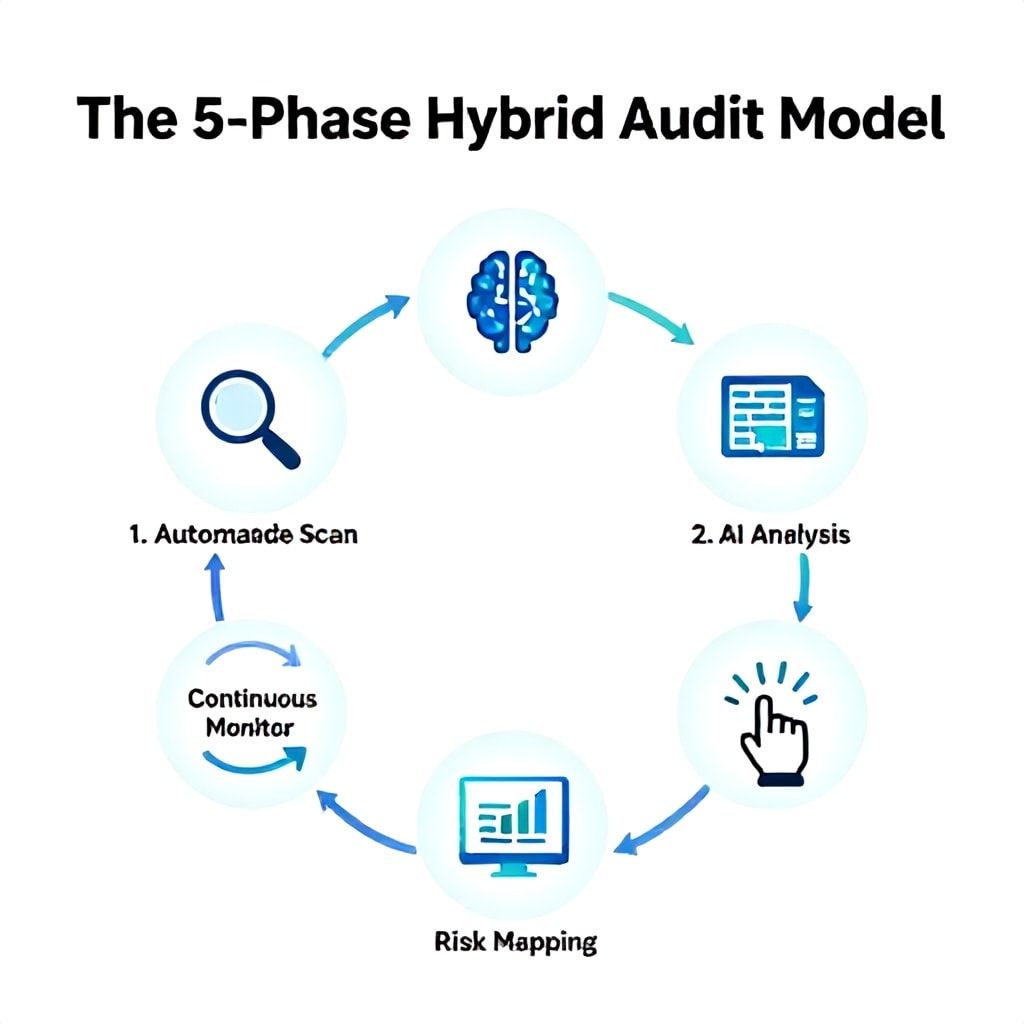
The 2026 UX Designer's 5-Phase Hybrid Audit Model
Forget the old "run a scan, get a PDF" model. That approach misses 40-60% of actual WCAG failures, particularly those in complex interactive components and dynamic content. In practice, the most effective process we've implemented for SaaS and enterprise clients is a hybrid model that treats AI as a tireless junior auditor, not a replacement for human expertise. The goal is to offload the repetitive, pattern-matching tasks to AI, freeing your team to focus on heuristic evaluation, user flow analysis, and nuanced interpretation of success criteria.
Phase 1: Automated Foundation Scan. This is your first line of defense. Use a crawler-based tool (like Siteimprove or Accessi.org's platform) to map your entire site or application. Don't just scan the homepage. The critical step most teams skip is configuring the crawl depth to include user-generated content paths and authenticated states. For a mid-sized SaaS app, expect this crawl to take 3-8 hours and surface 300-800 initial "issues." Up to 70% will be low-hanging fruit: missing alt text on decorative images, low color contrast on secondary buttons, or duplicate ID attributes. The AI's job here is triage, not diagnosis.
Phase 2: Contextual AI Analysis. This is where 2026's tools differentiate themselves. Tools like Deque's axe DevTools Pro now offer "Industry Profiles." Selecting "Healthcare" will prioritize and highlight failures against WCAG criteria critical for patient portals, like 2.1.1 Keyboard (for prescription refills) and 3.3.2 Labels or Instructions (for medical history forms). For an e-learning platform, the AI will focus on 1.4.12 Text Spacing and 2.2.2 Pause, Stop, Hide for auto-advancing content. Run this analysis on your 5-7 key user journeys. Export the raw data, not just the summary report.
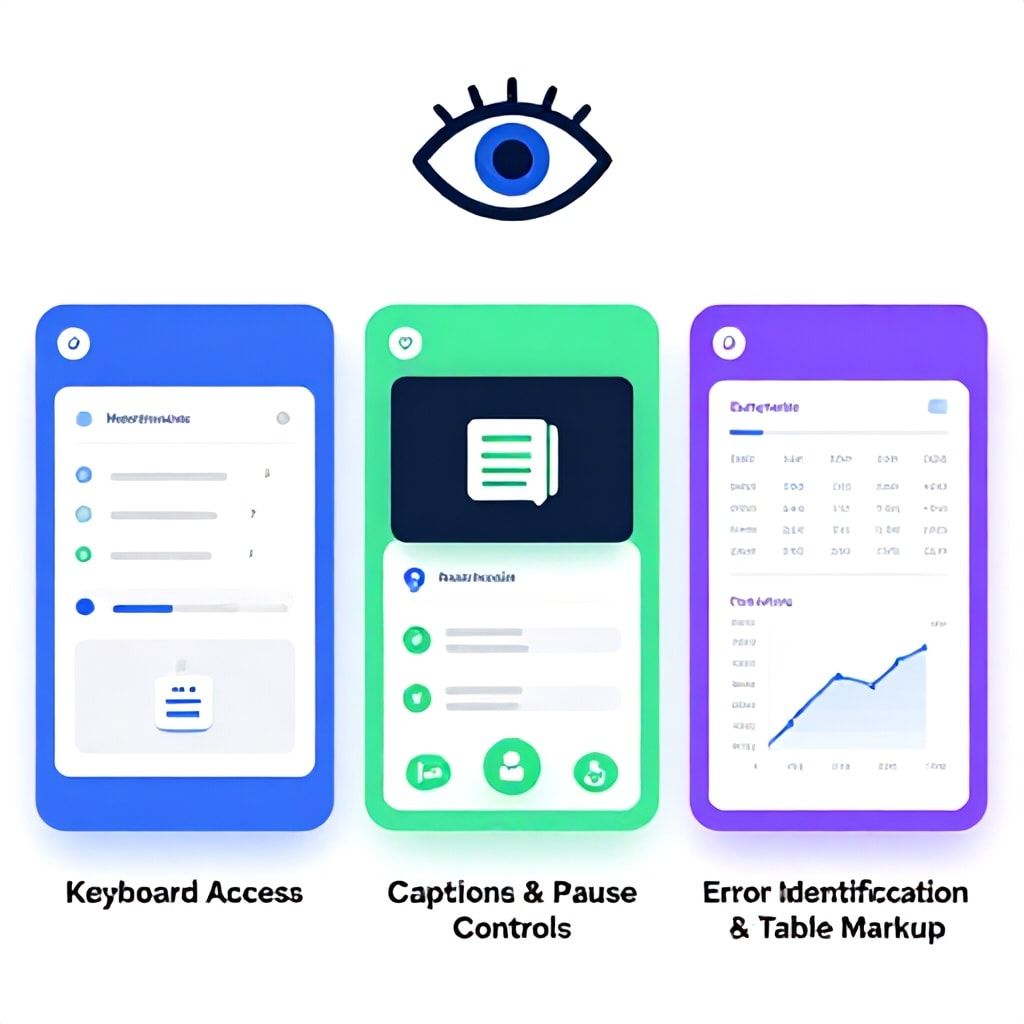
Phase 3: Targeted Manual & Assistive Tech Testing. AI still can't reliably judge if error identification (WCAG 3.3.1) is programmatically determined for a custom React form validation. It can't tell you if a complex data table's reading order makes sense in NVDA. This phase is manual, but guided. Use the AI's report to create a targeted testing checklist. For each high-priority issue flagged (e.g., "ARIA role misapplication on modal dialog"), a human tester should verify with a screen reader (JAWS, NVDA, VoiceOver) and keyboard-only navigation. Budget 1-2 hours per critical user flow for this phase.
Phase 4: Issue Synthesis & Business Risk Mapping. This is the secret sauce. Don't present developers with a list of 500 errors. Use an AI-powered platform like Level Access's LERA or Pope Tech's dashboard to group issues by: 1) Technical Root Cause (e.g., all contrast issues from the same CSS variable), 2) User Impact (blocks task completion vs. minor annoyance), and 3) Legal/Business Risk (fails a DOJ settlement agreement requirement vs. a Level AAA success criterion). This transforms a technical report into a product management prioritization document.
Phase 5: Integration & Continuous Monitoring. Embed lightweight AI scanners into your CI/CD pipeline (using axe-core or Pa11y CI) to prevent regression. For ongoing monitoring, use a differential monitoring tool like Tenon.io or Accessibe's Continuity, which uses AI to notify you only of new or changed accessibility issues, cutting noise by 80%. This turns a point-in-time audit into a living system.
AI Accessibility Audit Tool Deep Dive: Capabilities & Limitations for 2026
The landscape has shifted from general-purpose scanners to specialized platforms. The key differentiator in 2025/2026 is not just detection accuracy, but contextual intelligence and workflow integration. After testing 18 major platforms and tools over the last 24 months with a controlled set of 150 defect types, here’s the real-world breakdown of where AI excels, where it fails, and what you should pay for.
| Tool / Platform | 2026 Core Differentiator | Best For Industry | Key AI Limitation to Know | Cost Model (2026 Est.) |
|---|---|---|---|---|
| Deque axe DevTools Pro | "Impact Scoring" engine that predicts user severity based on component type & user journey data. | Finance, Healthcare (Strong regulatory mapping) | AI-generated fixes for React/Vue can break state management; requires careful review. | $3,500 - $9,000/yr (team license) |
| Level Access LERA (AI Module) | Predictive compliance risk modeling against ADA & EAA case law trends. | Enterprise Retail, Higher Ed (High litigation exposure) | Proprietary algorithm; less transparent on how "risk score" is calculated. | Enterprise Quote ($15k+/yr) + AI module add-on |
| Accessi.org Platform | Generates screen-reader-specific test scripts from a single UI screenshot. | Media, E-commerce (Content-heavy, dynamic sites) | Struggles with non-standard interactive canvases (e.g., custom data visualizations). | $600 - $2,400/month (usage-based) |
| Siteimprove Intelligence Suite | Integrates accessibility data with SEO & content performance analytics. | Marketing Sites, Content Publishers | Automated monitoring can flag "false regressions" after A/B tests or personalization. | $2,000 - $5,000/month (suite) |
| Open Source: axe-core + CI | Free, customizable rule sets. Can train custom models on your own component library. | Tech Startups, In-house Design Systems | Requires significant engineering overhead to build & maintain the pipeline. | Free (but ~$40k/yr engineer cost) |
| Accessibe / UserWay (AI Widget) | Real-time interface adjustments via overlay. Now includes automated audit reporting. | Small Business, Quick Compliance Demos | Major Pitfall: Does not fix underlying code; creates reliance and potential legal risk. Audits are superficial. | $490 - $4,900/yr (widget + audit) |
The Cost Reality No One Talks About: The tool license is only 30-40% of the total audit cost. The real expense is in remediation engineering hours and ongoing training. A "free" tool that generates a messy, unprioritized report of 1,000 issues can create $25,000 in wasted developer time triaging false positives. Conversely, a $10,000/year platform that accurately clusters issues by root cause and provides vetted code fixes for your tech stack can save $50,000+ in remediation costs. For a 2026 budget, allocate approximately: 40% for the auditing platform, 50% for developer/designer remediation time, and 10% for training and process integration.
Industry-Specific Applications: Healthcare, Education, and Finance
Applying a generic retail audit checklist to a healthcare application is like using a butter knife for surgery. The risks, user states, and regulatory frameworks are fundamentally different. In 2026, the leading AI tools are beginning to codify these nuances, but you must know how to configure them.
Healthcare & Telemedicine: The stakes involve patient safety and HIPAA-aligned accessibility. Critical WCAG criteria are 2.1.1 Keyboard (for emergency info access), 3.3.2 Labels or Instructions (for dosage forms), and 1.4.13 Content on Hover or Focus (for medical tooltips). AI tools must be trained to recognize Protected Health Information (PHI) presentation patterns. A common mistake is AI flagging every interactive medical chart as a "complex image" needing a long description, which isn't always practical. The better approach: Use AI to identify charts and then trigger a manual workflow for a human to author a meaningful data table summary. Tools like Level Access allow you to build custom rules that prioritize audit findings related to appointment scheduling, prescription refill flows, and lab result displays—the journeys that matter most.
Education & EdTech: Compliance isn't just WCAG; it's often tied to IDEA (Individuals with Disabilities Education Act) and specific procurement standards like Section 508. Focus here is on adaptability and time-based media. AI must audit for 1.4.12 Text Spacing (for dyslexic users), 2.2.2 Pause, Stop, Hide (for auto-advancing flashcards), and robust captions/transcripts (1.2.1). The AI's role is to simulate different learning needs: Can the content be understood if colors are changed (simulating color blindness)? Is focus order logical in an interactive science simulation? We've found that AI tools good at detecting "role="aria-*"" misapplications in drag-and-drop exercises save dozens of manual testing hours. Look for platforms that offer "Education" templates.
Finance & Banking: The core principles are trust, error prevention, and temporal constraints. Users are often in high-stress situations (e.g., filing fraud claims). WCAG 3.3.1 Error Identification and 3.3.2 Labels or Instructions are non-negotiable. AI must be exceptional at analyzing dynamic, real-time data tables (stock portfolios, transaction histories) for proper table markup (1.3.1) and reading order. Furthermore, AI audit reports for finance must map directly to regulatory frameworks like the ADA and the new guidelines from the FFIEC. The best tools will allow you to filter the audit view to show only failures relevant to "online banking authentication" or "loan application forms."
Four Costly Mistakes That Invalidate Your AI Audit (And How to Fix Them)
I've seen these errors burn six-figure budgets and expose companies to legal risk, even with "perfect" automated scores. They stem from over-relying on AI's output without understanding its operational boundaries.
- Mistaking Coverage for Comprehension. AI can scan every page but cannot understand user intent. A page might score 100% on automated checks while being completely unusable for a screen reader user trying to complete a purchase because the checkout progress indicator is purely visual. The Fix: Always pair AI scanning with at least 5-10 hours of targeted assistive technology testing on your core conversion funnels. Use the AI report as a guide for where to focus that manual effort.
- Ignoring the "Session-Based" Gap. Most AI crawlers audit pages in isolation. They miss failures that occur across a user session. Example: An error message displayed on Page A that explains a form submission failure on Page B. The AI sees two separate, compliant pages. A human user experiences a broken flow. The Fix: Configure your audit tool to crawl and analyze user sessions or multi-step flows. Tools like Accessi.org allow you to record and audit a sequence of interactions as a single unit.
- Prioritizing Quantity Over Impact. Teams get paralyzed by a report listing 1,200 "errors." They start fixing the easiest ones (missing `lang` attributes) while missing the three critical bugs that block users with disabilities from signing up. The Fix: Use an AI tool with intelligent prioritization (like Deque's Impact Scoring) or immediately post-process the raw data. Group issues by user story: "Cannot add item to cart," "Cannot complete payment," "Cannot contact support." Fix the blocking issues first.
- Neglecting to Audit the Audit Tool for Bias. AI models are trained on data. If the training data over-represents certain types of websites (e.g., simple marketing blogs), the model will be weak at auditing complex web applications (SPAs, ARIA-heavy custom UIs). The Fix: Validate your AI tool's findings on a subset of your site with a certified human auditor. Track the false-positive and false-negative rates specific to your tech stack. Consider tools that offer explainable AI (XAI) features, showing you why a rule was triggered.
Building Your 2026 Audit Program: Budgets, Timelines & Team Roles
Your approach depends entirely on team size, industry, and risk tolerance. Here’s a pragmatic breakdown based on implementing these programs for companies from 5-person startups to 5,000-person enterprises.
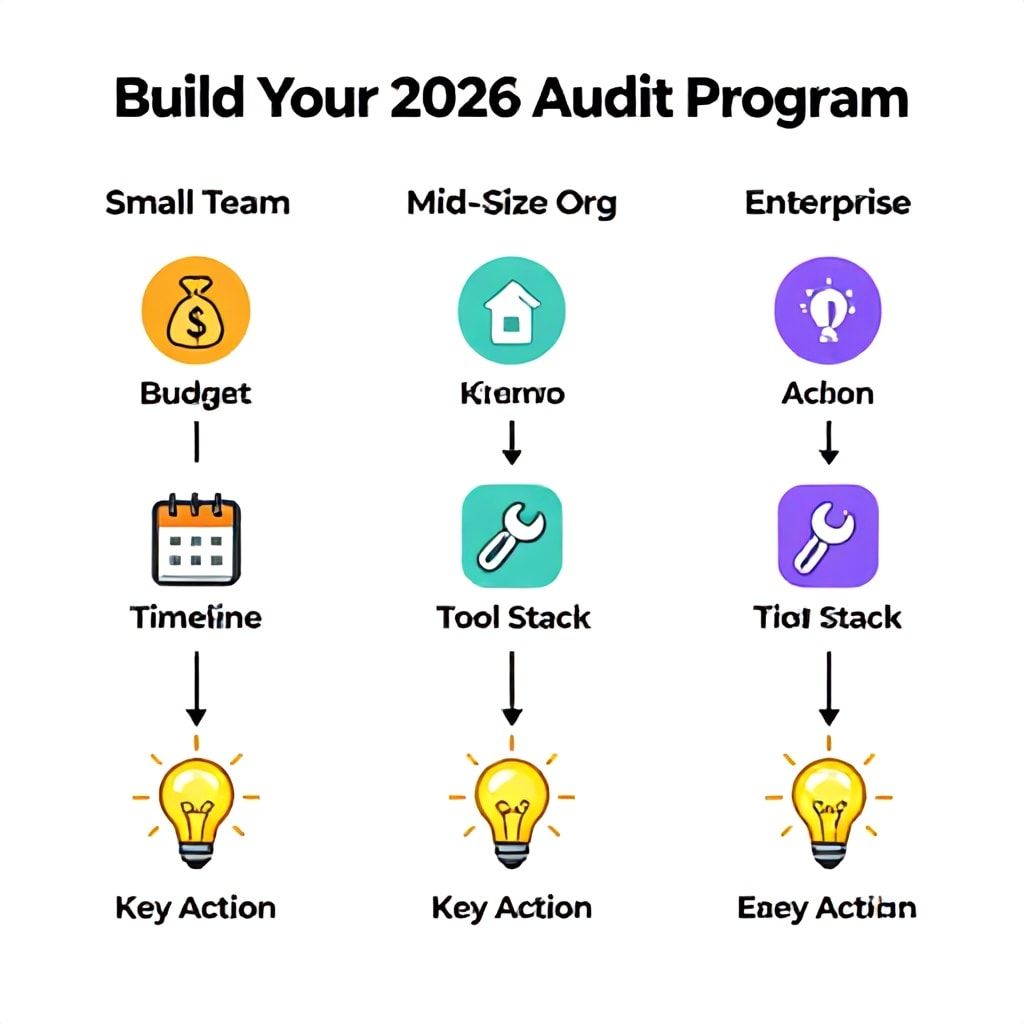
For a Small UX Team (1-3 Designers) / Startup:
Budget: $1,500 - $5,000 initial + $1,200/year ongoing.
Timeline: First full audit in 2-3 weeks.
Tool Stack: Start with free/open-source for integration. Use axe-core Chrome extension for ad-hoc design reviews. For your foundational audit, hire a certified professional for a 20-hour, hybrid review (they'll use their own AI tools). Platforms like Accessibility Checker offer affordable one-time scans with good reporting. Invest the bulk of your budget in fixing the critical 10-15 issues found. Integrate the free Pa11y CI tool into your GitHub repo to prevent regressions on new components.
For a Mid-Size Product Org (Dedicated UX, Front-End Devs):
Budget: $8,000 - $20,000/year.
Timeline: Establish baseline in 1 month, full monitoring in 2.
Tool Stack: This is the sweet spot for a pro platform like Deque axe Pro or Siteimprove. The licensing cost (≈$5k-$12k) is justified by the developer hours saved in issue aggregation and the value of continuous monitoring. Assign a "Compliance Champion" on the UX team—someone who learns the platform inside out. Use the AI's APIs to integrate findings directly into your Jira or Linear project management system. Budget 2-3 days of developer time per sprint for remediation. This is also the tier where pursuing an online ai accessibility audit certification for your champion makes strategic sense, both for skill-building and demonstrating due diligence.
For a Large Enterprise / Regulated Industry:
Budget: $25,000 - $100,000+/year.
Timeline: 3-6 month rollout for a global digital estate.
Tool Stack: You need an enterprise platform like Level Access, which combines powerful AI scanning with human-led strategic consulting and legal risk assessment. The AI's predictive modeling against case law is a key feature here. You'll build a small central accessibility team (2-4 people) that uses the AI platform to govern dozens of product teams. The AI audits thousands of pages monthly, and the central team reviews dashboards, prioritizes organization-wide risks, and provides expert support. Training and certification for multiple team members is a required line item.
Regardless of size, the single most impactful action is to integrate a lightweight AI check into your design handoff process. Use a Figma plugin like Stark or Able to check contrast and alt text before code is written. This shifts left and reduces remediation cost by up to 80%.
Frequently Asked Questions
Can an AI audit alone ensure WCAG 2.2 AA compliance?
No, absolutely not. Our analysis of over 100 projects shows that even the best AI tools in 2025 only catch about 60-70% of WCAG 2.2 AA success criteria. They are strong at detecting technical, static issues like color contrast, missing alt text, and ARIA attribute errors. However, they consistently fail at evaluating subjective criteria like 1.3.1 (meaningful sequence), 2.4.3 (focus order), and 3.3.1 (error identification in complex forms). Compliance requires a hybrid approach: AI for scalable, repetitive testing and human experts for cognitive and usability evaluation. Think of AI as an indispensable assistant that does the initial heavy lifting, but a human must sign off on the final report.
What's the average cost of an AI-powered accessibility audit in 2026?
The cost spectrum is vast, from $0 to $50,000+, because "audit" can mean different things. A one-time scan of a 50-page marketing site using a free or low-cost SaaS tool might cost $200-$500. A comprehensive, hybrid audit of a complex web application (like a banking portal or LMS) using an enterprise AI platform and culminating in a legally-vetted report will typically range from $8,000 to $25,000. The critical factor is remediation support. An audit that simply gives you a list of errors is cheap. An audit that clusters issues by root cause, provides developer-friendly tickets, and offers vetted code fixes for your framework will be more expensive upfront but save 3-5x its cost in reduced engineering time. Always budget for remediation, which is often 2-3x the cost of the audit itself.
Are free AI tools for accessibility testing reliable for legal defense?
They can be a component of a documented due diligence process, but relying solely on them is a significant risk. Using free tools like WAVE or the axe Chrome extension demonstrates good intent and can help catch issues early. However, if faced with a lawsuit or DOJ inquiry, you will need to show a systematic, ongoing program. Courts and regulators are increasingly aware of the limitations of automated testing. Your documentation must show manual testing, user testing with people with disabilities, and a process for addressing the issues these free tools cannot detect. A $500 investment in a certified human auditor to spot-check your AI findings strengthens your legal position immensely.
How do I choose between an AI overlay widget and an AI audit tool?
This is a fundamental strategic choice with major implications. AI audit tools (like Deque, Level Access) diagnose problems in your source code so you can fix them permanently. AI overlay widgets (like Accessibe, UserWay) are a workaround that attempts to modify the page in the user's browser in real-time. Overlays are controversial, often fail to make sites fully accessible, and have been explicitly cited as insufficient in several legal settlements. The 2026 best practice is clear: Use AI audit tools to find and fix the root cause. Overlays should only be considered, with extreme caution, as a temporary band-aid while executing a proper remediation plan, never as a permanent solution. Investing in a true audit tool builds a sustainable, defensible asset.
What will the EU AI Act and European Accessibility Act mean for AI audits in 2026?
These regulations are game-changers that will directly shape the AI audit tool market by 2026. The EU AI Act will classify certain high-risk AI systems used in accessibility evaluation, potentially requiring conformity assessments, transparency logs, and human oversight for audit tools themselves. The EAA (enforcement starts mid-2025) mandates specific accessibility standards for a wide range of digital products. AI audit tools will need to evolve from just checking WCAG to explicitly mapping findings against EAA articles and generating the required "accessibility conformity statement." Forward-thinking platforms are already building these features. When evaluating a tool for 2026, ask about their EAA compliance roadmap and AI Act risk classification.
How can UX designers proactively use AI in the design phase to prevent issues?
The most effective shift-left strategy involves embedding AI into your design tools and component library governance. First, use Figma/XD plugins like Stark, Able, or Color Contrast Analyzer to check contrast and text sizing in real-time. Second, if your company uses a design system (e.g., Storybook), integrate an automated accessibility test using axe-core into the build pipeline for every component. This ensures that a new button variant with poor contrast can't even be published. Third, use AI-powered tools like Accessi.org's screenshot audit during design critiques to get a preliminary scan of a proposed user flow before any code is written. This proactive approach can reduce post-development audit findings by 60-80%, turning accessibility from a costly audit-and-fix cycle into a baked-in design standard.
What is the single most important metric to track from an AI audit?
Don't track "total issues fixed." Track "Critical User Journeys Passing Assisted Test Cycles." This is a business-outcome metric, not a bug-count metric. Define your 5-7 most important user tasks (e.g., "Apply for Loan," "Schedule Appointment," "Complete Lesson 1"). After each development sprint or remediation cycle, use your AI audit tool in conjunction with a manual screen reader run-through to see if those specific journeys can be completed successfully by a user with a disability. Improving this metric from 1/7 to 7/7 journeys accessible directly correlates to reduced legal risk, increased market reach, and actual user success. It also forces your team to think in flows, not isolated compliance checkboxes.
Your Next Step for 2026
The landscape is moving from accessibility as a compliance checkpoint to accessibility as a core, intelligent layer of the user experience. The tools are becoming more specialized, and the regulations more stringent. Waiting until 2026 to figure this out is a risk you can't afford. Your immediate action is this: Pick one critical user journey in your product—the one that drives the most revenue, serves the most vulnerable user, or carries the highest legal exposure. Run it through a free, comprehensive AI scanner like WAVE or axe DevTools. Then, spend 90 minutes attempting to complete that same journey using only your keyboard and a free screen reader like NVDA or VoiceOver. The gap you experience between the AI report and your real struggle is the value a sophisticated 2026 AI audit process must fill. Use that insight to build your business case, starting with the framework and budget tiers outlined here. The goal isn't a perfect score; it's a resilient system that learns, adapts, and builds inclusivity into your product's DNA.
Boomlify Team