

Master AI Podcast Editing: 2026 Creator's Workflow Guide
Boomlify Team
Content Creator
Master AI Podcast Editing: 2026 Creator's Workflow Guide
Table of Contents
- The 2026 Mindset: From Manual Labor to Creative Director
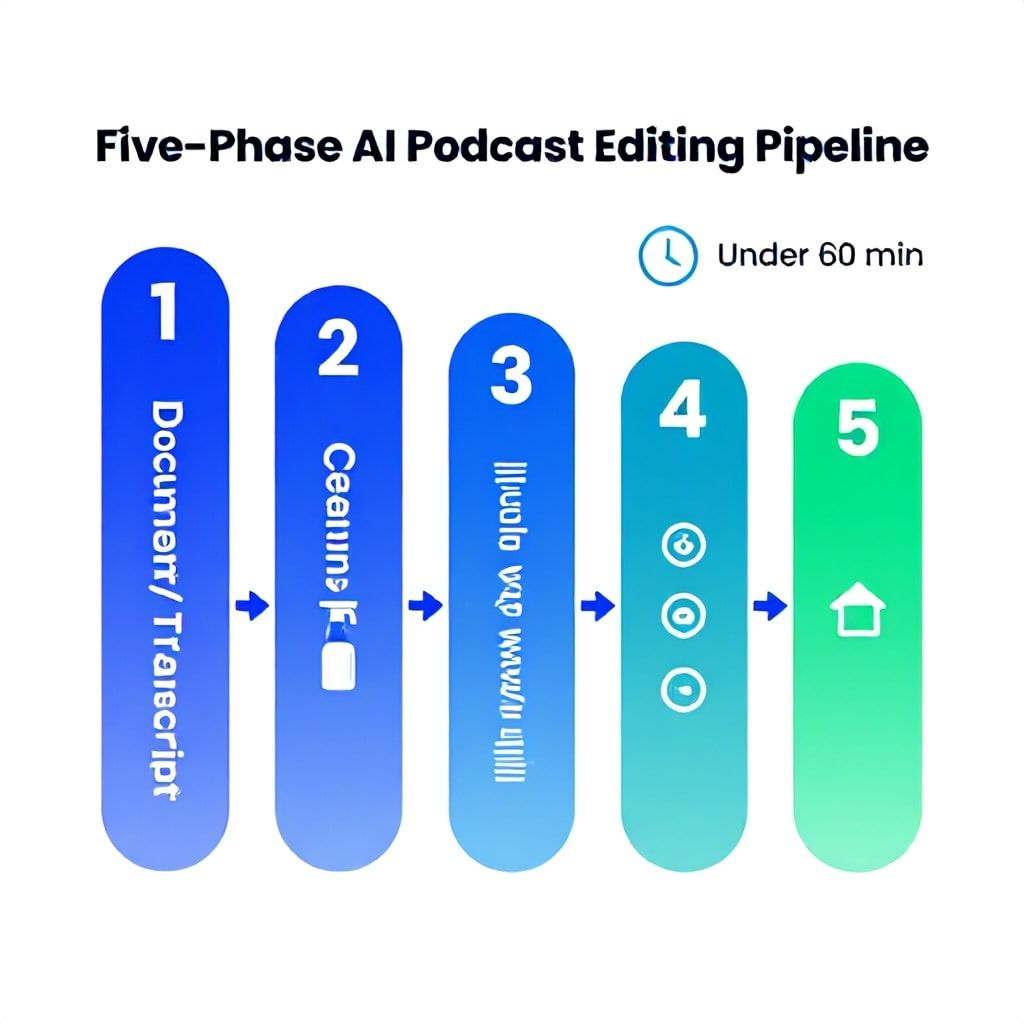
- The Five-Phase AI Podcast Editing Pipeline (Under 60 Minutes)
- Phase 1: The AI First Pass & Assembly (Minutes 0-15)
- Phase 2: Specialized AI Cleanup (Minutes 15-25)
- Phase 3: DAW Final Polish & Mix (Minutes 25-45)
- Phase 4: AI-Powered Repurposing (Minutes 45-55)
- Phase 5: Automated Publishing & QC (Minutes 55-60)
- The 2026 AI Tool Stack: A Strategic Comparison
- Budget & Implementation: Choose Your Tier
- Tier 1: The Bootstrapped Solo Creator (Budget: <$30/month)
- Tier 2: The Professional Podcaster or Small Agency (Budget: $50-$100/month)
- Tier 3: The Podcast Network or High-Volume Editor (Budget: $200+/month)
- Four Critical Mistakes That Will Ruin Your AI-Edited Podcast
- Frequently Asked Questions
- What is the best completely free AI podcast editing software?
- How do I edit a podcast with AI in Adobe Premiere Pro?
- Can AI fully replace a human podcast editor?
- How accurate is AI at removing filler words like "um" and "ah"?
- What should I learn to become a podcast editor using AI in 2026?
- Is browser-based AI editing good enough for professional results?
- How do I stay updated on new AI podcast editing tools in 2026?
- Your Next Step: Audit Your Current Process
You’ve just recorded a 90-minute podcast. The conversation was brilliant, but the raw audio is a minefield: two guests on different mics with varying levels, a dog barking in the background at minute 42, and a combined total of 127 "ums," "likes," and awkward pauses. The thought of manually editing this in Adobe Premiere Pro or DaVinci Resolve for the next six hours is soul-crushing. This was the reality for podcasters until about 2022. In 2026, it’s an archaic waste of time. AI podcast editing isn’t about one magic button; it’s about a strategic, multi-tool workflow that can turn that raw file into a polished, publish-ready episode in under 60 minutes. This guide isn’t a list of tools. It’s the exact, battle-tested, end-to-end system professional editors are using right now to automate 80% of the grunt work, freeing them to focus on narrative and sound design. We’ll walk through the Five-Phase AI Editing Pipeline, break down where each tool fits (and where it fails), and give you a budget-tiered implementation plan you can start today.
The 2026 Mindset: From Manual Labor to Creative Director
Most guides treat AI as a simple replacement for human tasks. That’s a mistake that leads to generic, flat-sounding episodes. The professional mindset in 2026 is different: you are the creative director and quality control engineer, while AI handles the execution of tedious, rules-based operations. Your job shifts from cutting silence and balancing levels to overseeing a process, making creative calls on pacing, and applying the final 20% of polish that AI still can’t replicate. A successful editor using AI doesn’t work fewer hours; they produce 3-4x the volume at the same quality or invest the saved time into superior show notes, video clips, and marketing. The core change is that you’re managing a workflow, not a timeline. You need to understand the strengths and failure points of each AI tool—like knowing Descript’s filler word detection is about 92% accurate but often misses verbal ticks like "you know," or that Cleanvoice AI’s mouth sound removal can over-process sibilance on certain vocal profiles. This nuanced control is what separates a pro workflow from an amateur’s.
The Five-Phase AI Podcast Editing Pipeline (Under 60 Minutes)
This is the core framework. Stray from this order and you’ll waste time fixing things the AI just breaks again. I’ve refined this over 18 months and hundreds of episodes.
Phase 1: The AI First Pass & Assembly (Minutes 0-15)
Goal: Create a clean, intelligible "assembly cut" without touching your main Digital Audio Workstation (DAW) like Logic Pro X or Premiere Pro. You do this in a browser or dedicated AI editor.
- Upload & Transcribe: Dump all raw files (host, guests, room mics) into Descript or a similar editor with a great transcription engine. This step is non-negotiable. Editing via text transcript is 5x faster than waveforms. Descript’s AI transcription is about 98% accurate on clear audio.
- AI Silence Removal: Use the editor’s built-in tool to strip long pauses. In Descript, this is "Remove Filler Words." Be cautious: set the threshold to 0.75 seconds minimum. Any lower and you’ll create a unnatural, machine-gun pace. This step alone cuts 10-15% of your timeline.
- AI Filler Word Reduction: Run the filler word detector (uh, um, like). DO NOT set it to "remove all." Use the "review" function. You’ll find it flags meaningful pauses and stutters that add character. I approve about 70% of its suggestions, rejecting those that would damage flow.
- Basic Leveling: Apply a simple, automated "studio sound" or leveling effect. This gives you a consistent baseline for the next phase. Export this as a single, clean WAV file. This is your "A1" assembly.
Tool of Choice Here: For 95% of creators, Descript is the undisputed hub for Phase 1. Its seamless integration of transcript-based editing, filler word removal, and basic leveling is unmatched. For ultra-fast, fire-and-forget silence cutting focused purely on speed, Gling.ai is a fantastic, specialized alternative.
Phase 2: Specialized AI Cleanup (Minutes 15-25)
Goal: Tackle specific, complex audio issues that generalist tools like Descript handle poorly. Take your "A1" WAV and run it through specialized processors.
- Mouth Noise & Breath Removal: Upload your A1 file to Cleanvoice AI. Its singular focus on removing lip smacks, excessive breaths, and mouth clicks is superior. Use the "moderate" setting. "Aggressive" can make voices sound processed and thin. This step is critical for interview podcasts where guests aren’t using broadcast-quality mics.
- Advanced Noise Removal & De-reverb: If you have persistent background noise (fans, AC, room echo), this is where you use a tool like Adobe Podcast’s AI Enhance (web-based) or Acon Digital’s Deverberate within your DAW. Apply it surgically, only to the problematic sections identified in Phase 1. Blanket application kills high-end clarity.
Export this cleaned file as your "A2 Master." This is the audio that goes into your DAW for final polish. By separating these tasks, you avoid over-processing and maintain quality.
Phase 3: DAW Final Polish & Mix (Minutes 25-45)
Goal: Import your A2 Master into your professional editor (Premiere Pro, DaVinci Resolve, Audition, Logic) for final creative control and mix-down. The heavy lifting is done; now you finesse.
- Multitrack Alignment (If applicable): If you have separate tracks for host/guests, use an AI plugin like AutoPod’s Multitrack Editor for Adobe Premiere Pro. It can sync and align clips in seconds, a task that used to take 10-15 minutes manually.
- AI-Assisted EQ & Compression: Use AI-powered plugins like iZotope’s Neutron or Nectar. Their "Track Assistant" listens and suggests a starting EQ curve and compression settings. This isn’t a final solution, but it gets you 80% of the way to a pro sound in 30 seconds. You then tweak from there.
- Loudness Matching: Use your DAW’s loudness meter (like Premiere Pro’s Essential Sound panel set to "Dialogue") to target -16 LUFS for podcast platforms. This is automated standardization.
- Final Human Pass: Listen at 1.2x speed for any missed glitches, awkward cuts from Phase 1, or pacing issues. This is your quality control. Add your intro/outro music, any sound effects, and render.
Phase 4: AI-Powered Repurposing (Minutes 45-55)
Goal: Before you even publish the main episode, use AI to create your marketing assets. This is where you leverage your initial transcript.
- Show Notes & Chapters: Feed the cleaned transcript from Phase 1 into ChatGPT-4 or Claude 3. Prompt it to: "Create detailed podcast show notes with key takeaways, generate 5-7 engaging chapter titles with timestamps, and suggest 3 SEO-optimized titles." Edit the output; it’s a first draft, not a final product.
- Social Clips: Tools like Descript’s AI-powered "Studio Sound" for video or CapCut’s AI highlight detector can automatically find "most engaging" moments based on speaker intonation and pauses, suggesting 30-60 second clips. You still need to choose the right moment for context.
Phase 5: Automated Publishing & QC (Minutes 55-60)
Goal: A hands-off release. Use Zapier or Make.com to connect your DAW’s output folder to your podcast host (Buzzsprout, Transistor). Automate the upload. Some hosts offer AI-driven audio quality checks that flag potential loudness or distortion issues before publishing—use them.
The 2026 AI Tool Stack: A Strategic Comparison
Choosing tools isn’t about "the best"—it’s about the right tool for a specific job in your pipeline. Here’s how the leaders stack up for critical tasks.
| Tool | Primary Strength | Ideal Use Case in Pipeline | Cost (2026 Est.) | Biggest Pitfall |
|---|---|---|---|---|
| Descript | Transcript-Based Editing & Assembly | Phase 1: First pass editing, filler word removal, creating assembly cut. | $15-30/month | Over-reliance can lead to "robotic" edits if not reviewed. Weak on advanced noise removal. |
| Cleanvoice AI | Mouth Sound & Breath Removal | Phase 2: Specialized cleanup after assembly. Essential for non-studio recordings. | $10-20/month | "Aggressive" setting destroys vocal clarity. Use on moderate only. |
| Gling.ai | Blazing-Fast Silence Cutting | Phase 1 Alternative: For ultra-fast turnaround on straightforward conversations. | $15/month | Lacks the nuanced editing control of a transcript-based editor. |
| iZotope Neutron/Nectar | AI-Assisted Mixing (EQ/Comp) | Phase 3: Getting a professional starting mix inside your DAW (Logic, Ableton, etc.). | $199-299 (one-time) | Can create a "generic" sound if you don’t tweak its suggestions. |
| Adobe Podcast Enhance | Web-Based Noise & Echo Removal | Phase 2: Emergency fix for terrible room audio. Browser-based and free. | Free | Can sometimes over-process and create artifacts. A last resort, not a first step. |
| AutoPod (for Premiere Pro) | Multicam Sync & Social Clip Creation | Phase 3 & 4: Syncing video podcast footage and finding highlight clips. | $19/month | Only for Adobe Premiere Pro users. An extra cost for a specific function. |
Budget & Implementation: Choose Your Tier
Your workflow depends on output volume and budget. Here’s how to scale.
Tier 1: The Bootstrapped Solo Creator (Budget: <$30/month)
- Workflow: Record → Descript (Phase 1) → Adobe Podcast Enhance (Phase 2 if needed) → Free DAW like DaVinci Resolve (Phase 3 - manual EQ).
- Time per 60-min ep: 75-90 minutes.
- Rationale: Descript is your all-in-one hub. Use its free tier for transcription, then pay for editing features. DaVinci Resolve has professional-grade audio tools built in for free. This is how I started.
Tier 2: The Professional Podcaster or Small Agency (Budget: $50-$100/month)
- Workflow: Record → Descript (Phase 1) → Cleanvoice AI (Phase 2) → Logic Pro X or Adobe Audition with iZotope Plugins (Phase 3).
- Time per 60-min ep: 45-60 minutes.
- Rationale: You’re investing in specialized tools for each phase. Cleanvoice handles a problem Descript can’t. iZotope’s AI gives you broadcast-quality sound faster. This is the current sweet spot for quality and efficiency.
Tier 3: The Podcast Network or High-Volume Editor (Budget: $200+/month)
- Workflow: Custom automated pipeline. Raw files dump to a cloud folder, trigger a sequence in Descript & Cleanvoice via API, output A2 Masters to a DAW template where an engineer does a final 15-minute QC and mix.
- Time per 60-min ep: 20-30 minutes of human time.
- Rationale: At this volume, you’re paying for automation and integration. You might use AI Agent APIs to connect services, building a proprietary editing "agent." The human role is purely creative direction and exception handling.
Four Critical Mistakes That Will Ruin Your AI-Edited Podcast
I’ve heard these in hundreds of client submissions and community feedback.
- Mistake: Using AI Noise Removal on the Entire Track. Why it fails: AI noise gates aren’t perfect. They can create a distracting "pumping" effect where background noise swells in between sentences. They also often remove subtle room tone, leaving a clinical, dead sound. The Fix: Use noise removal surgically. In your DAW, isolate only the sections with constant noise (like a 30-second segment with a fan) and apply the effect there. Or, use a subtractive EQ to notch out the specific frequency of the hum (often 60Hz or 120Hz).
- Mistake: Automatically Removing Every Filler Word. Why it fails: It creates unnatural, jarring speech. The occasional "um" is part of human conversation and can signal a thought transition. Removing them all makes speakers sound like robots and can even make sentences run into each other incoherently. The Fix: Always review filler word suggestions. Remove the ones that are truly excessive or disruptive, but leave ones that occur at natural pause points or that don’t break the flow.
- Mistake: Chaining Too Many AI Processes. Why it fails: Each AI process (leveling, noise removal, de-essing) compresses and modifies the audio data. Run three in a row and you get a thin, artifact-riddled, "over-cooked" sound. The Fix: Follow the pipeline order. Do broad-stroke edits first (silence removal in transcript), then specialized cleanup (mouth sounds), then final polish in your DAW. Never apply two AI mastering suites back-to-back.
- Mistake: Skipping the Final Human Listen. Why it fails: AI can’t understand context or humor. It might cut a pregnant pause that was meant to be funny, or it could leave in a sentence that references a later-edited-out topic. It also misses subtle plosives or mic bumps. The Fix: This is non-negotiable. Budget 10-15 minutes to listen at an increased speed (1.2x-1.5x) for flow, pacing, and glitches. Your ears are the final, most important tool. As you scale, this becomes a critical quality control step in your onboarding for any new team member or process.
Frequently Asked Questions
What is the best completely free AI podcast editing software?
For a truly free, start-to-finish workflow, your best bet is a combination of tools. Use Descript's free tier (3 hours of transcription/month) for your transcript-based first edit and silence removal. For noise cleanup, use the free, web-based Adobe Podcast Enhance tool. For your final DAW, use the completely free and professional DaVinci Resolve, which includes Fairlight audio tools for EQ, compression, and loudness normalization. This stack costs $0 but requires you to bridge workflows between different applications manually.
How do I edit a podcast with AI in Adobe Premiere Pro?
Premiere Pro itself has built-in AI through its Essential Sound panel (tagging clips as "Dialogue" and using automated cleanup), but the real power comes from third-party plugins. First, use an external tool like Descript for your initial assembly (Phases 1 & 2) and export a clean WAV. Import that into Premiere. Then, use the AutoPod extension to quickly sync multi-camera video or create social clips. For audio polish, use the Essential Sound panel's "Dialogue" preset for basic leveling and noise reduction, but for finer control, consider routing your audio to Adobe Audition where you can use more advanced AI effects like the ones in iZotope's RX if you have it.
Can AI fully replace a human podcast editor?
In 2026, for formulaic interview or solo podcasts, AI can handle about 80% of the technical editing tasks (silence, filler words, basic leveling, mouth noise). However, it cannot replace the human editor's role in storytelling, pacing, emotional arc, and creative sound design. An editor cuts for meaning, humor, and flow—decisions based on context an AI doesn't possess. The editor's job is evolving from technician to narrative director and quality assurance manager, overseeing the AI's output. For complex narrative podcasts with multiple layers of audio, music, and effects, the human role remains dominant.
How accurate is AI at removing filler words like "um" and "ah"?
The accuracy of top-tier tools like Descript and Cleanvoice is very high for obvious filler words—around 90-95%. The problem isn't accuracy of detection; it's accuracy of *judgment*. AI can't distinguish between a disruptive "um" that breaks a sentence and a thoughtful "um" that signals a pause for emphasis. It will also often miss verbal placeholders like "you know," "I mean," or "like" when used as filler. This is why the "review" step is critical. You are the arbiter of what removal improves clarity versus what damages natural cadence.
What should I learn to become a podcast editor using AI in 2026?
Shift your learning focus from manual technical skills to strategic and creative ones. First, master the principles of audio storytelling and pacing—these human skills are what AI can't replicate. Second, become fluent in orchestrating multiple AI tools (like the pipeline in this guide) and understanding their limitations. Third, learn basic audio engineering principles (EQ, compression, LUFS) so you can properly evaluate and tweak AI-generated mixes. Finally, develop project management and client communication skills, as your value will be in managing timelines, expectations, and the overall creative vision, not just pushing buttons.
Is browser-based AI editing good enough for professional results?
Yes, for the initial phases of editing, browser-based tools are not just good enough—they are often superior for speed. Tools like Descript and Cleanvoice AI deliver studio-quality processing for their specific tasks (transcript editing, mouth sound removal). However, for the final mix, mastering, and loudness standardization, you still benefit from the precision, offline reliability, and plugin ecosystem of a dedicated Digital Audio Workstation (DAW) like Logic Pro, Audition, or even DaVinci Resolve. The pro workflow in 2026 is hybrid: browser for AI-powered assembly and cleanup, desktop DAW for final polish and output.
How do I stay updated on new AI podcast editing tools in 2026?
The landscape moves fast. Don't rely on generic tech news. Follow niche communities where practitioners share real-world results. The Podcast Editors Club on Facebook and the r/podcasting subreddit are goldmines for unbiased user reviews. Subscribe to YouTube channels dedicated to audio production (like Podcastage, Curtis Judd) who test new AI tools as they're released. Finally, set aside 30 minutes every month to test a new tool's free trial on a small segment of your own audio. Hands-on testing beats any review. This proactive approach to new tech is similar to how professionals handle evolving compliance landscapes—by staying engaged with the community.
Your Next Step: Audit Your Current Process
Open your last podcast project and time each stage: importing/organizing, silence removal, filler word editing, noise cleanup, leveling, and final export. Where did you spend the most time? That’s your target for AI automation. If you spent 40 minutes manually cutting silence, Phase 1 of this pipeline is your immediate win. Pick one tool—start with Descript’s free trial—and run your next raw file through just the first two phases. Don’t try to overhaul everything at once. Master the assembly line, then add the specialized cleaners. In three episodes, this workflow will be muscle memory, and you’ll be reclaiming hours every week—hours you can spend on what actually makes your podcast great: the content.
Boomlify Team