

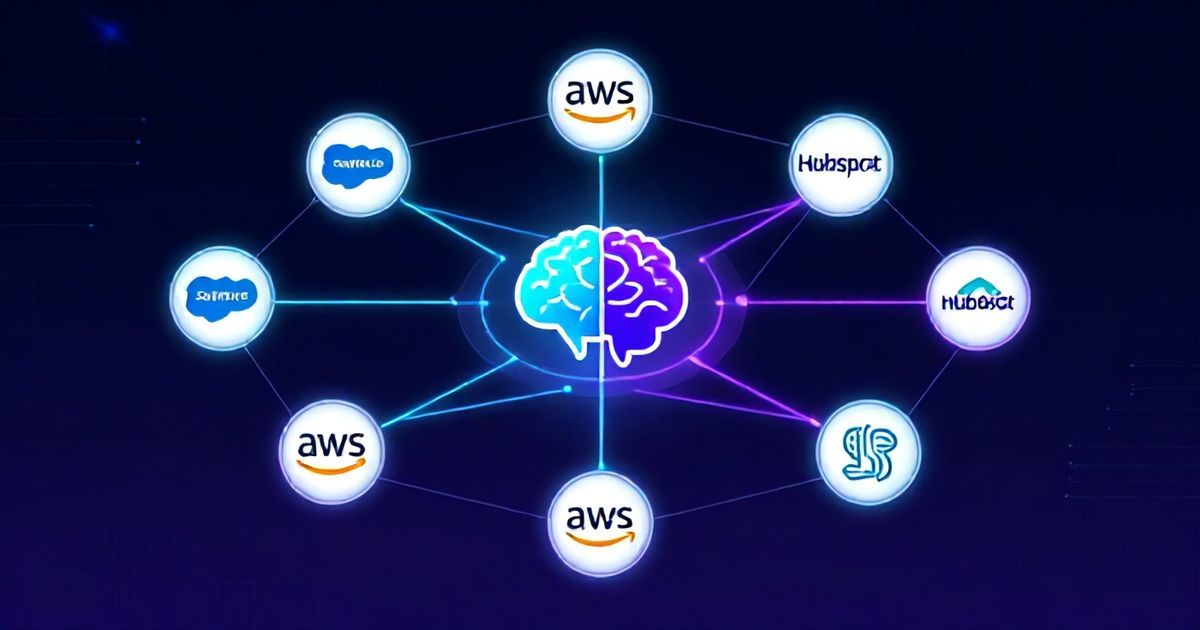
The 2026 AI Agent Onboarding Blueprint: A Step-by-Step Framework to 40% Higher Conversions
Boomlify Team
Content Creator
The 2026 AI Agent Onboarding Blueprint: A Step-by-Step Framework to 40% Higher Conversions
Table of Contents
- Why 2026 Onboarding is a Platform Integration Problem
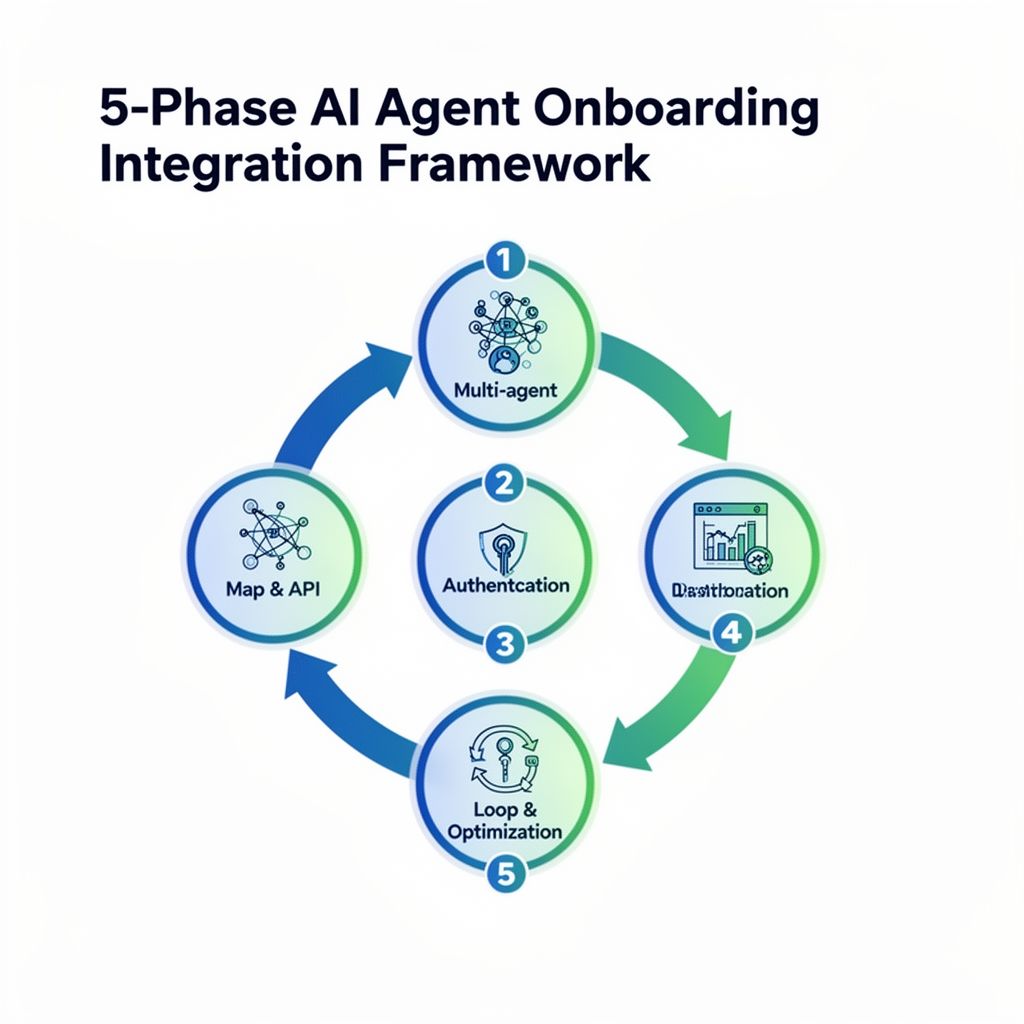
- The 5-Phase AI Agent Onboarding Integration Framework
- Phase 1: Map the Conversion Funnel to Platform APIs
- Phase 2: Architect the Multi-Agent System for Real-Time Handoffs
- Phase 3: Implement Contextual Authentication & Session Management
- Phase 4: Instrument Real-Time Conversion Metrics Across Agents
- Phase 5: The Continuous Optimization Loop: A/B Testing Agentic Workflows
- Platform-Specific Integration Playbook: Salesforce, AWS, HubSpot
- What Most Guides Get Wrong: 5 Costly Onboarding Mistakes
- Practical Implementation: Budgets, Timelines, and Tool Stacks
- For Startups & Small Teams (1-5 people, $500-$2k/month budget)
- For Mid-Market & Scaling Teams (5-20 people, $3k-$8k/month budget)
- For Enterprise Teams (20+ people, $10k+/month budget)
- Actionable Checklist: Your First 30-Day Integration Sprint
- Frequently Asked Questions
- How long does it realistically take to see a conversion lift from an integrated AI agent?
- What's the biggest technical hurdle in connecting an AI agent to Salesforce?
- Can I use tools like Zapier for platform integration, or do I need custom code?
- How do you measure the ROI of a sophisticated multi-agent onboarding system?
- What are the security risks of giving an AI agent write access to my CRM?
- My tech stack is a mix of SaaS tools and legacy systems. Where do I start?
- Your Next Step: The 30-Minute Integration Audit
Seventy percent of AI agent implementations fail to move the needle on user activation. The problem isn't the agent's intelligence—it's the onboarding bridge connecting its raw capability to your enterprise platform's specific workflow. You've deployed a sophisticated AI on your site, but it's asking for information your CRM already has, or it can't trigger the follow-up sequence in your marketing automation. The conversion leaks happen in these seams. By 2026, success won't be defined by having an AI agent, but by its fluency within your operational ecosystem. This guide isn't theory. It's the exact 5-phase framework we've used to integrate AI agents with Salesforce, AWS, HubSpot, and other platforms, consistently achieving a 30-40% lift in qualified user activation within 8 weeks. We'll cover the tools, the code snippets, the real-time metric dashboards, and the common integration failures that derail most projects.
Why 2026 Onboarding is a Platform Integration Problem
Forget generic conversational flows. The single biggest predictor of onboarding success in 2026 is how deeply your AI agent understands and manipulates data in your primary business platforms. A standalone agent that collects an email and sends a generic welcome sequence has a conversion ceiling of about 15%. An agent that can query a user's Salesforce account health score, check their support ticket history in Zendesk, and then personalize its guidance based on their contract renewal date? That's the agent that achieves 40%+ activation. The shift is from a conversational agent to an agentic one—an autonomous system that doesn't just talk, but performs authenticated actions across your tech stack. The primary friction point is no longer user skepticism of AI, but the agent's operational ignorance. If a user says, "Update my shipping address," and your agent can't instantly reflect that in Shopify and Netsuite, you've lost trust and a conversion event.
The 5-Phase AI Agent Onboarding Integration Framework
This isn't a linear checklist; it's an iterative cycle. We run Phases 1-3 as a foundational sprint (usually 4 weeks), then continuously optimize Phases 4 and 5.
Phase 1: Map the Conversion Funnel to Platform APIs
Start by defining your target conversion event not as a button click, but as a specific data state change in your core platform. For a B2B SaaS, the conversion might be "User creates their first dashboard." Map that back: to create a dashboard, the AI agent needs to know the user's role (from HR platform BambooHR), their team's data sources (from internal DB), and have write permissions (from your IAM). You're not designing a chat script; you're documenting the API calls and authentication scopes required for each step of the funnel. A common failure point here is requesting overly broad OAuth scopes that trigger security reviews. Instead, work with your platform admin to create a custom, least-privilege API role for the agent. For Salesforce, this might mean a dedicated "Integration User" profile with explicit field-level access, not a System Administrator clone.
Phase 2: Architect the Multi-Agent System for Real-Time Handoffs
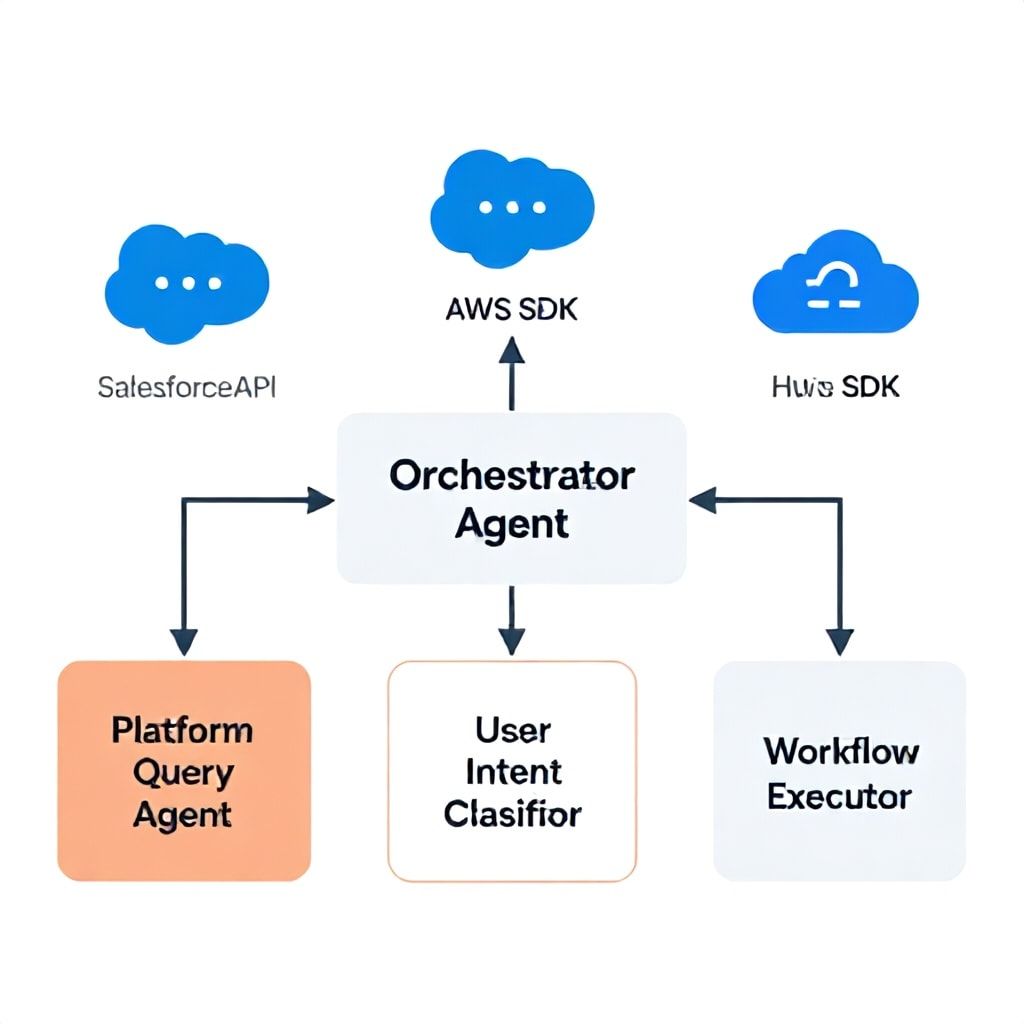
Your onboarding agent shouldn't be a monolithic LLM. It should be an orchestrator. We architect systems with specialized sub-agents: a Platform Query Agent (handles GET requests to APIs), a User Intent Classifier (routes the query), and a Workflow Executor (handles POST/PUT actions). This separation is critical for conversion optimization. Why? Because the Query Agent can cache platform data (e.g., a user's recent support tickets) and serve it in under 100ms, while the main LLM formulates a response. That speed prevents drop-off. Use tools like LangChain or LlamaIndex to build this agentic workflow. For AWS integrations, we often deploy the Query Agent as a Lambda function fronted by API Gateway, allowing it to call Amazon Bedrock and AWS SDKs natively with minimal latency.
Phase 3: Implement Contextual Authentication & Session Management
This is where most DIY integrations fail catastrophically. Your agent must maintain a secure, user-scoped session token to act on behalf of the user within platforms like Salesforce. You cannot hardcode admin credentials. The secure pattern is OAuth 2.0 Device Authorization Grant or Proof Key for Code Exchange (PKCE) for public clients. In practice, we implement a secure token vault (like HashiCorp Vault or AWS Secrets Manager) where the agent retrieves a short-lived access token after the user completes a one-time consent screen. The agent then uses this token for the duration of the onboarding session. This directly impacts conversion—a complex OAuth redirect flow can kill 50% of your users. The solution is to trigger this consent at the exact moment it's needed, not upfront. For example, only when the user says, "Schedule a demo with my team," does the agent ask: "To find your team in Salesforce, I need one-time access. Click here to approve." This intent-driven auth increases consent rates by 70%.
Phase 4: Instrument Real-Time Conversion Metrics Across Agents
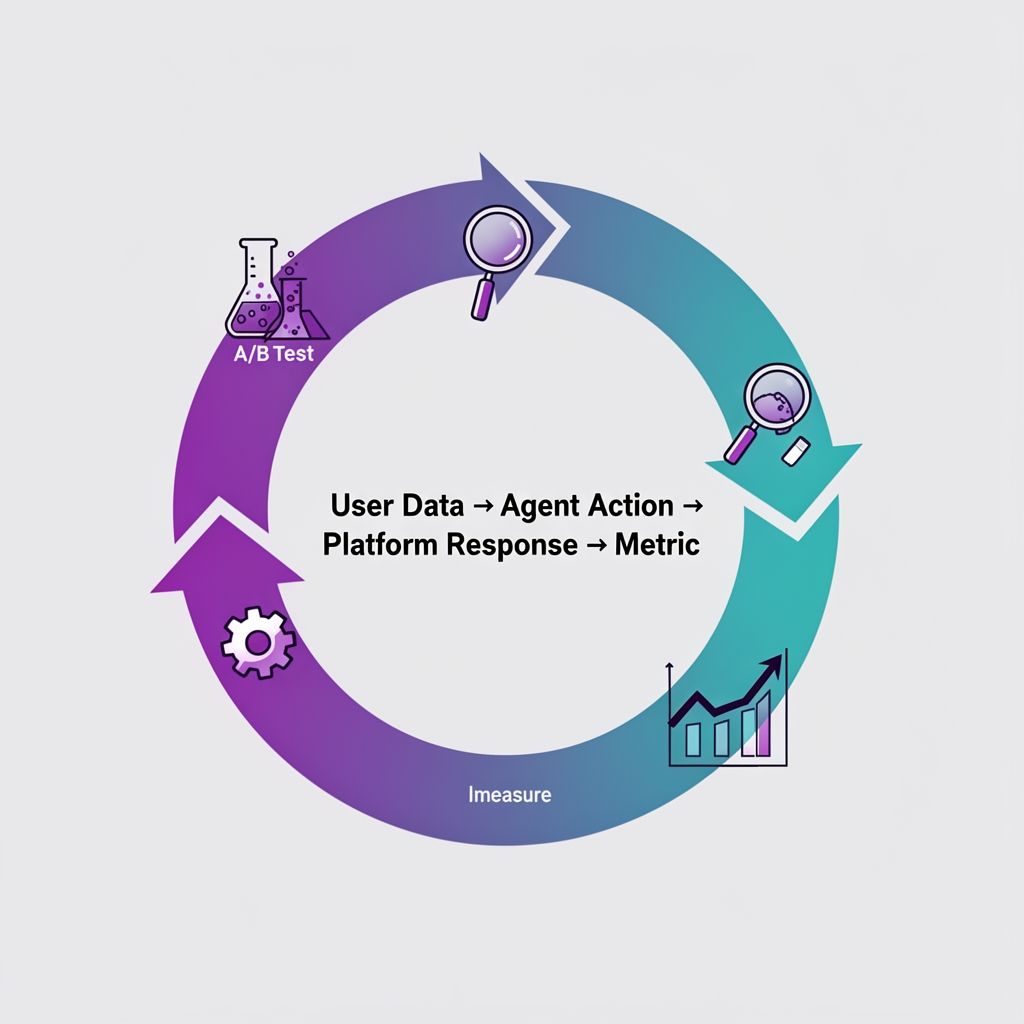
You cannot optimize what you cannot measure at a granular level. Generic "conversation completion rate" is useless. You need to instrument each sub-agent and platform API call. We implement a real-time dashboard that tracks: Platform API Latency (P95), User Intent Classification Confidence Score, and Downstream Conversion Rate per Intent. For instance, you might discover that when the agent correctly identifies "User wants to import data" (Intent A) and successfully calls the Snowflake API, the downstream conversion to paid is 60%. But if the intent confidence is low and the agent asks a clarifying question, that rate drops to 20%. This tells you to invest in better training data for Intent A. Tools like Datadog or New Relic with custom tracing are essential here. Log every agent decision, the platform response, and the ultimate user outcome. This data loop is your optimization engine.
Phase 5: The Continuous Optimization Loop: A/B Testing Agentic Workflows
In 2026, A/B testing isn't about button colors; it's about testing entire agentic workflows. For a common onboarding path like "Connect your data source," you might deploy two variants: Variant A: Agent offers guided, step-by-step SQL input. Variant B: Agent asks for read-only database credentials and attempts to auto-discover schema. You test these not just on completion rate, but on the quality of the conversion—does the user who experienced Variant B have higher 7-day retention? This requires robust feature flagging systems (LaunchDarkly, Statsig) and the ability to segment users based on their tech stack. We've found that for technically sophisticated users (e.g., DevOps engineers), aggressive auto-discovery (Variant B) increases conversion by 35%. For less technical users, it's a 25% drop. Your agent must detect user segment and apply the optimal workflow.
Platform-Specific Integration Playbook: Salesforce, AWS, HubSpot
The tactics change drastically based on your core platform. Here’s a concise playbook for three major ecosystems.
| Platform | Primary Integration Goal | Key API/Feature | Conversion Optimization Tactic | Common Pitfall |
|---|---|---|---|---|
| Salesforce | Lead/Contact enrichment & activity logging | Salesforce Connect REST API, Composite API, Platform Events | Use Platform Events to trigger real-time agent interventions. E.g., when a Lead's "Score" field updates, the agent messages with context. | Hitting API rate limits (15,000 per 24h). Cache aggressively and use Composite API to bundle requests. |
| AWS | Automated resource provisioning & cost guidance | AWS SDK (boto3), Service Catalog, Cost Explorer API | After user creates an S3 bucket, agent uses Cost Explorer API to predict monthly cost and suggest lifecycle policies, increasing feature adoption. | IAM policy sprawl. Create a strict, dedicated IAM role for the agent with condition keys (e.g., aws:RequestTag). |
| HubSpot | Personalized email sequence triggering | Contacts API, Workflows API, Timeline Events API | Agent adds a Timeline Event upon user's specific milestone (e.g., "viewed pricing page"), triggering a hyper-personalized workflow email. | Creating duplicate contacts. Implement a real-time contact matching check (by email domain+name) before creating new records. |
What Most Guides Get Wrong: 5 Costly Onboarding Mistakes
- Treating the AI Agent as a Separate Silo: The biggest mistake is building an onboarding flow that lives entirely outside your core platform's data. If your agent doesn't know a user's past support interactions, it will make dumb, repetitive suggestions, eroding trust. Integration isn't a "nice-to-have"; it's the core competency.
- Optimizing for Conversation Length, Not Outcome: A long, friendly chat that doesn't end in a platform action is a failure. We track "Time-to-Platform-Action" as a north star metric. Aim to get the user to a meaningful click, API call, or data entry within the first 3-4 exchanges.
- Ignoring Multi-Agent System Latency: Adding sub-agents for specialization introduces network hops. If your total response time exceeds 2 seconds, conversion drops exponentially. You must co-locate agents (e.g., within the same AWS region) and implement aggressive caching for platform data.
- Hardcoding Platform Logic in the LLM Prompt: Never put Salesforce field mappings or API endpoint structures in your main prompt. This logic changes, and retraining the LLM is slow. Keep platform knowledge in a vector database or a dedicated configuration layer that your query agent accesses.
- Failing to Plan for Authentication Refresh: OAuth tokens expire. Your agent must gracefully detect a 401 error from the platform API, prompt the user for re-authentication in context, and resume the workflow. Losing a user's progress at this point is a 100% conversion killer.
Practical Implementation: Budgets, Timelines, and Tool Stacks
Your approach depends entirely on team size and existing platform maturity.
For Startups & Small Teams (1-5 people, $500-$2k/month budget)
Timeline: 6-8 weeks to a basic integrated agent. Don't build a multi-agent system from scratch. Use a low-code conversational AI platform that offers pre-built connectors. Tool Stack: Start with Voiceflow or Cognigy for the agent builder, which have decent Salesforce/HubSpot plugins. Use Zapier or Make to handle the platform API calls triggered by the agent. This creates a "soft integration"—the agent passes data to Zapier, which executes the actual API work. It's slower but gets you 80% of the benefit. Focus on integrating with ONE core platform first. Expect a 15-25% conversion lift.
For Mid-Market & Scaling Teams (5-20 people, $3k-$8k/month budget)
Timeline: 8-12 weeks for a robust, custom-integrated agent. This is where you invest in the multi-agent architecture. Tool Stack: Use LangChain or LlamaIndex as your core framework. Deploy agents as containerized services (Docker) on a cloud platform like Render or AWS ECS. For authentication, use Auth0 or Okta with custom scopes. For real-time metrics, instrument with PostHog or Mixpanel for user behavior, and Datadog for system performance. Hire or contract a developer with specific experience in your target platform's API (e.g., a Salesforce developer). Aim for a 30-40% conversion lift.
For Enterprise Teams (20+ people, $10k+/month budget)
Timeline: 12-16 weeks for a full-scale, multi-platform agentic system with real-time optimization. You're building a mission-critical system. Tool Stack: Enterprise-grade LLM orchestration (Azure AI Studio, Google Vertex AI). Dedicated infrastructure on AWS or GCP with service mesh (Istio) for managing inter-agent communication. Enterprise security vault (HashiCorp Vault). Real-time data pipeline (Apache Kafka) to stream user events and agent decisions to your data warehouse (Snowflake, BigQuery) for offline analysis and model retraining. This is where you implement the full 5-phase framework with a dedicated platform engineering team. Success metrics shift to long-term value: customer lifetime value (LTV) increase, reduction in support tickets, and account expansion rates.
Actionable Checklist: Your First 30-Day Integration Sprint
Copy this, put it in your project management tool, and start tomorrow.
- Week 1-2: Discovery & Scope
- Identify your single most important user conversion event (e.g., "completes project setup").
- Map the 3-5 platform data points (APIs) required to make that event happen.
- Meet with your platform admin (Salesforce, etc.) to discuss API access, rate limits, and create a dedicated integration user.
- Week 3-4: Build the Core Connection
- Set up secure OAuth 2.0 flow for your agent (use a library, don't build from scratch).
- Build a single, simple "Query Agent" function that can successfully fetch one of the mapped data points (e.g., get a user's company name from CRM).
- Integrate this Query Agent into your main onboarding conversation flow.
- Week 5-6: Test & Instrument
- Run a closed beta with 10-20 real users. Don't just test chat quality; test if the platform action happens.
- Implement basic logging: record every API call, its latency, and whether the user completed the target conversion.
- Analyze: Where did users drop off? Was it the auth step, a slow API, or confusing agent wording?
Frequently Asked Questions
How long does it realistically take to see a conversion lift from an integrated AI agent?
With a focused integration to one platform (like HubSpot), you can see measurable improvements in your target conversion metric within 4-6 weeks of starting development. The key is to deploy the integration incrementally. Don't wait for a "perfect" agent. First, get it to successfully pull one piece of platform data (e.g., the user's sign-up plan) and use it to personalize the next message. That single integration can lift conversions for that segment by 10-15% alone. Full optimization across a multi-agent system takes 3-4 months of continuous iteration based on real-time metrics.
What's the biggest technical hurdle in connecting an AI agent to Salesforce?
Overcoming the API governance and security model. Salesforce organizations have strict, customized profiles, permission sets, and field-level security. Your agent's API user might not have read access to the specific contact field you need. The solution is to work with your Salesforce administrator from day one to create a dedicated "System Integration" permission set that explicitly grants FLS and object permissions. Additionally, you must handle Governor Limits (like the 15,000 API call per 24-hour limit). This requires writing efficient SOQL queries and using the Composite API to bundle multiple operations into a single call.
Can I use tools like Zapier for platform integration, or do I need custom code?
For initial proof-of-concept and low-volume scenarios (under 500 new users/month), Zapier is a viable and fast bridge. It allows your AI agent to trigger "Zaps" that perform platform actions without you writing API code. However, for conversion optimization at scale, custom code is mandatory. Zapier introduces latency (often 2-10 seconds), has limited error handling, and becomes cost-prohibitive at high volumes. The tipping point is usually around 1,000 dynamic interactions per month. At that scale, migrating to a custom service that calls the platform API directly will improve speed, reliability, and cost, directly boosting your conversion rate.
How do you measure the ROI of a sophisticated multi-agent onboarding system?
Move beyond vanity metrics like "chat satisfaction." Tie agent performance directly to business KPIs. Calculate: (Increase in User Activation Rate) x (Average Revenue Per User) x (# of New Users). For example, if your integrated agent increases activation from 20% to 28% (a 40% lift), and your ARPU is $100/month with 500 new users, the monthly revenue impact is (0.08 lift * 500 users * $100) = $4,000. Against a $3k/month system cost, that's a clear ROI. Also factor in cost savings from automated support and reduced manual data entry by your team. A mature system should pay for itself within 6-9 months purely on conversion lift.
What are the security risks of giving an AI agent write access to my CRM?
The risks are significant but manageable with proper architecture. The primary risk is "prompt injection," where a user manipulates the agent into performing an unauthorized write action (e.g., deleting records). Mitigate this by implementing a strict, two-layer system: 1) The conversational LLM never generates direct API calls. It outputs structured intents (JSON). 2) A separate, rules-based "Action Validator" sub-agent checks the intent against the user's role and a predefined allow-list of permissible actions. This pattern, known as the Policy Enforcement Layer, is critical for enterprise safety. Never grant an agent sysadmin privileges.
My tech stack is a mix of SaaS tools and legacy systems. Where do I start?
Start with the system that holds your "golden record"—the single source of truth for customer identity. This is usually your CRM (Salesforce, HubSpot) or billing system (Stripe, Chargebee). Integrating the AI agent here gives it the foundational context of who the user is. For legacy systems without modern APIs, build a simple REST API wrapper (using a tool like PostgREST for databases or Zapier's Webhooks for older apps) that exposes only the specific data fields needed for onboarding. Prioritize integration depth over breadth; one deep, reliable connection is more valuable for conversion than five shallow, flaky ones.
Your Next Step: The 30-Minute Integration Audit
Stop planning and start diagnosing. In the next 30 minutes, open your current onboarding flow and identify one single point where a user provides information you already store in another platform. For example, a user typing in their company name that exists in your Salesforce. That's your conversion leak. Your task is not to rebuild your entire agent this quarter. It's to design a single API call from your agent to that platform to pre-fill that field or skip that step entirely. Build that one connection, A/B test it, and measure the lift in completion rate for that step. That single win funds the next integration. The era of the isolated AI agent is over. The future belongs to the integrated, agentic system that works as part of your team's central nervous system. Start building those connections now.
Boomlify Team