


Temp Mail for Twitter/X: Ultimate Guide to Anonymous Social Media Management in 2025

Boomlify Team
Content Creator
Temp Mail for Twitter/X: Ultimate Guide to Anonymous Social Media Management in 2025
Discover how temporary email services are revolutionizing Twitter/X account management, providing unprecedented privacy protection while maintaining full social media functionality. This comprehensive guide explores the best practices, tools, and strategies for using temp mail services with Twitter/X for enhanced privacy and security.
Table of Contents
- 1. Introduction to Temp Mail for Twitter/X
- 2. Why Use Temporary Email for Twitter/X?
- 3. How Boomlify Revolutionizes Twitter/X Privacy
- 4. Complete Setup Guide for Twitter/X with Temp Mail
- 5. Advanced Privacy Features and Security
- 6. Best Practices for Anonymous Twitter/X Usage
- 7. Leveraging Boomlify's API for Twitter/X Management
- 8. Custom Domain Solutions for Professional Twitter/X
- 9. Common Issues and Troubleshooting
- 10. Future Trends in Social Media Privacy
- 11. Conclusion: The Future of Private Social Media
Introduction to Temp Mail for Twitter/X
In today's interconnected digital world, social media platforms like Twitter/X have become essential tools for communication, networking, and information sharing. However, with increasing concerns about privacy, data collection, and online tracking, many users are seeking ways to maintain their social media presence while protecting their personal information.
Temporary email services have emerged as a revolutionary solution for Twitter/X users who want to maintain anonymity without sacrificing functionality. These services allow users to create disposable email addresses that can be used for account verification, password recovery, and communication while keeping their real email addresses private.
Protect your Twitter/X privacy with advanced temporary email solutions
Why Twitter/X Users Need Enhanced Privacy
Twitter/X's massive user base and real-time nature make it a prime target for data collection, targeted advertising, and potential privacy breaches. Temporary email services provide a crucial layer of protection for users who want to:
- Maintain multiple Twitter/X accounts for different purposes
- Protect their real email from spam and tracking
- Test new features without risking their main account
- Engage in sensitive discussions while maintaining anonymity
Why Use Temporary Email for Twitter/X?
The decision to use temporary email services with Twitter/X isn't just about privacy—it's about taking control of your digital footprint and protecting your personal information in an increasingly surveilled online environment.
Key Benefits of Temp Mail for Twitter/X
- Enhanced Privacy: Keep your real email address completely separate from your social media activities
- Spam Protection: Prevent your primary email from being flooded with promotional messages
- Account Security: Reduce the risk of your main email being compromised through social media breaches
- Multiple Account Management: Easily manage several Twitter/X accounts without email confusion
- Testing and Development: Safely test new features or create development accounts
- Professional Separation: Keep personal and professional social media activities completely separate
Important Considerations
While temporary email services offer significant privacy benefits, it's crucial to understand that they should be used responsibly and in compliance with Twitter/X's terms of service. Temporary emails are ideal for legitimate use cases but should not be used for:
- Creating accounts for malicious purposes
- Circumventing legitimate account restrictions
- Engaging in spam or harassment
- Violating platform community guidelines
How Boomlify Revolutionizes Twitter/X Privacy
While there are many temporary email services available, Boomlify stands out as the premier solution for Twitter/X users seeking enterprise-grade privacy protection. With its advanced features, reliable infrastructure, and user-friendly interface, Boomlify transforms how users approach social media privacy.
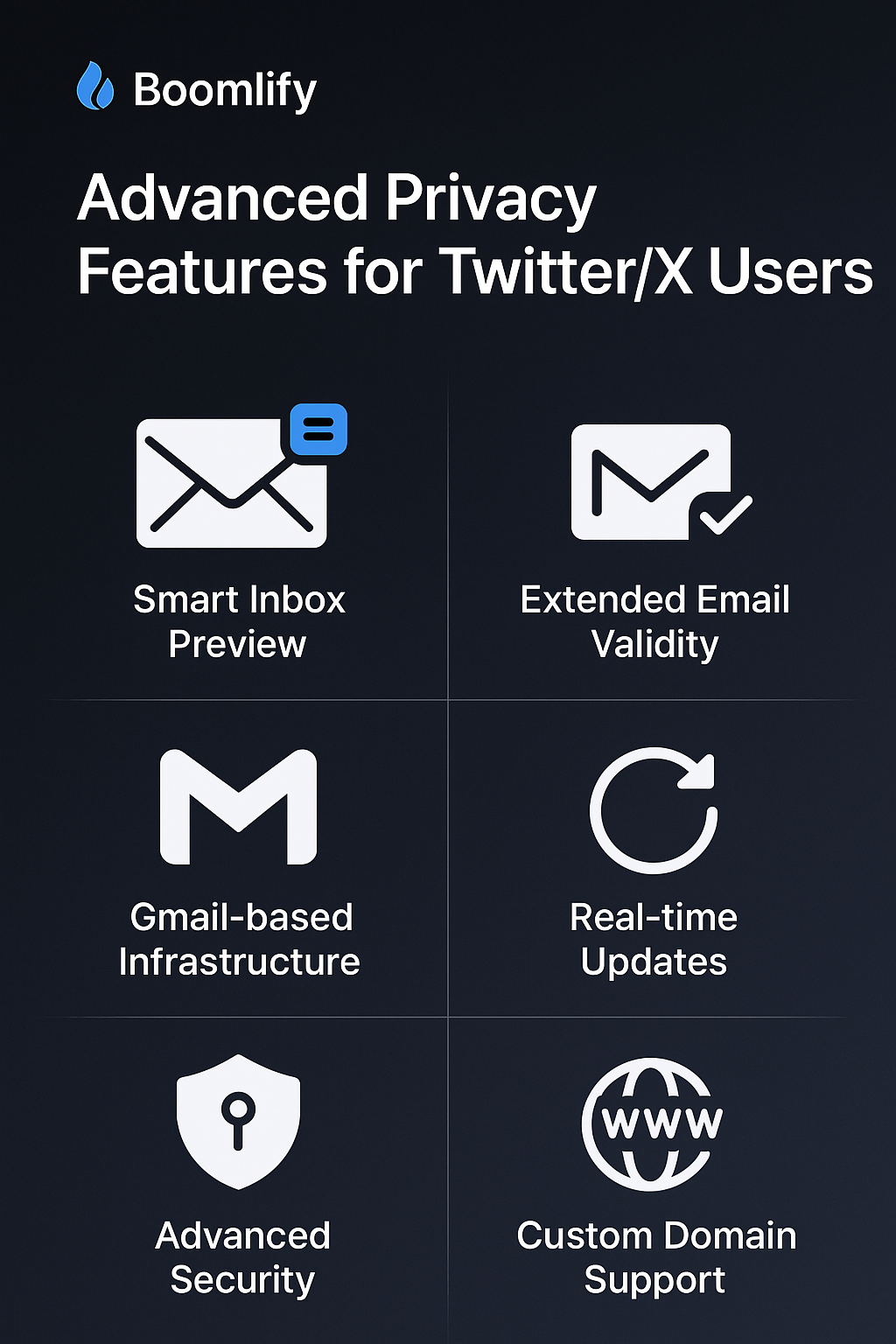
Boomlify's advanced features provide unmatched Twitter/X privacy protection
Boomlify's Revolutionary Features for Twitter/X Users
- Smart Inbox Preview: Monitor all your temporary emails from a single dashboard, perfect for managing multiple Twitter/X accounts
- Extended Email Validity: 2+ month lifespan ensures your Twitter/X verification emails never expire prematurely
- Gmail-Based Infrastructure: Leverage Gmail's trusted reputation for maximum deliverability to Twitter/X
- Real-Time Updates: Instant notifications when verification emails arrive from Twitter/X
- Advanced Security: Bank-level encryption and privacy protection for your temporary email communications
- Custom Domain Support: Use your own domain for professional Twitter/X accounts that look completely legitimate
Why Boomlify is Perfect for Twitter/X
Twitter/X's verification system and security measures require reliable, professional-looking email addresses. Boomlify's Gmail-based infrastructure ensures that your temporary emails are never flagged as suspicious, while the extended validity period gives you plenty of time to complete account verification processes.
Additionally, Boomlify's custom domain features allow you to create temporary emails that look like they come from your own company or organization, perfect for professional Twitter/X accounts that need to maintain credibility.
Real-World Twitter/X Use Cases with Boomlify
- Social Media Managers: Create and manage multiple client Twitter/X accounts with separate temporary emails
- Digital Marketers: Test different Twitter/X strategies without affecting personal accounts
- Developers: Create development Twitter/X accounts for testing new features
- Privacy Advocates: Maintain Twitter/X presence while protecting personal information
- Business Owners: Separate personal and business Twitter/X activities
- Researchers: Conduct social media studies without personal bias
Complete Setup Guide for Twitter/X with Temp Mail
Setting up Twitter/X with temporary email services is straightforward, but following the right steps ensures maximum privacy and security. Here's a comprehensive guide to get you started with Boomlify and Twitter/X.
Step-by-Step Setup Process
- Create Your Boomlify Account: Sign up at Boomlify and verify your account
- Generate Temporary Email: Use Boomlify's interface to create a new temporary email address
- Twitter/X Registration: Use the temporary email when creating your Twitter/X account
- Email Verification: Check your Boomlify inbox for the Twitter/X verification email
- Complete Setup: Verify your email and complete your Twitter/X profile
- Secure Your Account: Set up two-factor authentication and strong passwords
Pro Tips for Maximum Privacy
- Use different temporary emails for different Twitter/X accounts
- Never link your temporary email to your real phone number
- Consider using a VPN when accessing Twitter/X for additional privacy
- Regularly rotate your temporary emails for enhanced security
- Use Boomlify's custom domain features for professional accounts
Advanced Privacy Features and Security
Boomlify's advanced privacy features go far beyond simple temporary email generation. The platform provides enterprise-grade security measures that ensure your Twitter/X activities remain completely private and secure.
Security Features That Protect Your Twitter/X Privacy
- End-to-End Encryption: All emails are encrypted in transit and at rest
- No Data Logging: Boomlify doesn't store or log any of your email content
- Automatic Cleanup: Temporary emails are automatically deleted after expiration
- IP Protection: Your real IP address is never associated with your temporary emails
- Multi-Factor Authentication: Secure access to your Boomlify account
- Regular Security Audits: Continuous monitoring and improvement of security measures
Best Practices for Anonymous Twitter/X Usage
While temporary email services provide excellent privacy protection, following best practices ensures maximum effectiveness and security. Here are the essential guidelines for maintaining anonymity on Twitter/X with Boomlify.
Essential Privacy Guidelines
- Account Separation: Never mix personal and anonymous Twitter/X accounts
- Consistent Personas: Maintain consistent behavior patterns for each account
- Device Management: Use separate devices or browser profiles for different accounts
- Content Strategy: Plan your content to avoid revealing personal information
- Network Isolation: Don't connect anonymous accounts to your real social networks
- Regular Rotation: Periodically update your temporary emails and account details
Advanced Anonymity Techniques
- Time Zone Consistency: Post content at times consistent with your claimed location
- Language Patterns: Use consistent language and writing style for each persona
- Content Scheduling: Use tools to schedule posts at optimal times
- Engagement Strategy: Interact with other accounts in ways that support your persona
- Profile Consistency: Ensure all profile elements support your chosen identity
Leveraging Boomlify's API for Twitter/X Management
For power users and developers, Boomlify's advanced API features provide programmatic access to temporary email management, making it easier to handle multiple Twitter/X accounts and automate privacy protection processes.
API Features for Enhanced Twitter/X Privacy
- Automated Email Generation: Create temporary emails programmatically for multiple accounts
- Real-Time Monitoring: Get instant notifications when verification emails arrive
- Bulk Operations: Manage hundreds of temporary emails simultaneously
- Integration Capabilities: Connect with your existing Twitter/X management tools
- Custom Workflows: Automate the entire account creation and verification process
- Advanced Analytics: Track email usage patterns and optimize your privacy strategy
API Use Cases for Twitter/X Power Users
Social media managers, digital marketers, and developers can leverage Boomlify's API to:
- Automatically create temporary emails for new Twitter/X campaigns
- Monitor verification emails across multiple accounts in real-time
- Integrate temporary email generation into existing social media workflows
- Scale Twitter/X operations while maintaining privacy standards
- Create custom dashboards for managing multiple anonymous accounts
Custom Domain Solutions for Professional Twitter/X
For users who need to maintain professional credibility while protecting their privacy, Boomlify's custom domain features provide the perfect solution. These features allow you to create temporary emails that look like they come from your own domain, making them ideal for business and professional Twitter/X accounts.
Benefits of Custom Domain Temporary Emails for Twitter/X
- Professional Appearance: Your temporary emails look like legitimate business addresses
- Brand Consistency: Maintain your company's branding across all communications
- Enhanced Credibility: Twitter/X verification emails appear more trustworthy
- Better Deliverability: Custom domains often have higher email acceptance rates
- Scalability: Create unlimited temporary emails under your domain
- Control: Full control over your temporary email infrastructure
Implementation for Professional Twitter/X Accounts
Setting up custom domain temporary emails for professional Twitter/X use involves:
- Domain Verification: Prove ownership of your domain through DNS records
- Email Configuration: Set up proper SPF, DKIM, and DMARC records
- Boomlify Integration: Connect your domain to Boomlify's temporary email service
- Testing and Validation: Ensure emails are properly delivered and accepted
- Monitoring and Maintenance: Regular checks to maintain deliverability
Common Issues and Troubleshooting
While Boomlify provides reliable temporary email services, users may occasionally encounter issues. Understanding common problems and their solutions ensures smooth operation of your Twitter/X privacy protection strategy.
Frequently Encountered Issues
- Email Delivery Delays: Sometimes verification emails may take longer than expected
- Spam Filtering: Some email providers may flag temporary emails as spam
- Account Verification Issues: Twitter/X may occasionally reject certain email formats
- Rate Limiting: Creating too many temporary emails too quickly may trigger limits
- Browser Compatibility: Some features may work differently across browsers
Solutions and Best Practices
- Check Spam Folders: Always verify that verification emails haven't been filtered
- Use Gmail-Based Addresses: These have the highest deliverability rates
- Implement Proper Delays: Wait between creating multiple temporary emails
- Contact Support: Boomlify's support team can help resolve complex issues
- Regular Monitoring: Keep track of your temporary email performance
Future Trends in Social Media Privacy
As social media platforms continue to evolve and privacy concerns grow, temporary email services like Boomlify are positioned to play an increasingly important role in protecting user privacy. Understanding emerging trends helps users stay ahead of privacy challenges.
Emerging Privacy Technologies
- AI-Powered Privacy: Machine learning algorithms for better privacy protection
- Blockchain Integration: Decentralized identity management solutions
- Enhanced Encryption: Next-generation encryption protocols for maximum security
- Privacy-First Platforms: Social media alternatives that prioritize user privacy
- Regulatory Changes: New privacy laws and regulations affecting social media
- Biometric Privacy: Advanced protection for biometric authentication methods
Twitter/X Privacy Evolution
Twitter/X is continuously updating its privacy and security features, including:
- Enhanced two-factor authentication options
- Improved privacy controls for user data
- Better spam and bot detection systems
- Advanced account verification methods
- Increased transparency in data collection practices
These changes make it even more important to use reliable temporary email services that can adapt to new security requirements.
Conclusion: The Future of Private Social Media
The combination of temporary email services and social media platforms represents a fundamental shift in how users approach online privacy. As concerns about data collection, surveillance, and privacy breaches continue to grow, services like Boomlify provide essential tools for maintaining control over personal information.
By leveraging Boomlify's advanced temporary email features, Twitter/X users can enjoy the full benefits of social media engagement while maintaining complete privacy and security. The platform's Gmail-based infrastructure, extended email validity, and custom domain support make it the ideal solution for users who refuse to compromise on privacy.
Ready to Protect Your Twitter/X Privacy?
Join thousands of users who have already taken control of their social media privacy with Boomlify. Experience the difference that enterprise-grade temporary email services can make for your Twitter/X accounts.
Get Started with Boomlify TodayKey Takeaways
- Temporary email services provide essential privacy protection for Twitter/X users
- Boomlify's advanced features offer unmatched privacy and security
- Custom domain support enables professional Twitter/X accounts
- API integration allows for automated privacy management
- Following best practices ensures maximum privacy protection
- The future of social media privacy depends on innovative solutions like Boomlify
Boomlify Team