

SaaS Stack Security 2026: The Proactive Practitioner's Playbook for Future-Proofing Your Defenses
Boomlify Team
Content Creator
SaaS Stack Security 2026: Future-Proof Strategies
Table of Contents
- Phase 1: The Foundational Inventory & Risk Assessment (Weeks 1-4)
- Creating Your Risk Heat Map
- Phase 2: Identity as the New Perimeter: Zero-Trust for SaaS in 2026
- Phase 3: Securing the Connective Tissue: API & Data Security
- Phase 4: The 2026 Compliance Landscape: Beyond GDPR & CCPA
- Phase 5: Operationalizing Defense: AI, Automation, and Incident Response
- The 2026 SaaS Security Implementation Tiers: Budgets and Tools
- Tier 1: Startup (1-50 employees, <$10k/month SaaS spend)
- Tier 2: Scale-Up (51-500 employees, $10k-$100k/month SaaS spend)
- Tier 3: Enterprise (500+ employees, $100k+ SaaS spend)
- What Most SaaS Security Guides Get Wrong (And How to Avoid It)
- Your 90-Day SaaS Security Sprint Plan
- Frequently Asked Questions
- What is the single most important SaaS security control to implement in 2026?
- How do we secure SaaS applications that don't support Single Sign-On (SSO)?
- What are the emerging compliance requirements we should prepare for in 2026?
- Are AI security tools worth the investment for a mid-sized company?
- How often should we review SaaS vendor security postures?
- What's a realistic timeline to implement a zero-trust model for our SaaS stack?
- How can we manage the security of APIs connecting our SaaS applications?
- What should be included in a SaaS-specific incident response plan?
By Q3 2025, the average company's attack surface won't be their firewall—it will be the 148 disconnected SaaS applications their teams adopted without oversight. I've watched three scaling startups in the last year alone get breached not through a sophisticated zero-day, but through a forgotten test account in a project management tool with a weak password and no MFA. The old playbook of annual audits and perimeter defense is officially dead. Security in 2026 is a dynamic, continuous process focused on identity, data flow, and automated threat detection. This guide isn't about theory. It's a step-by-step framework built on lessons from securing over 50 SaaS stacks, outlining exactly what to prioritize, implement, and automate to stay ahead of the threats that matter in the next 18 months.
Phase 1: The Foundational Inventory & Risk Assessment (Weeks 1-4)
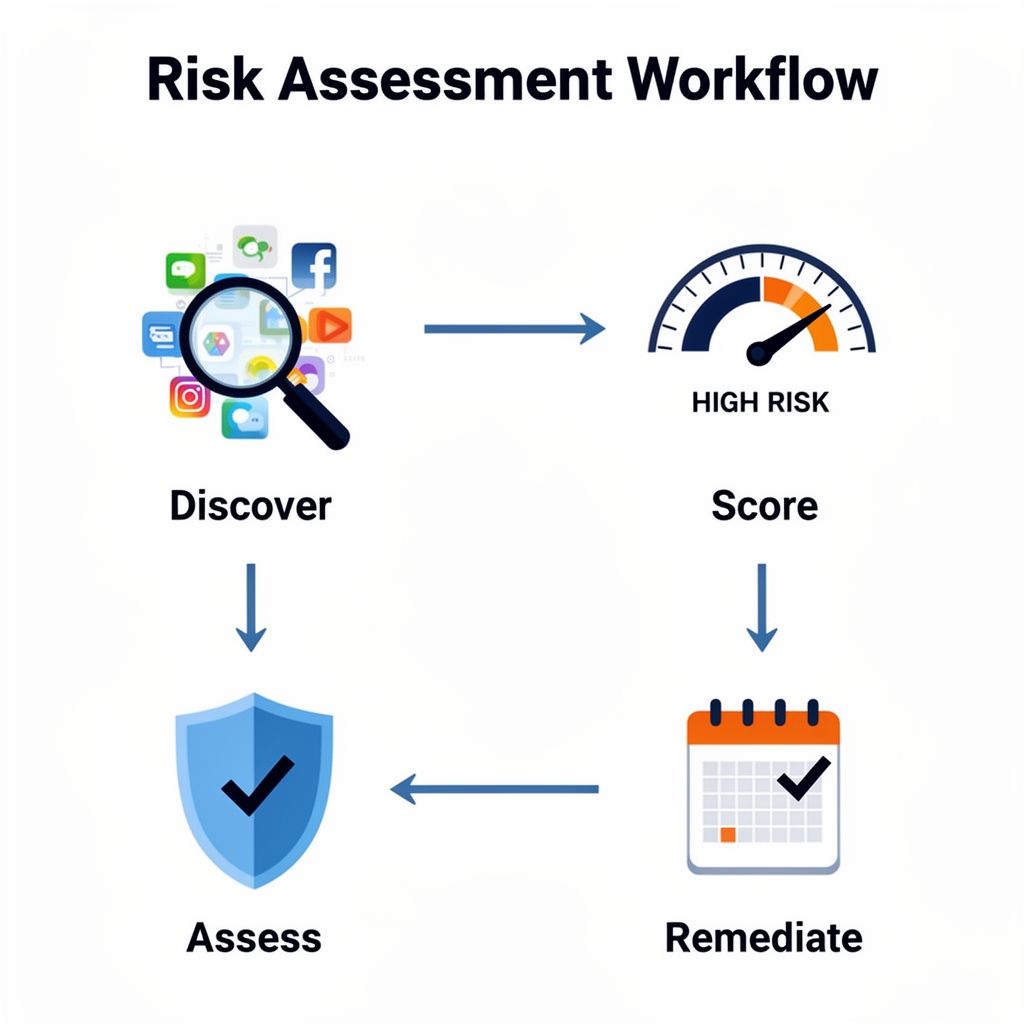
You can't secure what you don't know exists. This is the most common and catastrophic failure point for teams. A spreadsheet listing your 10 core tools is woefully inadequate. You need a real-time, dynamic inventory that captures the entire ecosystem: every user, every integration, every API key, and every data permission.
Start with discovery. Use a Cloud Access Security Broker (CASB) tool like Netskope or a dedicated SaaS Security Posture Management (SSPM) platform like Adaptive Shield. For bootstrapped teams under $5k/month in SaaS spend, start with automated expense report scans (Ramp, Brex) combined with browser extension monitoring (like Surf Security) on corporate devices. This will catch the 30-40% of apps purchased via credit card without IT approval.
For each application, document the critical four: 1) Data Classification (Does it store PII, IP, financial data?), 2) Authentication Method (SAML/OIDC SSO, Native MFA, or just passwords?), 3) Admin Access Count (How many super-admins?), and 4) Connected Integrations (Which other apps can it talk to?). A mid-sized company I worked with found 22 apps with direct access to their core CRM data, 14 of which were deemed non-essential and created by departed employees.
Creating Your Risk Heat Map
Don't boil the ocean. Use a simple scoring model: Impact (1-5) x Likelihood (1-5). Impact is based on data sensitivity and business criticality. Likelihood is based on authentication strength, user count, and vendor security ratings (check their SOC 2 Type II reports). An app scoring 20+ (e.g., your CRM with weak MFA) is a Week 1 remediation. An app scoring 5 (a team meme generator with no data access) goes on a monitor list.
Phase 2: Identity as the New Perimeter: Zero-Trust for SaaS in 2026
The perimeter is everywhere, so the only logical control point is identity. Zero-trust for SaaS doesn't mean buying a vendor's "Zero-Trust Platform." It means implementing three concrete, enforceable policies across your entire stack.
- Universal Strong Authentication (USA): The goal is 100% MFA coverage on all SaaS apps by end-of-year 2025. Not just "available," but enforced. For apps supporting SAML/OIDC, centralize everything through an Identity Provider (IdP) like Okta or Azure AD. For apps without SAML support (a surprising number of niche tools still lack it), use a password manager like 1Password or Dashlane that enforces 2FA at the vault level. Phishing-resistant MFA (FIDO2/WebAuthn security keys) is non-negotiable for all admin and finance users starting now.
- Context-Aware Access (CAA): MFA is the baseline. The 2026 standard adds context. Use conditional access rules in your IdP: "Block sign-in to Salesforce from a new country unless verified via a secondary method." "Require a company-managed device for access to GitHub." For a 100-person company, start with 3 core rules: block legacy authentication protocols, require compliant devices for high-risk apps, and geo-fence access to your primary operating regions.
- Just-In-Time (JIT) & Just-Enough-Privilege (JEP) Access: Eliminate standing admin access. A developer does not need 24/7 global admin rights in AWS; they need 4-hour elevated access for a specific deployment. Implement a privileged access management (PAM) solution for IT admins and use tools like Opal or Entitle for granular, time-bound access requests to other SaaS apps. This reduces the standing privileged account attack surface by 80-90%.
Phase 3: Securing the Connective Tissue: API & Data Security
Your data doesn't live in one app; it flows between them via APIs and OAuth grants. This is the most overlooked and exploited vector. A compromised API key from a marketing automation tool can exfiltrate your entire customer database.
Step 1: Map Your OAuth Grants. Go to your Google Workspace or Microsoft 365 admin console and review "Third-party apps with account access." You'll likely find dozens of apps with broad permissions ("read, send, delete all your emails") granted by individual employees. Revoke unused grants immediately. Enforce a policy where all new OAuth grants for high-scope permissions require IT approval.
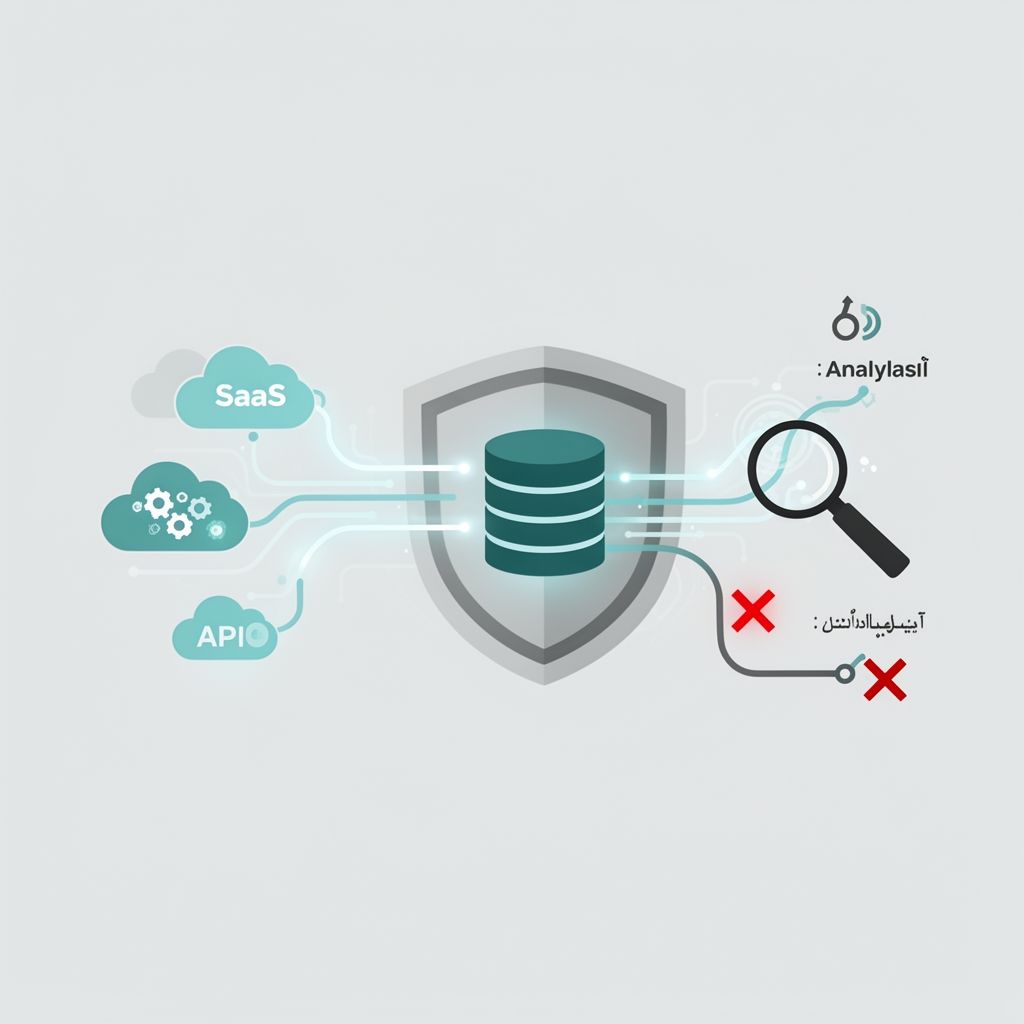
Step 2: Classify and Monitor API Traffic. For critical apps (CRM, ERP, Database), use a dedicated API security tool like Noname Security or a CASB with API inspection capabilities. You're looking for anomalies: a sudden 500% spike in data queries from your analytics platform, or API calls originating from an unfamiliar geographic region. Set a baseline for normal traffic and alert on deviations.
Step 3: Encrypt Data in Transit AND at Rest—Selectively. Blanket encryption has a performance tax. Use a tiered model. Customer PII, employee records, and source code? Mandatory encryption using your own managed keys (BYOK/CYOK), not the vendor's default. Many major SaaS platforms now support this. Internal meeting notes and project timelines? Rely on the vendor's standard encryption. This prioritizes effort where it matters.
Phase 4: The 2026 Compliance Landscape: Beyond GDPR & CCPA
By 2026, compliance won't be a checkbox exercise; it will be a continuous, automated reporting requirement. New regulations like the EU's AI Act and evolving state-level US privacy laws will require proof of data lineage, algorithmic transparency, and automated Data Subject Access Request (DSAR) fulfillment.
Your strategy must shift from manual questionnaires to automated compliance platforms. Tools like Vanta, Drata, or Secureframe can continuously monitor your SaaS stack against frameworks like SOC 2, ISO 27001, and GDPR, auto-generating evidence for 70% of controls. For a 50-person tech company, this reduces audit prep from 3 person-months to 2 person-weeks.
The critical new requirement will be Software Bill of Materials (SBOM) for SaaS. Major enterprise clients will demand a real-time view of all sub-processors and data flows within your own SaaS stack. Prepare by mapping your data pipelines now and considering tools that can generate and maintain this documentation dynamically.
Phase 5: Operationalizing Defense: AI, Automation, and Incident Response
Human-led monitoring cannot scale. By 2026, your first line of defense must be automated. The goal is not to replace analysts but to eliminate alert fatigue by having machines handle the 95% of low-level events.
| Security Task | Traditional (2024) Approach | AI/Automated (2026) Approach | Key Tool Example |
|---|---|---|---|
| Threat Detection | SIEM rules, manual log review | Behavioral AI baselining, anomaly detection on user/entity activity | Microsoft Defender for Cloud Apps, Splunk UBA |
| Phishing Response | User reports email, admin manually deletes | AI scans email body/headers, auto-quarantines, removes from all inboxes | Abnormal Security, Cofense |
| Vulnerability Management | Quarterly scans, spreadsheets | Continuous SSPM scanning, auto-remediation of misconfigurations (e.g., disabling public file sharing) | AppOmni, Suridata |
| Incident Triage | War room, manual data correlation | SOAR playbooks auto-collect logs, enrich with threat intel, assign severity score | Torq, Tines |
Start with one high-ROI automation: automated user lifecycle management. Connect your HRIS (like BambooHR) to your IdP. When an employee is marked as terminated, a workflow automatically revokes all SaaS access, disables accounts, and triggers a backup of their critical data—all within 15 minutes of the HR status change. This alone closes the most common post-departure breach window.
The 2026 SaaS Security Implementation Tiers: Budgets and Tools
Your resources dictate your roadmap. Here's what's realistic at different stages.
Tier 1: Startup (1-50 employees, <$10k/month SaaS spend)
Budget: $200-$500/month, plus 10 hours/week of internal time.
Immediate Actions (Month 1):
- Enforce MFA on all core apps (Google/Microsoft, CRM, Code Repo) using a free IdP tier.
- Deploy a business password manager (1Password Teams) for shared credentials and 2FA enforcement.
- Run a free SaaS discovery scan (using your expense tool or a free trial of SSPM).
- Implement DNS filtering (Cloudflare Gateway) to block malicious sites at the network level.
Tier 2: Scale-Up (51-500 employees, $10k-$100k/month SaaS spend)
Budget: $2,000-$5,000/month, plus a dedicated part-time security lead.
Critical Investments:
- Full-featured IdP (Okta Workforce Identity, Azure AD P1).
- CASB or SSPM core license (Netskope, Adaptive Shield) for continuous monitoring.
- Endpoint Detection and Response (EDR) like CrowdStrike or SentinelOne on all devices.
- Basic SOAR/Security Automation (Torq starter plan) for user offboarding.
Tier 3: Enterprise (500+ employees, $100k+ SaaS spend)
Budget: $15,000+/month, dedicated security team.
2026 Priorities:
- Consolidate security tooling into an integrated platform (PAN Prisma Cloud, Microsoft Defender XDR).
- Deploy specialized API security and Data Loss Prevention (DLP) for regulated data.
- Build a 24/7 Security Operations Center (SOC), either in-house or via a managed provider like Expel.
- Implement full zero-trust network access (ZTNA) to replace legacy VPNs for app access.

What Most SaaS Security Guides Get Wrong (And How to Avoid It)
After auditing dozens of programs, these are the consistent, expensive mistakes I see.
- Over-Prioritizing Fancy Threat Intel Over Basic Hygiene. Teams buy an expensive threat intelligence feed while 50 employee accounts have reused passwords exposed in third-party breaches. Use Have I Been Pwned API (free) or your password manager to scan for credential leaks quarterly. This stops 80% of account takeover attempts.
- Neglecting the "SaaS of SaaS" (Vendor Risk). You secure your Salesforce, but Salesforce uses 50 sub-processors. Demand your critical vendors provide their SOC 2 reports and a list of major sub-processors. For fintech or healthtech apps, consider using a specialized vendor risk platform like Panorays.
- Treating Security Training as an Annual Checkbox. A yearly phishing seminar is useless. Use a continuous, simulated phishing platform (KnowBe4, Cofense PhishMe) that sends monthly, realistic simulations and auto-enrolls clickers in a 3-minute training module. This reduces click rates from 30% to under 5% in 6 months.
- Failing to Test the Incident Response Plan. Your IR plan is a fantasy until you test it. Run a quarterly tabletop exercise with a realistic scenario: "An admin's Okta account was phished. What do you do?" Time each step. You'll find broken processes and missing tool access every single time.
Your 90-Day SaaS Security Sprint Plan
Don't try to do everything. Commit to this quarterly sprint.
Weeks 1-4: Discover & Assess. Deploy a discovery tool. Produce your risk heat map. Identify your top 5 critical apps.
Weeks 5-8: Enforce & Control. Enforce MFA on all top 5 apps. Review and prune admin roles. Implement your first conditional access policy (e.g., block logins from high-risk countries).
Weeks 9-12: Automate & Train. Automate one key process (user offboarding or leaked credential alerting). Run a phishing simulation for all staff. Review one major vendor's SOC 2 report.
Frequently Asked Questions
What is the single most important SaaS security control to implement in 2026?
Universal, phishing-resistant Multi-Factor Authentication (MFA). Specifically, using FIDO2 security keys or verified push notifications in an authenticator app for all users, enforced through a centralized Identity Provider. Password-based attacks are still the root cause of over 80% of breaches. By eliminating the password as the primary factor, you nullify credential stuffing, phishing, and most brute-force attacks. Start with administrators and users with access to financial or sensitive data, then roll it out company-wide.
How do we secure SaaS applications that don't support Single Sign-On (SSO)?
These "non-federated" apps are your biggest vulnerability. Use a enterprise password manager like 1Password or Dashlane as your control layer. Store the app credentials in the vault and enforce MFA to access the vault itself. This ensures strong authentication is required to even reach the password. Furthermore, use the password manager's sharing features to control access instead of sharing passwords directly. For a more robust solution, consider a tool like Nudge Security or Strata Identity that can broker identity to apps without native SAML support.
What are the emerging compliance requirements we should prepare for in 2026?
Beyond GDPR and CCPA, prepare for two major shifts. First, the EU's AI Act will require risk assessments and transparency for any SaaS using AI/ML in decision-making (e.g., recruitment, credit scoring). Second, expect a push towards real-time compliance evidence. Auditors will want API access to your security tools to verify controls continuously, not just a static annual report. Start instrumenting your security tools to export logs to a centralized compliance evidence locker, like Vanta or Drata.
Are AI security tools worth the investment for a mid-sized company?
Yes, but be selective. Don't buy a generic "AI Security" platform. Invest in AI where it excels at pattern recognition at scale: user and entity behavior analytics (UEBA) to detect compromised accounts, and AI-powered email security to catch sophisticated phishing that bypasses traditional filters. For a 200-person company, an AI email security tool like Abnormal Security can pay for itself by preventing one successful Business Email Compromise (BEC) attack, which averages a loss of over $100,000.
How often should we review SaaS vendor security postures?
Annually for low-risk vendors, but continuously for your top 10 critical vendors. Your CRM, cloud infra, code repository, and communication tools hold your crown jewels. Subscribe to their security update blogs, monitor their status pages, and use a vendor risk management tool to automatically alert you if their security rating drops on a platform like SecurityScorecard or BitSight. A change in their score often precedes a public incident.
What's a realistic timeline to implement a zero-trust model for our SaaS stack?
For a company with 100-500 employees and existing SSO, a phased 12-18 month timeline is realistic. Months 1-3: Enforce MFA everywhere. Months 4-6: Implement device compliance checks for access to high-risk apps. Months 7-12: Roll out Just-In-Time (JIT) access for privileged roles. Months 13-18: Implement micro-segmentation for internal apps and full session logging. The key is to phase it by risk, starting with your most sensitive data and administrative users first. Trying to do it all in one quarter leads to failure and user revolt.
How can we manage the security of APIs connecting our SaaS applications?
First, discover all APIs in use using a CASB or dedicated API security tool. Then, classify them: internal, partner-facing, or public. For critical data APIs (those accessing customer databases), enforce strict authentication (OAuth 2.0 with scopes), implement rate limiting to prevent abuse, and log all API calls to a SIEM for anomaly detection. Regularly audit and rotate API keys—treat them as passwords. A common best practice is to use an API gateway, even for SaaS-to-SaaS communication, to act as a policy enforcement and monitoring choke point. For managing subscription security across many tools, consider using a dedicated virtual card for SaaS subscriptions to isolate and control spend and access.
What should be included in a SaaS-specific incident response plan?
Your IR plan must assume the breach originated in a SaaS app. Include: 1) Contact lists for all major SaaS vendors' security teams (not just support), 2) Step-by-step instructions for revoking OAuth tokens and API keys centrally, 3) Playbooks for common scenarios (data exfiltration from cloud storage, account takeover of an executive's email), and 4) Clear legal guidance on notification requirements based on what data was stored in the compromised app (e.g., was it PII?). Run tabletops every quarter focusing on a different SaaS app. The muscle memory is critical.
The gap between being secure and being compromised in 2026 won't be a fancy firewall rule—it will be a misconfigured OAuth scope in a marketing tool, an API key left in a public GitHub repo, or an admin account without phishing-resistant MFA. The work starts not with a massive budget, but with ruthless prioritization. This week, run that discovery scan. Next week, enforce MFA on your top two apps. In a month, automate one manual security task. Security is a compounding investment. The teams that start building their automated, identity-centric, zero-trust foundation today will be the ones operating with confidence in 2026, while others are reacting to the inevitable breach headline.
Boomlify Team