
Incogniton is an antidetect browser that gives each account its own browser profile. Each profile has its own fingerprint, cookies, and proxy, making it appear to a website as a separate device on a separate connection.
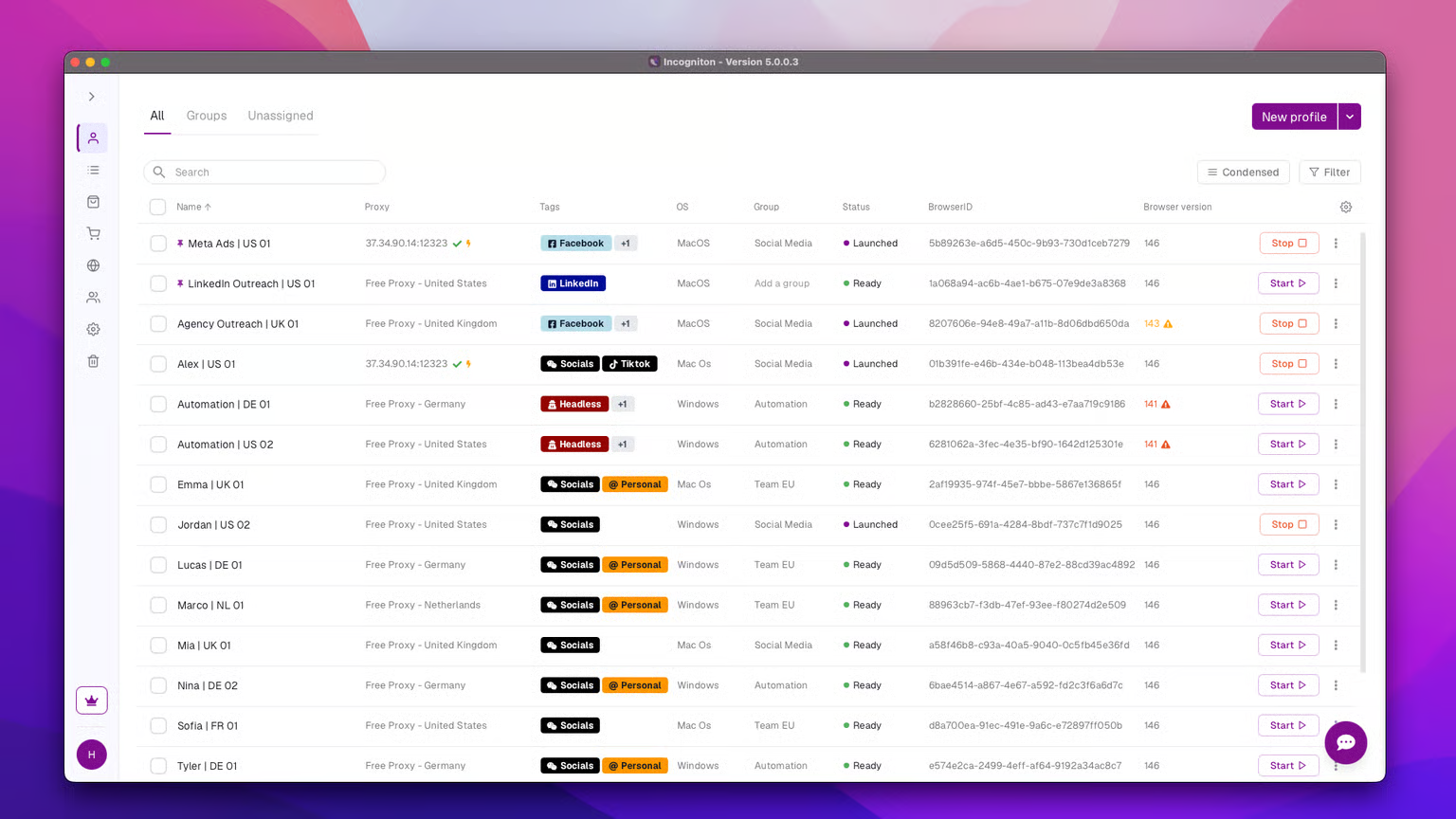
That separation matters because platforms can connect accounts through shared signals such as fingerprints, IP addresses, stored sessions, or registration emails. This review examines the Incogniton V5 layer by layer, from its June 2026 release through the September updates.
It looks at how well each layer keeps profiles separate and where that separation ends.
How Incogniton keeps browser profiles separate
A browser profile stores its own cookies, local storage, session data, and fingerprint settings. Two profiles on the same computer keep that data separate, so a website reading one doesn't find the same browser state in the other.
Real device fingerprints
Incogniton builds fingerprints from real device data instead of randomizing each value. Randomized fingerprints can produce combinations that don't match a real device, such as a mobile GPU paired with a desktop screen resolution, which can make the fingerprint stand out on its own.
Real device data gives each profile a distinct, plausible device, and the built-in Pixelscan, BrowserLeaks, and BrowserScan tests let you confirm it before logging in.
Good separation is boring, the same unremarkable device every launch. New profiles get screen resolution, the latest user agent, and webcam settings applied automatically, and outdated profiles can be updated in bulk to the current browser version, Chrome 152, since an old version can stand out on its own.
A proxy for every profile
Fingerprint separation doesn't help if 2 profiles connect from the same IP. Each profile can use its own proxy over HTTP, SOCKS5, or SSH.
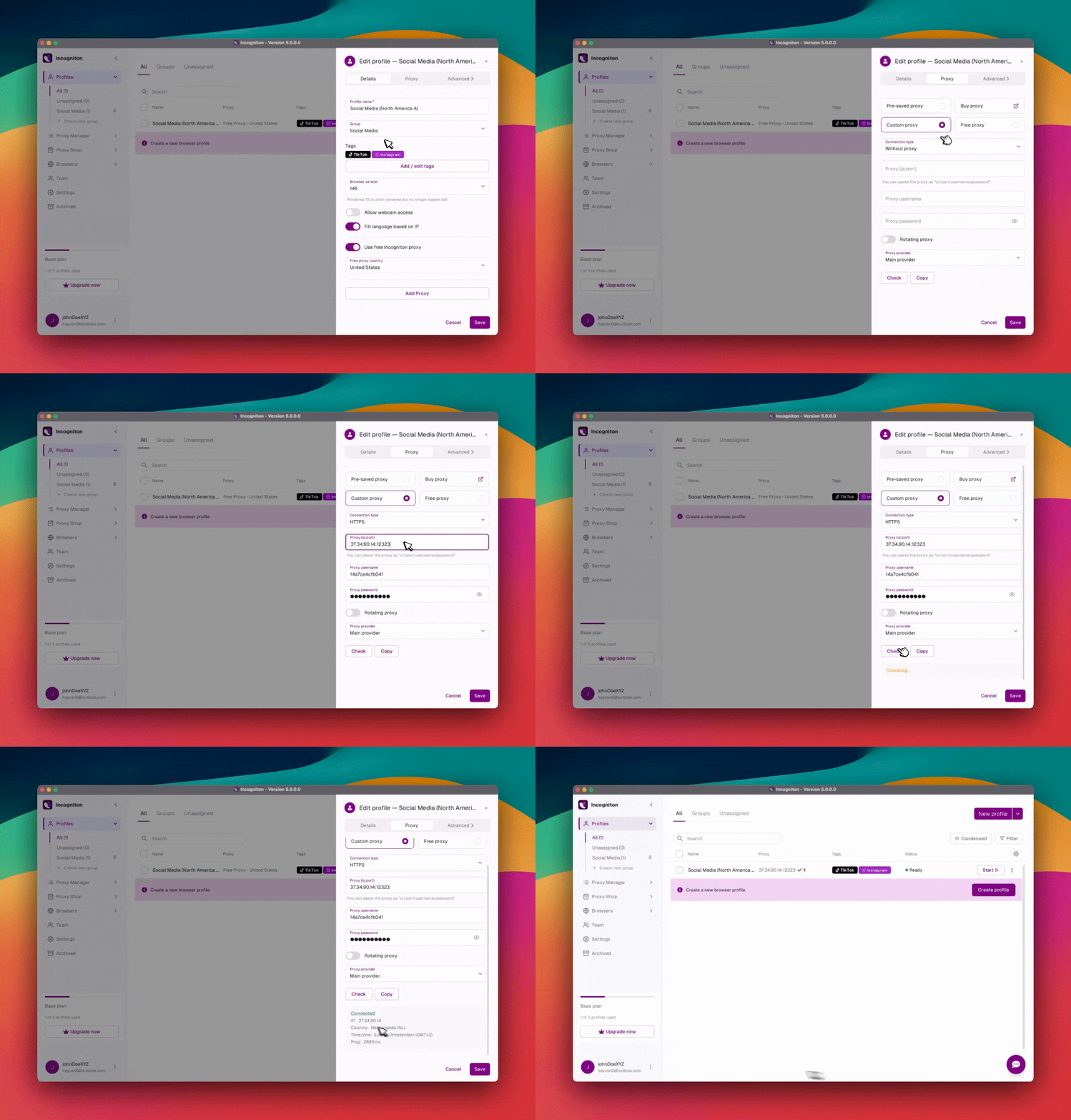
V5 expanded the Proxy Library with bulk editing, bulk rotation, and one-step assignment to profiles. The linked-profiles viewer is one of the quieter additions, but it's the one to check first. It shows every profile attached to a given proxy, which is exactly where an accidental shared IP turns up.
The in-app Proxy Shop now sells residential, ISP, datacenter, and mobile proxies through a guided checkout. It's mainly a convenience, since it saves you from copying credentials between tabs.
The free built-in proxies suit quick browsing, but Incogniton's own changelog marks them as unsuitable for account management. For account management, Incogniton recommends using a paid proxy. Its guide on proxy pricing models covers how to choose one.
Session persistence
Once the fingerprint and IP are separated, the next job is keeping both stable across repeated use. Profiles keep their login state and cookies between launches. Open a profile a week later, and the platform sees the same device returning to an account it already knows.
A new device logging in to an existing account can be a signal. A returning device doesn't introduce that change.
V5's changes here help preserve that existing session data. If the sync server is unreachable, profiles now launch from local data instead of failing. Cas, the built-in assistant, can also restore a profile from a cloud restore point.
Running dozens of profiles in V5
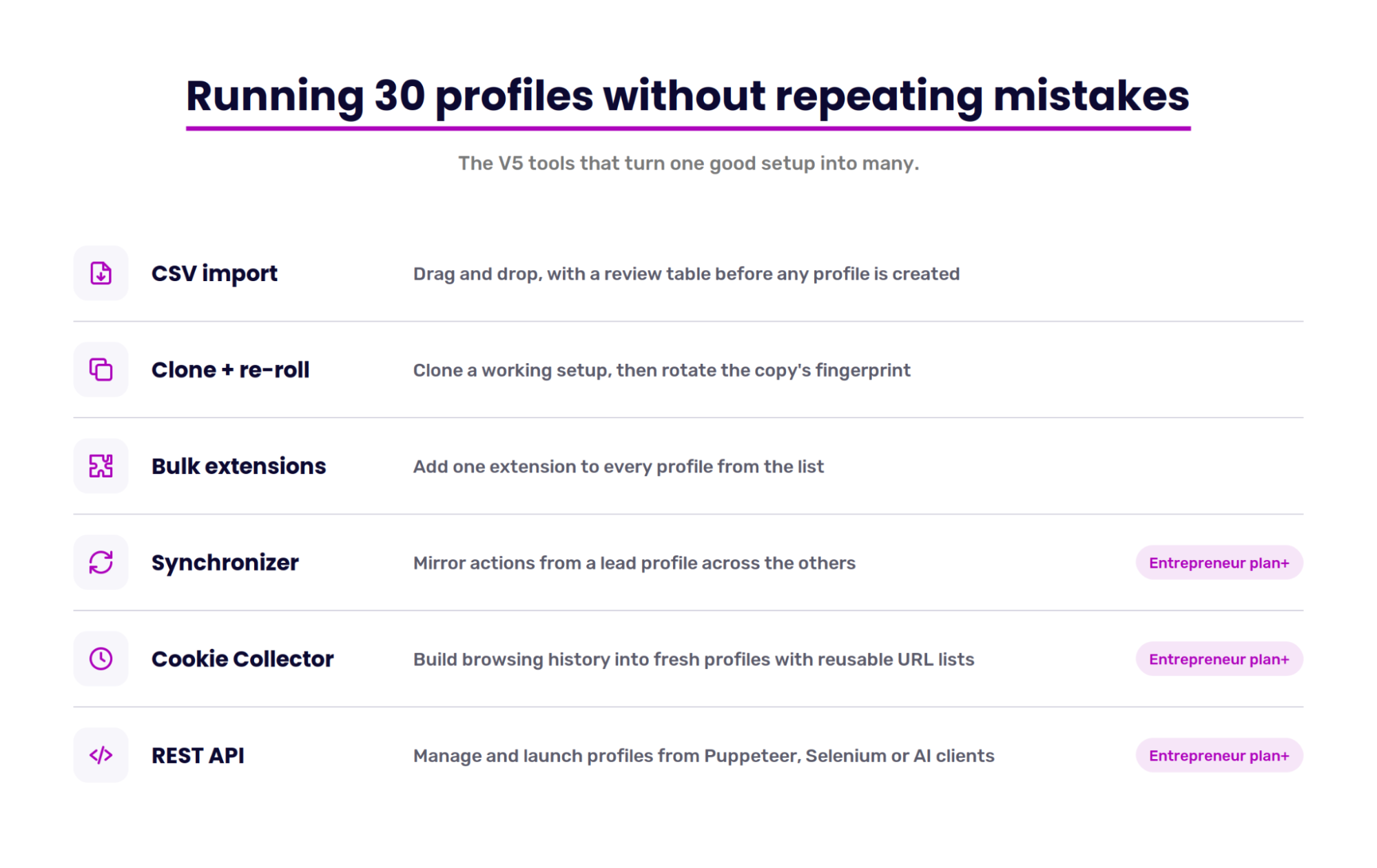
Everything above applies to a single profile. At 30 profiles, separation depends less on any one setting and more on not repeating a setup mistake 30 times. That's where most of V5's workflow changes land.
Importing and cloning
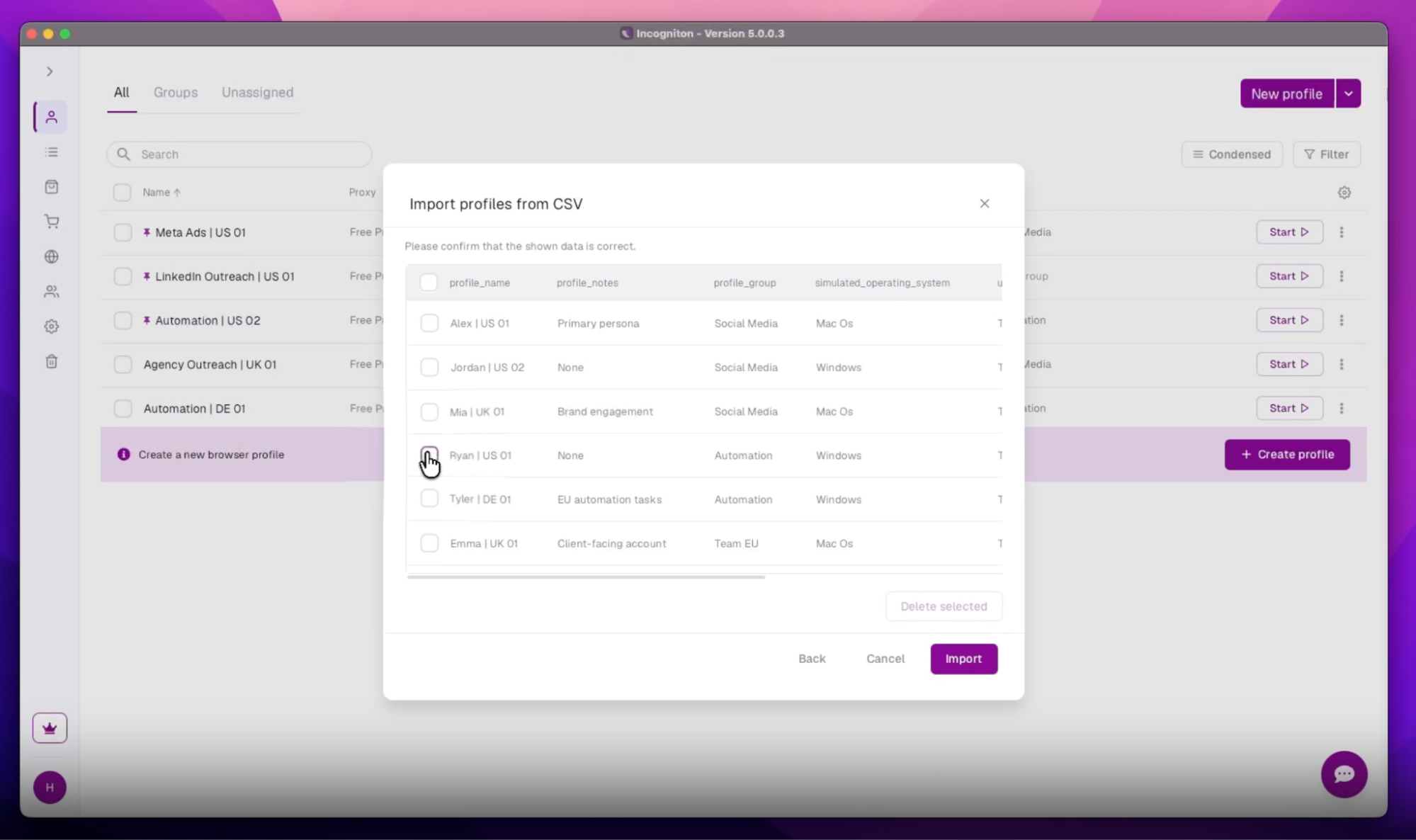
Profiles can be exported and imported by CSV, with drag-and-drop and a review table that shows what's coming in before anything is created. Cloning now runs straight from the profile list.
Pair cloning with the fingerprint rotation button on the Details tab. Clone a working setup, then re-roll the copy's fingerprint so the 2 profiles follow the same distinct-device rule from earlier.
Extensions
Each profile now has its own Extensions tab. Extensions from the Chrome Web Store, a URL, or a file can be bulk-added across profiles from the list. Without that, an extension used on 30 profiles means configuring it 30 times.
Automation
The Synchronizer mirrors actions from one profile across others, so a task done on 1 profile doesn't have to be repeated by hand on 20. V5 lets you choose which profile leads. Cookie Collector builds browsing history into fresh profiles, because an account arriving with no history at all is itself a signal. V5 lets you save and reuse its warm-up URL lists.
The public REST API covers profile management, launching, and cookies, with Puppeteer and Selenium endpoints on localhost. An in-app helper also generates MCP config for Claude Desktop, Cursor, and other AI clients.
The Synchronizer, Cookie Collector, and REST API start on the Entrepreneur plan, not Starter Plus. Users who need automation from day 1 should budget for that tier.
Incogniton x Boomlify: Where your temporary inbox comes in
Fingerprint, IP, and session are all handled inside Incogniton. The email address an account is registered with sits outside it, and it can link accounts just as easily. Two profiles registered to the same inbox are connected, no matter how separate the browsers are.
The rule is the same as the proxy: one address per profile. A temporary inbox from Boomlify covers this for short-lived accounts, such as test accounts or trial evaluations.
Boomlify's Chrome extension can be bulk-added to every profile from V5's Extensions tab. Each inbox is then read inside the profile it belongs to, instead of in a browser tab outside the setup.
For accounts you plan to keep, match the inbox's lifespan to the account's, since Incogniton can't restore access through an inbox that no longer exists.
How to set up a profile
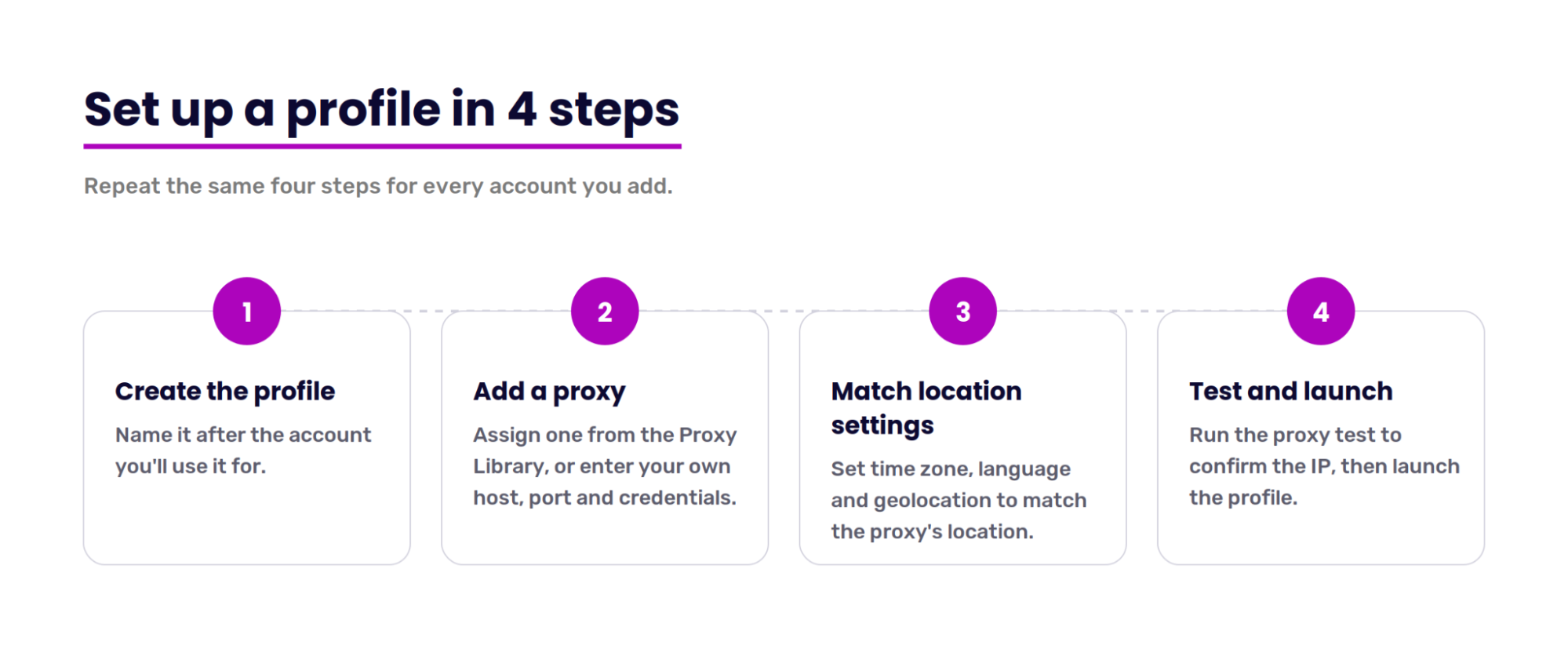
- Create a profile. Name it after the account you'll use it for.
- Add a proxy. Open the profile's proxy settings and assign one from the Proxy Library, or enter your own host, port, and credentials.
- Match the location settings. Set the time zone, language, and geolocation to match the proxy's location.
- Test and launch. Run the proxy test to confirm the IP resolves where expected, then launch the profile.
Incogniton pricing
Plan | Monthly price | Profiles | Key additions |
Free | $0 | 10 for 2 months, then 3 | Core features |
Starter Plus | $19.99 | 10 | Free built-in proxies |
Entrepreneur | $29.99 | 50 | Synchronizer, Cookie Collector, API |
Professional | $79.99 | 150 | 3 team seats, roles and permissions |
Custom | From $149.99 | 500+ | 10+ team seats |
Paying for 6 months cuts the price by 30%, and paying yearly cuts it by 40%. Every plan includes real device fingerprints, Paste as human typing, Widevine support, the fingerprint tests, the CAS Assistant, and bulk profile actions.
Conclusion
Each layer Incogniton separates is one less thing a platform can use to connect your accounts. V5 doesn't change that idea. It makes the separation hold at 30 profiles as well as at 3, which is where setup mistakes start repeating. The setups that last stay boring: same device, same IP, same session, every launch.
What Incogniton doesn't manage is the account itself. The registration email and how each account behaves are still decisions you make outside the browser.
Starter Plus fits solo users running a handful of accounts. Entrepreneur is the entry point for automation, and Professional suits agencies splitting work across a team.
Try 10 Incogniton browser profiles for free →
Written by
Boomlify Team
Editorial team
Reviews, teardowns and practical guides from the Boomlify editorial team.
Found this useful?