
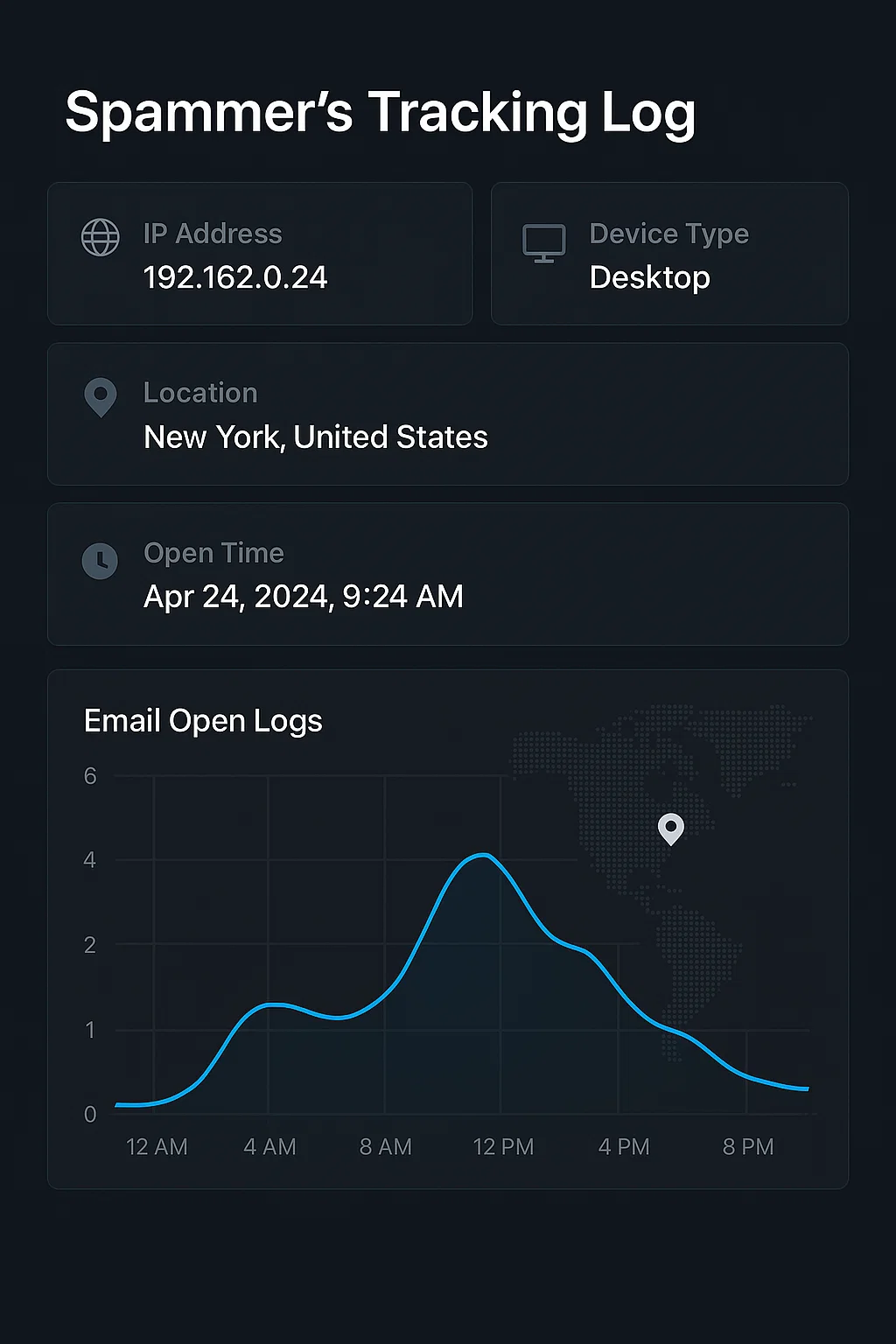
Email tracking pixels are invisible surveillance tools that spammers and marketers use to monitor your online behavior. This comprehensive guide reveals how these tracking mechanisms work, why they're dangerous, and how Boomlify's temporary email service provides complete protection against these privacy invasions.
Table of Contents
- 1. Introduction to Email Tracking Pixels
- 2. How Email Tracking Pixels Work
- 3. Advanced Spammer Tracking Techniques
- 4. The Hidden Privacy Risks of Email Tracking
- 5. How to Detect Email Tracking Pixels
- 6. How Boomlify Blocks Email Tracking
- 7. Advanced Protection Features
- 8. Real-World Examples and Case Studies
- 9. Best Practices for Email Privacy
- 10. Future Trends in Email Tracking
- 11. Conclusion: Taking Control of Your Email Privacy
Introduction to Email Tracking Pixels
In today's digital landscape, your email inbox has become a battleground for privacy. While you might think you're simply reading messages, invisible tracking pixels embedded in emails are silently monitoring your behavior, collecting data about when you open emails, how long you spend reading them, and even your location and device information.
These tracking mechanisms, often called "email pixels" or "web beacons," are tiny, invisible images (usually 1x1 pixel) that send information back to the sender when you open an email. What makes them particularly dangerous is their invisibility—most users have no idea they're being tracked.
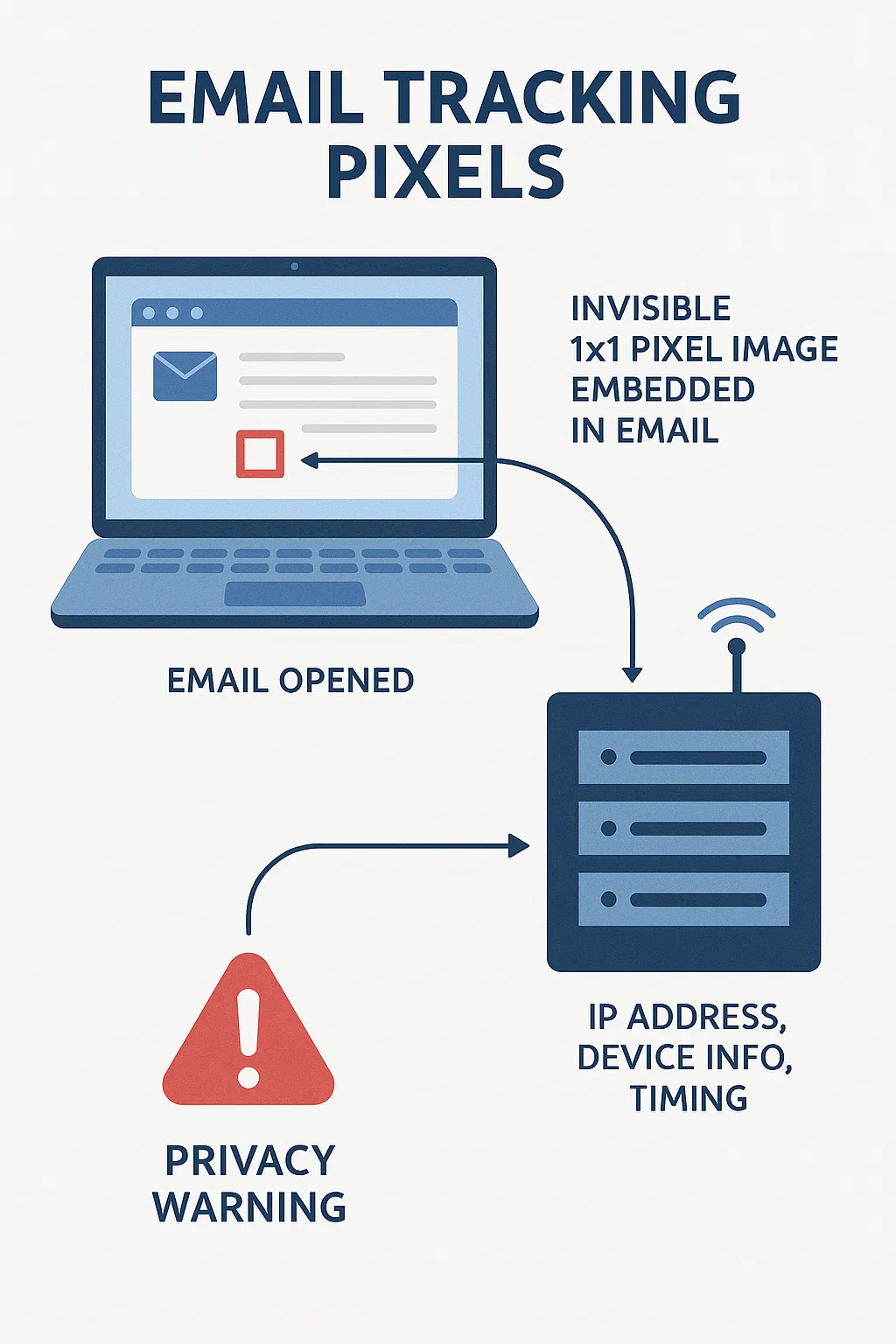
Visual representation of how email tracking pixels work invisibly in the background
What Are Email Tracking Pixels?
- Invisible Images: 1x1 pixel transparent images embedded in emails
- Remote Loading: Images load from external servers when email opens
- Data Collection: Captures IP address, device info, location, and timing
- Silent Operation: Works without user knowledge or consent
- Widespread Use: Used by 70% of major email marketers and spammers
How Email Tracking Pixels Work
The technology behind email tracking pixels is deceptively simple yet highly effective. When an email is sent with a tracking pixel, the HTML code includes an image tag that points to a remote server. This image is typically invisible to the human eye but serves as a beacon that communicates back to the sender's server.
Here's the technical process:
- Email Creation: Spammers embed a tiny image tag in the email HTML
- Email Delivery: The email is sent to your inbox with the tracking pixel
- Email Opening: When you open the email, your email client loads the image
- Data Transmission: Your device requests the image from the tracking server
- Information Collection: The server logs your IP address, device info, and timing
- Profile Building: This data is used to build detailed user profiles
⚠️ The Tracking Data Collected
- IP Address: Your exact location and internet service provider
- Device Information: Operating system, browser type, and screen resolution
- Timing Data: When you opened the email and how long you spent reading
- Email Client: Whether you're using Gmail, Outlook, or mobile apps
- Geographic Location: Your city, country, and approximate coordinates
Advanced Spammer Tracking Techniques
Modern spammers have evolved beyond simple tracking pixels. They now employ sophisticated techniques that make detection and prevention increasingly difficult. Understanding these methods is crucial for protecting your privacy.
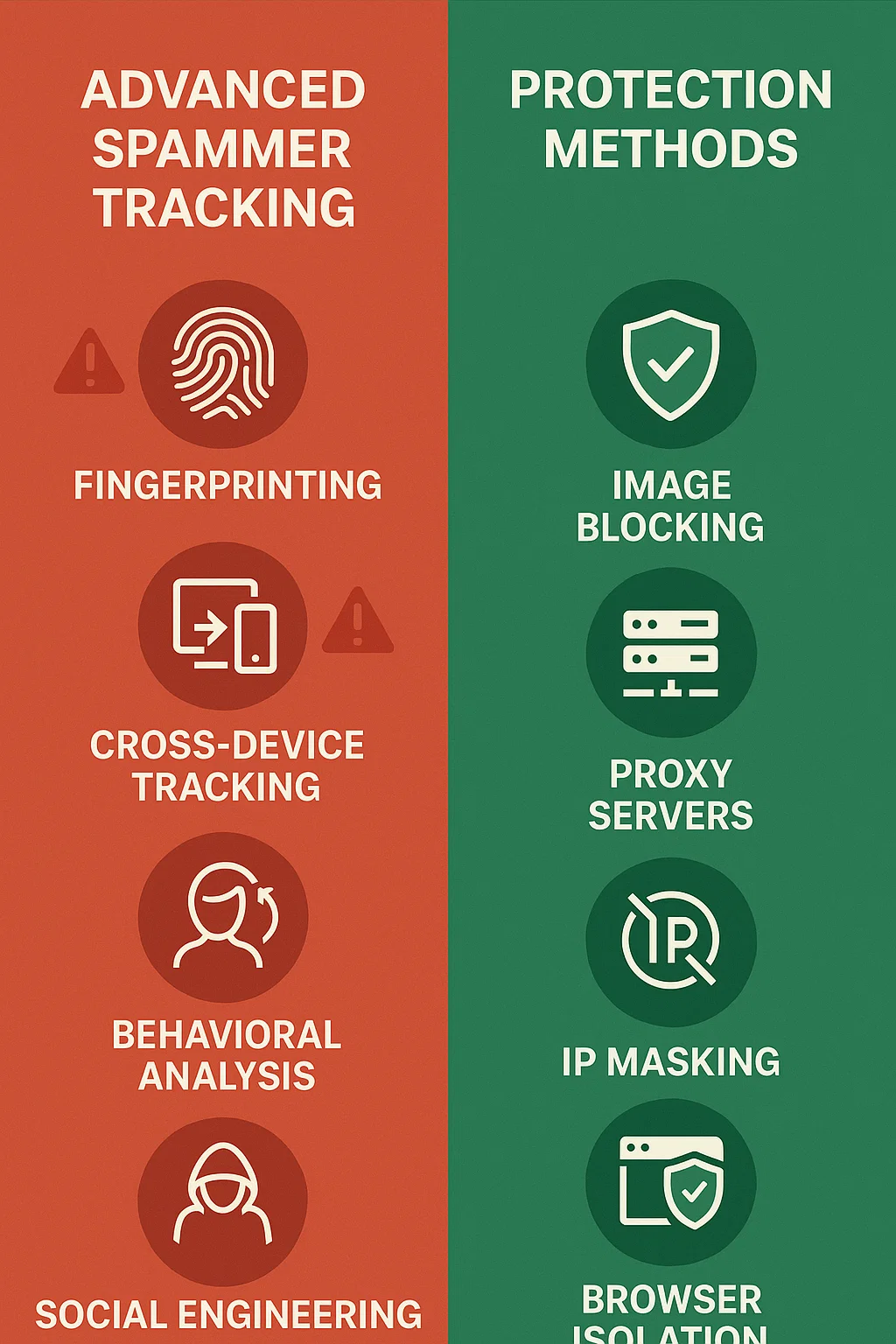
Advanced tracking techniques used by spammers and how to protect against them
Sophisticated Tracking Methods
- Fingerprinting: Creating unique device profiles based on browser characteristics
- Cross-Device Tracking: Linking your behavior across multiple devices
- Behavioral Analysis: Monitoring email interaction patterns over time
- Social Engineering: Using tracking data to craft more convincing spam
- Retargeting: Using collected data to serve targeted ads across the web
How Spammers Use Your Data
- Targeted Attacks: Craft personalized phishing emails based on your behavior
- Timing Optimization: Send emails when you're most likely to open them
- Content Personalization: Adjust email content based on your interests
- Spam List Building: Add your email to targeted spam lists
- Identity Profiling: Build comprehensive profiles for identity theft
The Hidden Privacy Risks of Email Tracking
The privacy implications of email tracking extend far beyond simple annoyance. These tracking mechanisms can lead to serious security and privacy violations that most users don't anticipate.
Major Privacy Concerns
- Identity Theft: Collected data can be used to impersonate you online
- Stalking: Trackers can monitor your daily routines and locations
- Corporate Espionage: Business emails can reveal company secrets
- Financial Fraud: Banking and financial emails are prime targets
- Reputation Damage: Personal information can be used for blackmail
How to Detect Email Tracking Pixels
Detecting email tracking pixels requires a combination of technical knowledge and the right tools. While some methods are simple, others require specialized software or browser extensions.
Manual Detection Methods
- View Email Source: Check HTML source for external image URLs
- Disable Images: Prevent automatic image loading in email clients
- Use Text-Only Mode: View emails in plain text format
- Check Network Activity: Monitor network requests when opening emails
- Browser Extensions: Use privacy-focused extensions to block trackers
Signs Your Email is Being Tracked
- Emails from unknown senders with embedded images
- Promotional emails that seem to "know" your interests
- Sudden increase in targeted spam after opening certain emails
- Emails that load slowly due to external content
- Requests to "display images" in your email client
How Boomlify Blocks Email Tracking
Boomlify's temporary email service provides comprehensive protection against email tracking pixels through multiple layers of security and privacy features.
Multi-Layer Protection System
- Image Blocking: Automatically blocks all external images and tracking pixels
- Proxy Infrastructure: Routes all email traffic through secure proxy servers
- IP Masking: Hides your real IP address from email senders
- Browser Isolation: Prevents cross-site tracking and fingerprinting
- Real-Time Filtering: Analyzes emails for tracking attempts before delivery
Boomlify's Instant Mail service provides immediate protection against tracking pixels with zero configuration required. Simply generate a temporary email address and start receiving emails with complete privacy protection.
Advanced Security Features
For users requiring enhanced protection, Boomlify Advanced Mail offers additional security layers:
- Custom Domain Support: Use your own domain for maximum credibility
- Rate Limiting: Intelligent controls prevent abuse while ensuring availability
- Real-Time Monitoring: Track usage patterns and detect suspicious activity
- Enterprise Security: Bank-level encryption and security protocols
- API Integration: Seamless integration with existing workflows
Advanced Protection Features
Boomlify goes beyond basic tracking protection to provide enterprise-grade security features that ensure complete privacy and anonymity.
Gmail-Based Protection
Boomlify Gmail Temp Mail leverages Gmail's trusted infrastructure while adding privacy protection layers:
- Gmail Deliverability: 99.9% email acceptance rate
- Spam Filter Bypass: Gmail's reputation ensures emails reach inboxes
- Enterprise Acceptance: Corporate systems trust Gmail addresses
- International Reliability: Works consistently across global services
- Privacy Enhancement: Additional layers protect against tracking
Privacy-Focused Features
Boomlify Privacy Mail is specifically designed for users who prioritize maximum privacy:
- Zero Logging: No IP addresses, timestamps, or user data stored
- Anonymous Registration: No personal information required
- Automatic Cleanup: Emails and data automatically deleted after expiration
- Tor Network Support: Compatible with Tor browser for maximum anonymity
- End-to-End Encryption: All communications encrypted in transit
Real-World Examples and Case Studies
Understanding how email tracking affects real users helps illustrate the importance of protection. Here are some common scenarios where tracking pixels pose significant risks.
Case Study 1: Business Email Compromise
A marketing manager at a tech company received an email from what appeared to be a legitimate vendor. The email contained tracking pixels that revealed:
- When the manager opened the email (during business hours)
- The company's IP address and location
- The manager's device information and email client
- How long they spent reading the email
This information was used to craft a targeted phishing attack that successfully compromised the company's systems.
Case Study 2: Personal Privacy Invasion
A privacy-conscious individual signed up for a newsletter using their personal email. The newsletter contained tracking pixels that:
- Tracked their daily routine based on email opening times
- Identified their location and travel patterns
- Built a comprehensive profile of their online behavior
- Sold this data to multiple third-party advertisers
This led to targeted advertising and potential identity theft attempts.
Best Practices for Email Privacy
Protecting yourself from email tracking requires a comprehensive approach that combines technology with behavioral changes.
Immediate Actions You Can Take
- Use Temporary Emails: Boomlify's services provide immediate protection
- Disable Automatic Images: Configure email clients to block images by default
- Use Privacy Extensions: Install browser extensions that block trackers
- Read Emails Offline: Download emails and read them without internet connection
- Use Text-Only Mode: View emails in plain text format when possible
Long-Term Privacy Strategy
- Email Segmentation: Use different emails for different purposes
- Regular Email Audits: Review and clean up email subscriptions
- Privacy-First Services: Choose services that prioritize privacy
- Education: Stay informed about new tracking techniques
- Advocacy: Support privacy-focused legislation and companies
Future Trends in Email Tracking
As technology evolves, so do tracking methods. Understanding future trends helps prepare for emerging privacy threats.
Emerging Tracking Technologies
- AI-Powered Tracking: Machine learning algorithms analyze email behavior patterns
- Cross-Platform Integration: Tracking across email, social media, and web browsing
- Biometric Tracking: Using device sensors to identify users
- Blockchain-Based Tracking: Immutable tracking records on blockchain networks
- Quantum Computing Threats: Future quantum computers may break current encryption
Protection Evolution
Boomlify is continuously evolving to counter new tracking methods:
- AI Detection: Machine learning algorithms identify new tracking techniques
- Quantum-Resistant Encryption: Preparing for future quantum threats
- Decentralized Infrastructure: Reducing single points of failure
- User Education: Comprehensive guides and tutorials
- Community-Driven Development: User feedback shapes protection features
Conclusion: Taking Control of Your Email Privacy
Email tracking pixels represent a significant threat to digital privacy, but they're not invincible. With the right tools and knowledge, you can protect yourself from these invisible surveillance mechanisms.
Boomlify's comprehensive temporary email services provide the protection you need to maintain your privacy in an increasingly tracked digital world. Whether you choose Instant Mail for quick protection, Advanced Mail for enhanced features, or Gmail Temp Mail for maximum deliverability, you're taking a crucial step toward digital privacy.
Ready to Protect Your Email Privacy?
Don't let spammers track your every move. Start using Boomlify today and take control of your digital privacy.
Get Started with Boomlify NowRemember: Your privacy is your right. With the right tools and awareness, you can navigate the digital world without leaving a trace.
Written by
Boomlify Team
Editorial team
Reviews, teardowns and practical guides from the Boomlify editorial team.
Found this useful?