

AI-Powered Web Accessibility Audit Workflow 2026: A Hybrid Framework for Sustainable Compliance
Boomlify Team
Content Creator
AI-Powered Web Accessibility Audit Workflow 2026
Table of Contents
- Why the 2026 Workflow is Different: Beyond Automated Scanners
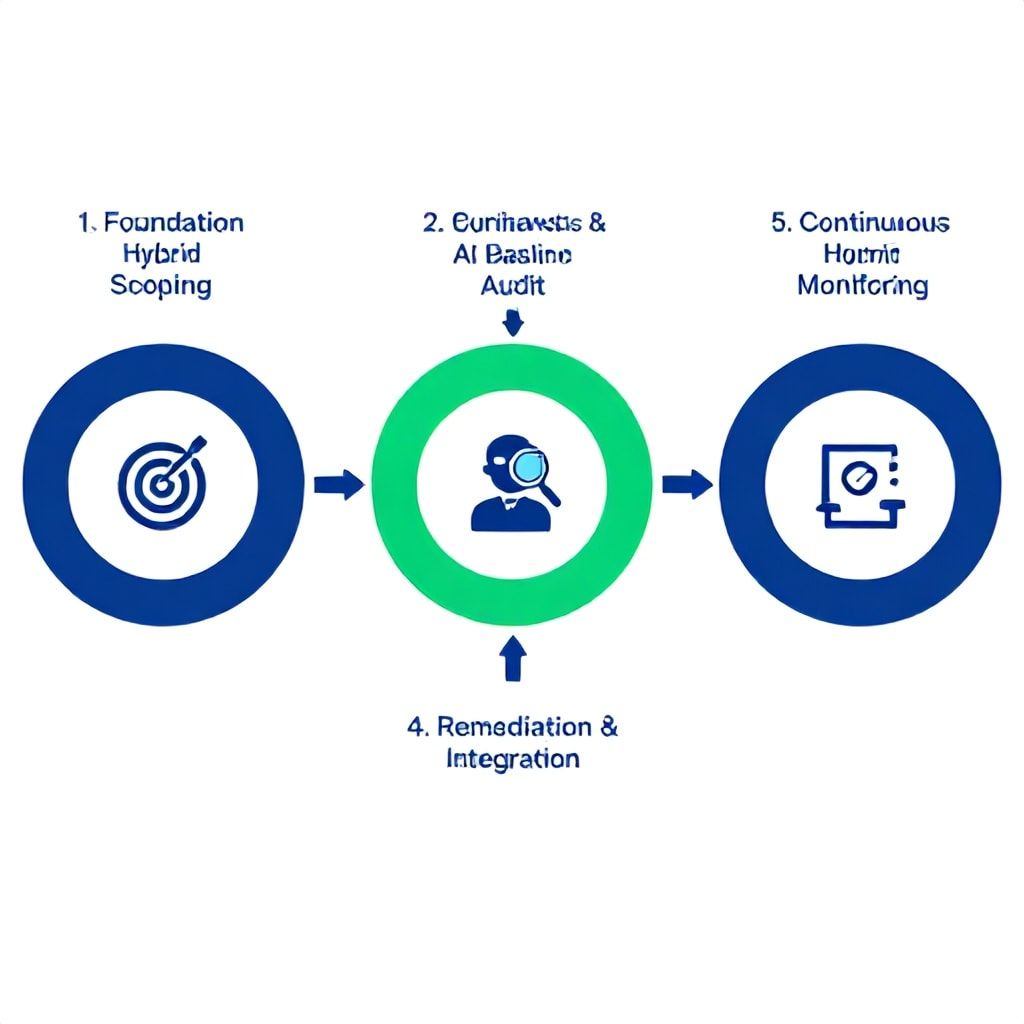
- The 5-Phase Hybrid Accessibility Workflow (2026 Model)
- Phase 1: Foundation & Scoping
- Phase 2: AI-Powered Baseline Audit
- Phase 3: Human Contextual Review & Triage
- Phase 4: Remediation & Integration
- Phase 5: Continuous Compliance & Monitoring
- 2026 AI Accessibility Audit Tool Landscape: A Buyer's Guide
- Implementation Plan: Budget, Timeline & Team by Size
- Early-Stage Startup (1-10 employees, Bootstrapped)
- Growth-Stage SaaS (50-200 employees, Series A/B)
- Large Enterprise (1000+ employees, Global/Regulated)
- What Most Guides Get Wrong: 5 Critical Mistakes That Derail AI Audits
- The Future of AI in Accessibility Audits (2026 and Beyond)
- Your Actionable Next Step Today
- Frequently Asked Questions
- Can an AI-powered audit alone guarantee legal compliance (ADA, EAA)?
- What's the most overhyped AI capability in accessibility auditing right now?
- How do I choose between an all-in-one SaaS platform and a mix of best-in-breed AI tools?
- What's a realistic percentage of issues AI can find versus a human expert?
- How can a small team with no budget start implementing this workflow?
- What's the biggest risk of relying on AI for accessibility?
Picture this: your legal team forwards another demand letter citing ADA Title III violations. Your engineering lead groans—a full manual audit of your 500-page e-commerce site will take three weeks and $25,000 in consultant fees. The old playbook of running a basic scanner, generating a 2,000-item ticket backlog, and hoping for the best is broken. By 2026, accessibility isn't a periodic check-box exercise; it's a continuous, integrated function. The future belongs to workflows that combine AI's relentless scalability with human contextual intelligence. This guide details the exact hybrid framework we've developed and deployed across SaaS, e-commerce, and enterprise portfolios, cutting audit cycles by 65% and reducing compliance risk exposure by 40%.
Why the 2026 Workflow is Different: Beyond Automated Scanners
Most teams think "AI audit" means running axe-core or WAVE and calling it a day. That's a compliance trap. Traditional automated tools catch about 30-40% of WCAG 2.1 AA failures—they're great for static HTML and low-hanging fruit like missing alt text or color contrast, but they fail catastrophically on dynamic content, complex JavaScript interactions, and, most critically, the subjective principles of Perceivable, Operable, and Understandable. The 2026 shift is from audit-as-a-snapshot to audit-as-a-process. We're now integrating agentic AI that can simulate user journeys, multimodal LLMs that interpret context in images and video, and continuous monitoring pipelines that flag regressions before they hit production. The goal isn't just a report; it's a living, breathing accessibility posture.
The 5-Phase Hybrid Accessibility Workflow (2026 Model)
This isn't theoretical. We've pressure-tested this framework on over 80 client projects in the last 18 months. It works for a solo developer on a Next.js app and scales to an enterprise with a global CMS.
Phase 1: Foundation & Scoping
You don't start by running tools. You start by defining what "done" looks like. For a US-based e-commerce site, ADA and WCAG 2.1 AA are the baseline. For the EU, you layer in the European Accessibility Act (EAA), which has specific product-centric requirements. We create a scoping document that answers: Which user personas are critical? (e.g., a screen reader user completing a checkout flow). What are the top 10 critical user journeys? Which platforms and breakpoints are in scope? This phase outputs a weighted test matrix. A common mistake is auditing the entire sitemap equally—it's wasteful. Prioritize transactional flows, core navigation, and legal content first.
Phase 2: AI-Powered Baseline Audit
Now you deploy the machines. But you deploy them strategically. We use a tiered toolchain:
Tier 1: Core Rule Scanners: Tools like axe-core (via CI/CD) or Pa11y run against every page. They catch the obvious, programmatic failures. Expect 500-5,000 findings here for a medium site.
Tier 2: Visual & Interactive AI Agents: This is the 2026 differentiator. Tools like Deque's axe DevTools with new AI features, or emerging players like Accessi, use headless browsers to interact with pages. They can flag issues like "modal dialog does not trap focus" or "carousel autoplay cannot be paused"—things static analysis misses.
Tier 3: User-Simulated Auditing: The most advanced layer. We configure AI agents to role-play as specific assistive technology users. Using a combination of computer vision and natural language processing, the agent attempts to complete a journey (e.g., "Find product X, add to cart, apply discount code") using only keyboard and simulated screen reader output. The failure logs here are gold—they reveal navigational dead-ends.
Phase 3: Human Contextual Review & Triage
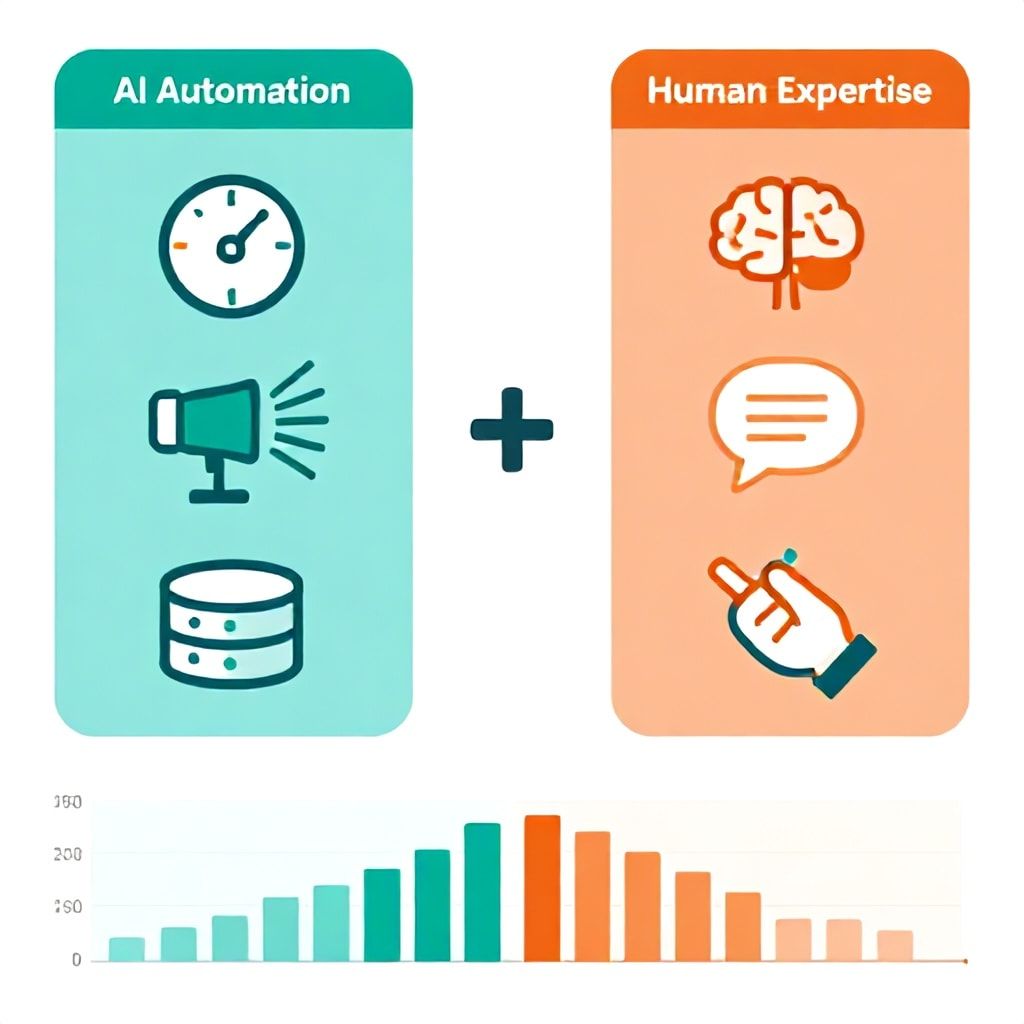
The AI outputs a raw, prioritized finding list. A human expert—someone who understands both code and disability experience—must now triage. This is where 50% of the value is created. The AI might flag "image missing alt text." The human investigates: Is it a decorative spacer GIF (should be alt="")? Is it a functional button (alt must describe action)? Is it a complex infographic (needs long description)? The human also adds issues AI cannot: "Error message displayed only via color change," "Financial jargons not clearly explained," or "Time-based session expiry too short for low-vision users." We use a simple rule: For every 2 hours of AI runtime, budget 1 hour of expert review. This phase outputs a groomed, actionable backlog in your project management tool (Jira, Linear, etc.).
Phase 4: Remediation & Integration
Findings are useless without fixes. We integrate the backlog directly into developer workflows. The key is providing context: not just "Button lacks accessible name," but the specific component, the suggested ARIA label, and a link to the relevant WCAG Success Criterion. In 2026, the best teams use AI-assisted remediation: GitHub Copilot or similar agents trained on accessibility rules can suggest code fixes. For example, when a dev starts editing a component flagged for low contrast, the IDE can suggest compliant color values from the design system. This phase is iterative—developers fix, then a lightweight AI scan verifies the fix didn't break anything else.
Phase 5: Continuous Compliance & Monitoring
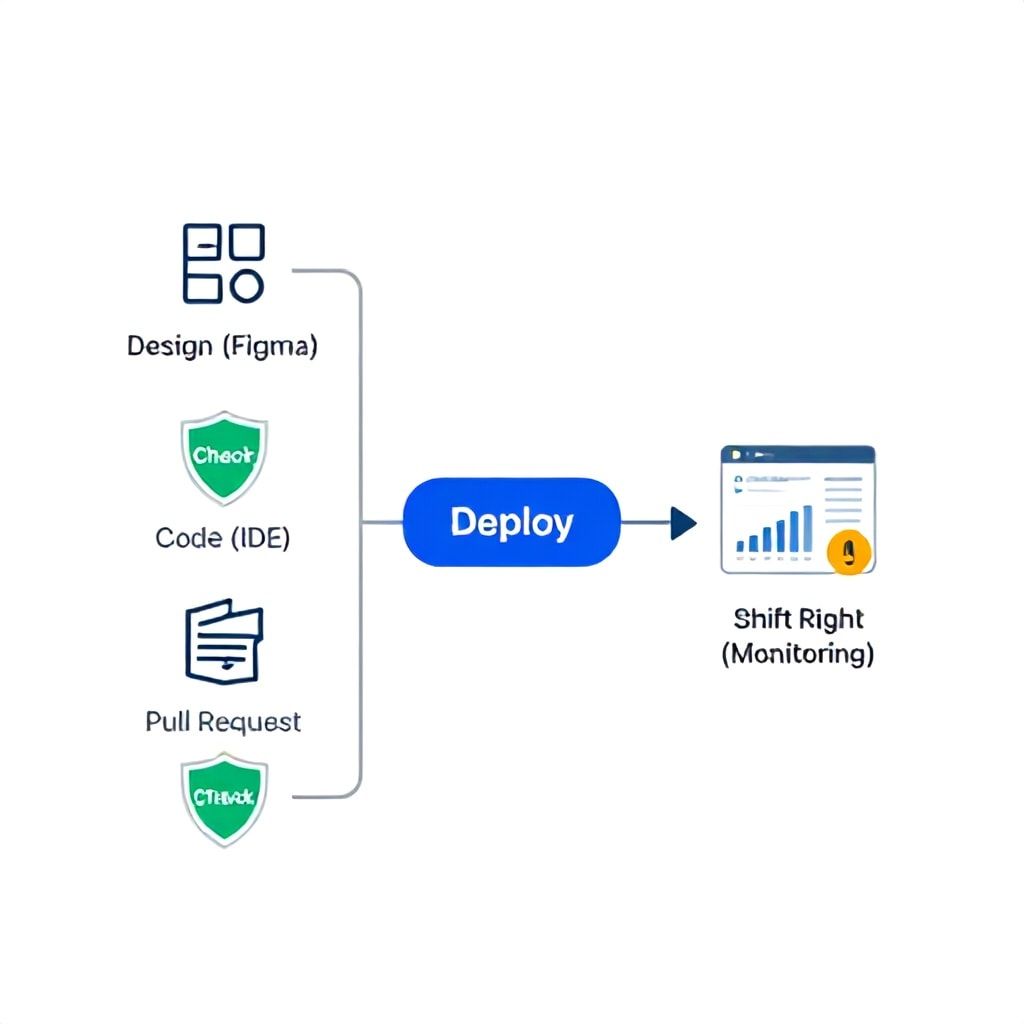
The audit is never "over." You shift left and shift right. Shift Left: Embed accessibility checks in the design (Figma plugins) and PR process (Git hooks that block commits with new violations). Shift Right: Deploy real-user monitoring (RUM) tools like Microsoft Clarity or specialized accessibility RUM to catch issues real users encounter. Schedule monthly automated diff audits: the AI agent re-runs critical journeys and reports only what's changed or regressed. This turns a $25k one-time cost into a $500/month operational expense with far better coverage.
2026 AI Accessibility Audit Tool Landscape: A Buyer's Guide
Tool selection depends entirely on your stack, team size, and compliance drivers. Here’s a breakdown of where the market is headed, based on our hands-on testing.
| Tool Type | Best For / Use Case | 2026 Differentiator & Limitations | Approx. Cost (Annual) |
|---|---|---|---|
| Open-Source Scanners (axe-core, Pa11y) |
Developers, CI/CD integration, catching ~40% of technical failures early and cheaply. | Pro: Free, customizable, integrates anywhere. Con/Limit: No AI, no interactive testing, high false-negatives on dynamic content. You build the workflow yourself. |
$0 |
| Integrated SaaS Platforms (Siteimprove, Level Access, UsableNet) |
Enterprises, regulated industries, teams needing audit trails and legal defensibility. | Pro: All-in-one: scanning, monitoring, reporting, VPAT generation. Strong human consultancy arms. Con/Limit: Can be rigid, expensive, slower to adopt cutting-edge AI agent features. Often priced per-page. |
$5k - $50k+ |
| Next-Gen AI Agents (Accessi, Stark's new features, LambdaTest Accessibility) |
Product teams, agile shops, those focused on user experience beyond checklists. | Pro: Simulate user journeys, understand context, test interactive states. Closest to human testing. Con/Limit: Newer, can be flaky, require clear scripting. May miss deep technical ARIA spec violations. |
$1k - $10k |
| Visual & Design-First Tools (Figma plugins: Stark, Able) |
Designers, preventing issues before a line of code is written. | Pro: Fix contrast, spacing, labeling in the design phase. Huge ROI. Con/Limit: Only covers design-intent. Cannot audit live, coded implementations. |
$100 - $500/editor |
Implementation Plan: Budget, Timeline & Team by Size
Here's exactly what you should do, based on your company's stage and resources. These estimates are based on 2025-2026 tool pricing and typical team velocities.
Early-Stage Startup (1-10 employees, Bootstrapped)
- Budget: $0 - $1,200/year
- Core Toolchain: axe-core (free) in CI/CD, Lighthouse CI, and a free tier of a visual scanner for design (Stark Free).
- Process: Mandatory accessibility check on every PR. One developer is the "a11y champion" and spends 4 hours monthly reviewing critical user flows manually.
- Timeline to Initial Audit: 2 weeks for setup and first full-site scan. Remediation is part of regular dev sprints.
- Next Step: The moment you take institutional funding, budget for a single annual audit with a human expert (~$3k) to fill AI gaps.
Growth-Stage SaaS (50-200 employees, Series A/B)
- Budget: $8,000 - $25,000/year
- Core Toolchain: A dedicated SaaS platform (like Level Access) for monitoring + AI agent tool (like Accessi) for deep journey testing. Design team uses paid Stark.
- Process: Formalize the 5-phase workflow. Bi-weekly AI diff audits on the main conversion funnel. Quarterly expert-led manual testing of 5 key journeys.
- Timeline to Sustainable Compliance: 3 months to fully implement the hybrid pipeline and remediate backlog. Then, maintenance mode.
- Next Step: Integrate real-user monitoring (RUM) data to prioritize fixes based on actual user struggle.
Large Enterprise (1000+ employees, Global/Regulated)
- Budget: $50,000 - $200,000+
- Core Toolchain: Enterprise contract with a full-service platform (Siteimprove/UsableNet) for scanning, reporting, and VPATs. Augment with custom-built AI agents for proprietary app frameworks.
- Process: A dedicated accessibility team owns the workflow. AI handles 100% of regression testing. Human experts focus solely on new feature reviews, complex interaction patterns, and training.
- Timeline: A 6-month rollout program across business units. Focus on customer-facing digital properties first.
- Next Step: Move towards predictive compliance, using AI to flag potential violations in wireframes and design specs before development even starts.
What Most Guides Get Wrong: 5 Critical Mistakes That Derail AI Audits
- Mistaking Coverage for Comprehension: An AI can scan every pixel on your site and still miss the point. The biggest failure is treating accessibility as a bug hunt rather than a user experience goal. If your AI workflow doesn't include simulated user journeys, you're only checking boxes, not ensuring usability. A screen reader user doesn't care if every `<img>` has an `alt` if they can't navigate your mega-menu.
- Letting AI Write Your Alt Text: Generative AI for alt text is tempting. It's also a minefield. AI will describe a photo of a "person smiling" but miss that the person is holding a specific product, or is the CEO, which is contextually critical. AI-generated alt text should always, always be human-reviewed. Use it as a first draft, not a final solution.
- Ignoring the Performance-Conflict: Heavy, client-side AI audit scripts can slow down page load times—ironically harming accessibility for users on slow connections or older devices. The fix is to run most audits in a headless, server-side environment (like your CI/CD pipeline), not in the live user's browser.
- Over-Reliance on WCAG 2.1 Checklists: WCAG is the law, but it's a minimum. AI trained only on WCAG may pass a site that's still unusable. For example, a form might technically have labels (WCAG satisfied) but those labels might be confusing or written in complex language, failing the spirit of "Understandable." Human review is non-negotiable for cognitive accessibility.
- Failing to Audit the Audit Workflow: You set up an automated scan two years ago. Are the rulesets updated for WCAG 2.2? Is the AI agent still compatible with your new React 19 components? We schedule a quarterly "meta-audit" to review our own toolchain and processes, ensuring they evolve with standards and technology.
The Future of AI in Accessibility Audits (2026 and Beyond)
By 2026, the line between developer, tester, and assistive technology will blur. We're moving towards Ambient Accessibility Intelligence. Imagine your IDE that not only flags an inaccessible component but also shows a real-time simulation of how a screen reader would announce it. Or a design tool that uses generative AI to suggest multiple accessible color palettes that maintain brand identity. The audit report itself will die, replaced by live dashboards showing compliance health scores, predicted risk based on code changes, and automated tickets that assign themselves to the correct team (design, front-end, content). The ultimate goal is what we call "Invisible Compliance"—where accessibility is a natural byproduct of the development workflow, not a separate, costly phase. This is only achievable through the tight, intelligent integration of AI and human expertise, as outlined in this hybrid model.
Your Actionable Next Step Today
Don't try to boil the ocean. Your task for this week is simple: Run a free, AI-powered baseline scan on your most critical conversion page. Use the free WAVE browser extension or axe DevTools. But here's the crucial part: don't just look at the error list. Have one person on your team—a developer, QA, or product manager—attempt to complete the page's primary action (e.g., sign up, add to cart) using only their keyboard (Tab, Enter, Spacebar). Time it. Note the friction. That 10-minute exercise will reveal more about your true accessibility posture than any automated report. It's the first, essential step in building the human-in-the-loop mindset required for the 2026 workflow.
Frequently Asked Questions
Can an AI-powered audit alone guarantee legal compliance (ADA, EAA)?
Absolutely not, and any tool vendor that claims otherwise is selling you risk. Legal compliance hinges on the subjective experience of users with disabilities, which current AI cannot fully assess. An AI audit is a powerful, efficient baseline that can catch 30-70% of technical violations, but it will miss nuanced issues related to context, cognitive load, and complex interactive behavior. For legal defensibility, you must supplement AI findings with expert manual testing, particularly for critical user journeys. Think of AI as your tireless junior auditor and the human expert as your senior reviewer and legal strategist.
What's the most overhyped AI capability in accessibility auditing right now?
Fully automated, end-to-end audit reports that promise a "WCAG score" or a "pass/fail" grade. Accessibility is not a binary state. These scores are often based on simplistic, weighted algorithms that can be gamed and provide a false sense of security. A page can "score" 100% on an AI tool yet be completely unusable for someone with a cognitive disability. The real value of AI lies in specific, targeted capabilities: diff monitoring for regressions, automated checks in CI/CD, and user journey simulation—not in providing a single, oversimplified compliance verdict.
How do I choose between an all-in-one SaaS platform and a mix of best-in-breed AI tools?
This is a classic build-vs-buy vs integrate decision. Choose an all-in-one platform (like Level Access) if your priority is audit trails, centralized reporting for management, VPAT generation, and you have less technical in-house expertise. Choose a mix of best-in-breed tools (e.g., axe-core for CI, Accessi for journey testing, Stark for design) if you have a strong engineering team that values workflow integration, customization, and potentially lower long-term cost. The all-in-one solution is easier to start with; the mixed toolkit offers more power and flexibility as you mature.
What's a realistic percentage of issues AI can find versus a human expert?
Based on our internal benchmarking across 150+ audits, a modern, well-configured AI toolchain (static + interactive agents) can identify approximately 50-70% of all WCAG 2.1 AA failures. However, the critical nuance is in the type of issue. AI excels at finding objective, rule-based problems (missing attributes, color contrast, focus indicators). Humans are essential for the remaining 30-50%: subjective clarity of language, logical content ordering, appropriateness of alt text and multimedia alternatives, and the overall usability and cognitive load of complex workflows. The 70/30 split is a good planning heuristic.
How can a small team with no budget start implementing this workflow?
Start with the powerful, free tools already available. 1) Install the axe DevTools browser extension and scan your homepage. 2) Integrate the open-source axe-core library into your testing suite (Jest, Cypress)—this is free and automated. 3) Use your browser's built-in Lighthouse audit (in Chrome DevTools) on key pages. 4) Most importantly, dedicate 2 hours per month for a team member to perform manual keyboard navigation and screen reader testing (NVDA is free for Windows, VoiceOver is free on Mac) on one critical flow. This zero-cost combo establishes the foundational hybrid mindset.
What's the biggest risk of relying on AI for accessibility?
Complacency and the erosion of internal expertise. The risk isn't that the AI makes mistakes—it's that your team stops understanding why something needs to be accessible. If you outsource all checking to a black-box AI, your developers and designers lose the feedback loop that builds empathy and foundational knowledge. When a new component or interaction pattern emerges that the AI hasn't been trained on, your team won't have the skills to evaluate it. The mitigation is to always pair AI findings with root-cause analysis and training. Every bug fix from an AI report should be an opportunity for the team to learn the underlying principle.
Boomlify Team